




ML-1860
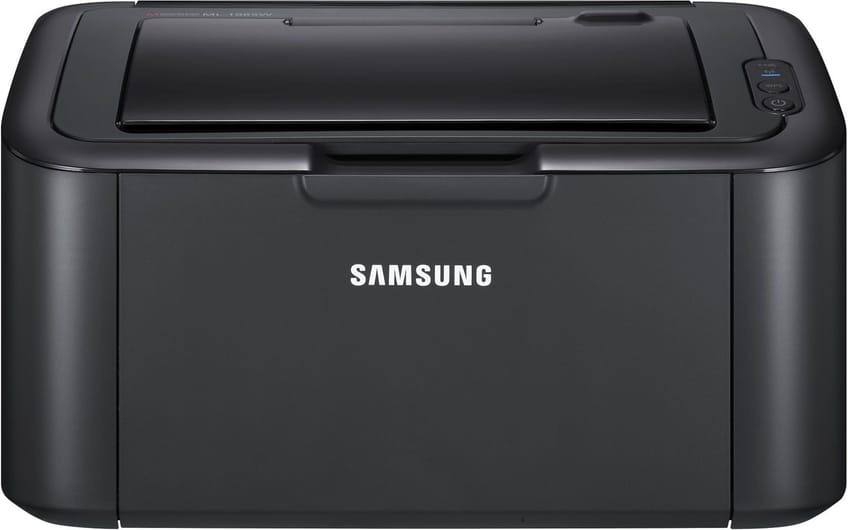
Samsung's ML-1860 refreshes the ultra-compact mono concept with a slightly more modern look, keeping the series' trademark tiny footprint. It is a single-function black-and-white printer for minimalists.
The cartridge is the MLT-D104S. Choose our compatible cartridge for value or the genuine Samsung OEM cartridge for originality, and expect fast shipping from Clever Supplies.
Toner Cartridges for ML-1860
This printer works with the following toner cartridges:
- Samsung MLT-D104S
More Samsung Printers
- ML-1660
- ML-1661
- ML-1665
- ML-1666
- ML-1675
- ML-1861
- ML-1864
- ML-1865
- SCX-3200
- SCX-3201
- SCX-3205
- SCX-3206
- SCX-3210
- SCX-3217
- SCX-3218
- ML-1660K
- ML-1660N
- ML-1661K
- ML-1665K
- ML-1667
- ML-1670
- ML-1865W
- SCX-3200K
- SCX-3200W
- SCX-3205W
- SCX-3205WK
- SCX-3210K
- SCX-3201G
- SCX-3205K
- ML-1676
- ML-1866
- SCX-3206W
Frequently Asked Questions
Does the ML-1860 use a separate imaging drum, or is it built into the cartridge, and how does each one affect print quality for everyday printing?
Your ML-1860 treats them as two independent consumables: the MLT-D104S runs out of powder, while the drum slowly loses its coating. Drums typically outlast several toner cartridges, so most replacements you buy will simply be the MLT-D104S. Keep the two roles straight and troubleshooting gets much simpler.
Why does my ML-1860 leave dark spots scattered across the page, and can a cartridge swap fix it?
When the same mark repeats at regular intervals down the page, the drum surface inside the ML-1860 is usually damaged or worn. Print a solid black page and a blank page; marks on both narrow it to the drum, while marks only on the black page suggest the cartridge. Catching it early with a visual check beats guessing between a new MLT-D104S and a new drum.
My ML-1860 picks up dust and it shows on prints, and what should I never touch?
Dust on the paper path shows up as random specks, so a quick wipe-down during each cartridge swap prevents most of it. If you see spilled toner, a toner-rated vacuum or a dry cloth is the safe cleanup — damp cloths make toner smear. Make wiping the path part of every MLT-D104S swap on the ML-1860 and you will never think about it again.