




ML-1660K
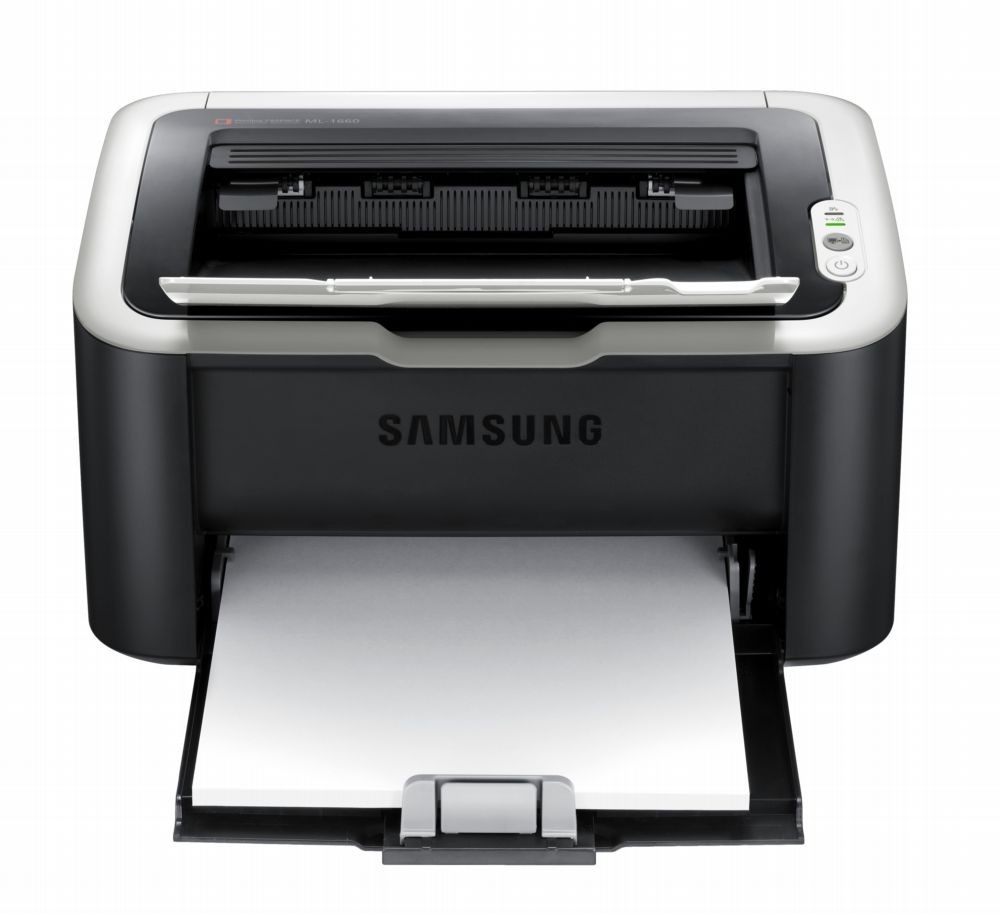
The ML-1660K is the Korea-region configuration of Samsung's ML-1660, an ultra-compact mono laser with a footprint small enough to disappear onto a crowded desk. Under the badge it is the same machine as the standard model — same engine, same tidy black-and-white output — and it takes exactly one cartridge: the MLT-D104S. That code is the whole consumable story of this printer, and it is shared with a long list of Samsung's small ML and SCX models, which is why it is stocked here both under its own code and under the ML-1660K name.
Regional variants confuse buyers more than any other in this corner of the catalog, so here is the plain version: the K in the model name describes the market the printer was configured for, not a different printer. Nothing about the toner changes with the badge. If the box says MLT-D104S, it fits this machine — a useful rule, because the same cartridge also appears in listings named for the other printers it serves, and all of those listings are selling the same black cartridge.
Toner Cartridges for ML-1660K
One cartridge, several ways to buy it — the code-named listings and the listings sold under this model's own name are the same toner.
| Cartridge | Color | Page Yield |
|---|---|---|
| MLT-D104S black toner cartridge | Black | See product page |
| ML-1660K black toner cartridge (model-named listing) | Black | See product page |
| MLT-D104S black toner cartridge, 2 pack | Black | See product page |
| MLT-D104S black toner cartridge, 4 pack | Black | See product page |
| MLT-D104S Premium black toner cartridge, 5 pack | Black | See product page |
| ML-1660K black toner cartridge, 5 pack | Black | See product page |
Which cartridge should you buy?
With a single cartridge there is no wrong door, only a question of how often you want to reorder. The single MLT-D104S suits the occasional printer who would rather keep money out of the supply drawer. The multi-packs — the 2 pack, the 4 pack and the Premium 5 pack — suit anyone whose ML-1660K works most days: the per-cartridge cost of the larger boxes is friendlier, and a spare already on the shelf means a low-toner warning is a two-minute job instead of a delivery wait. The model-named listings are worth choosing when you want the box to say your printer's name; the cartridge inside is the same either way.
Chip, toner and everyday use
The ML-1660K reports toner through its control panel supplies menu and through Samsung's printer software on your computer, so there is no excuse for being surprised mid-job: the low-toner warning appears as a panel message or a driver pop-up while there is still printing left in the cartridge. Make checking it part of the routine and you will always print with toner to spare. When a cartridge does go in, a gentle side-to-side rock beforehand spreads toner that settled in storage, and the unit should be pushed home until it seats. Keep the spare sealed and upright at room temperature.
Frequently Asked Questions
My prints come out with toner that brushes right off the page. What should I check first?
When toner sits on the surface instead of melting into the fibers, it has not been fused. Nine times out of ten that is a settings or media mismatch — heavy or coated paper run on a plain-paper setting is the classic — so check those first. If plain paper still smudges with a fresh MLT-D104S installed, the fuser, the hot roller at the output side, is probably failing and the printer needs service.
How do I check how much toner is left before I run out mid-job?
Look in two places: the supplies menu on the printer's own panel, and Samsung's printer software on the computer. Between the two, the low-toner warning shows up well before the cartridge is truly empty, which is your cue to put a spare MLT-D104S on the next order rather than to panic.
There are vertical streaks on every page. Is that toner or something else?
Streaks that survive a paper-path cleaning live on a roller surface, not in the paper. Measure the distance between repeating marks and compare it with the drum circumference noted in the manual; a match confirms the drum as the source. That measurement keeps the repair aimed at the part that is actually failing instead of at the cartridge.
Does the K version of this printer need a special cartridge?
No. The regional badge changes nothing about the consumable. Every ML-1660K runs on the MLT-D104S, the same code as the rest of its family.
More printers that use the same cartridges
The MLT-D104S cartridge also serves this long list of Samsung ML and SCX models: ML-1660, ML-1660N, ML-1661, ML-1661K, ML-1665, ML-1665K, ML-1666, ML-1667, ML-1670, ML-1675, ML-1676, ML-1860, ML-1861, ML-1864, ML-1865, ML-1865W, ML-1866, SCX-3200, SCX-3200K, SCX-3200W, SCX-3201, SCX-3201G, SCX-3205, SCX-3205K, SCX-3205W, SCX-3205WK, SCX-3206, SCX-3206W, SCX-3210, SCX-3210K, SCX-3217, SCX-3218 and Samsung-MLTD104S.