




ML-1865
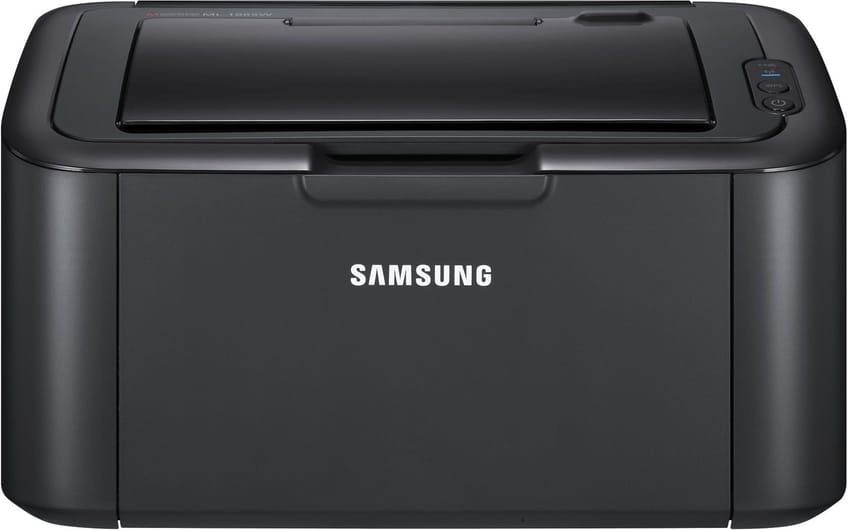
The Samsung ML-1865 is the mainstream badge of the 1860-series ultra-compact mono lasers, a tiny single-function printer for homes that print now and then. It tucks into a bookshelf and still produces sharp text.
Its cartridge is the MLT-D104S. Our compatible version keeps running costs low; the genuine OEM version keeps the machine on Samsung originals. Fast shipping from Clever Supplies.
Toner Cartridges for ML-1865
This printer works with the following toner cartridges:
- Samsung MLT-D104S
More Samsung Printers
- ML-1660
- ML-1661
- ML-1665
- ML-1666
- ML-1675
- ML-1860
- ML-1861
- ML-1864
- SCX-3200
- SCX-3201
- SCX-3205
- SCX-3206
- SCX-3210
- SCX-3217
- SCX-3218
- ML-1660K
- ML-1660N
- ML-1661K
- ML-1665K
- ML-1667
- ML-1670
- ML-1865W
- SCX-3200K
- SCX-3200W
- SCX-3205W
- SCX-3205WK
- SCX-3210K
- SCX-3201G
- SCX-3205K
- ML-1676
- ML-1866
- SCX-3206W
Frequently Asked Questions
When should I replace the imaging unit in my ML-1865 instead of just the toner — how many cartridges does one drum usually survive?
Yes, the drum in the ML-1865 is designed to outlast several toner cartridges, so most of your purchases will just be the MLT-D104S. The ML-1865 may display a drum-life or imaging-unit warning on its panel or status page, separate from toner alerts. Replace on evidence and the drum will serve you well for a long stretch.
What is the cleanest way to replace the MLT-D104S in the ML-1865 — what should I avoid touching inside the printer during the swap?
Toner spills are almost always caused by rushing, so give yourself a clear workspace and handle the old cartridge gently. Slide the new cartridge into the ML-1865 along its rails until it clicks; forcing it means it is misaligned, not stuck. A little prep turns a messy job into a tidy one.
My ML-1865 pages are coming out looking faint, especially on solid areas halfway through a cartridge's life?
Pale output usually means the cartridge is nearly spent, but if a fresh MLT-D104S does not fix it, the drum is the next suspect. Print a supplies status page from the ML-1865 panel to see the remaining toner before spending money on a new cartridge. Once you know which part is tired, the fix is straightforward.