




SCX-3205W
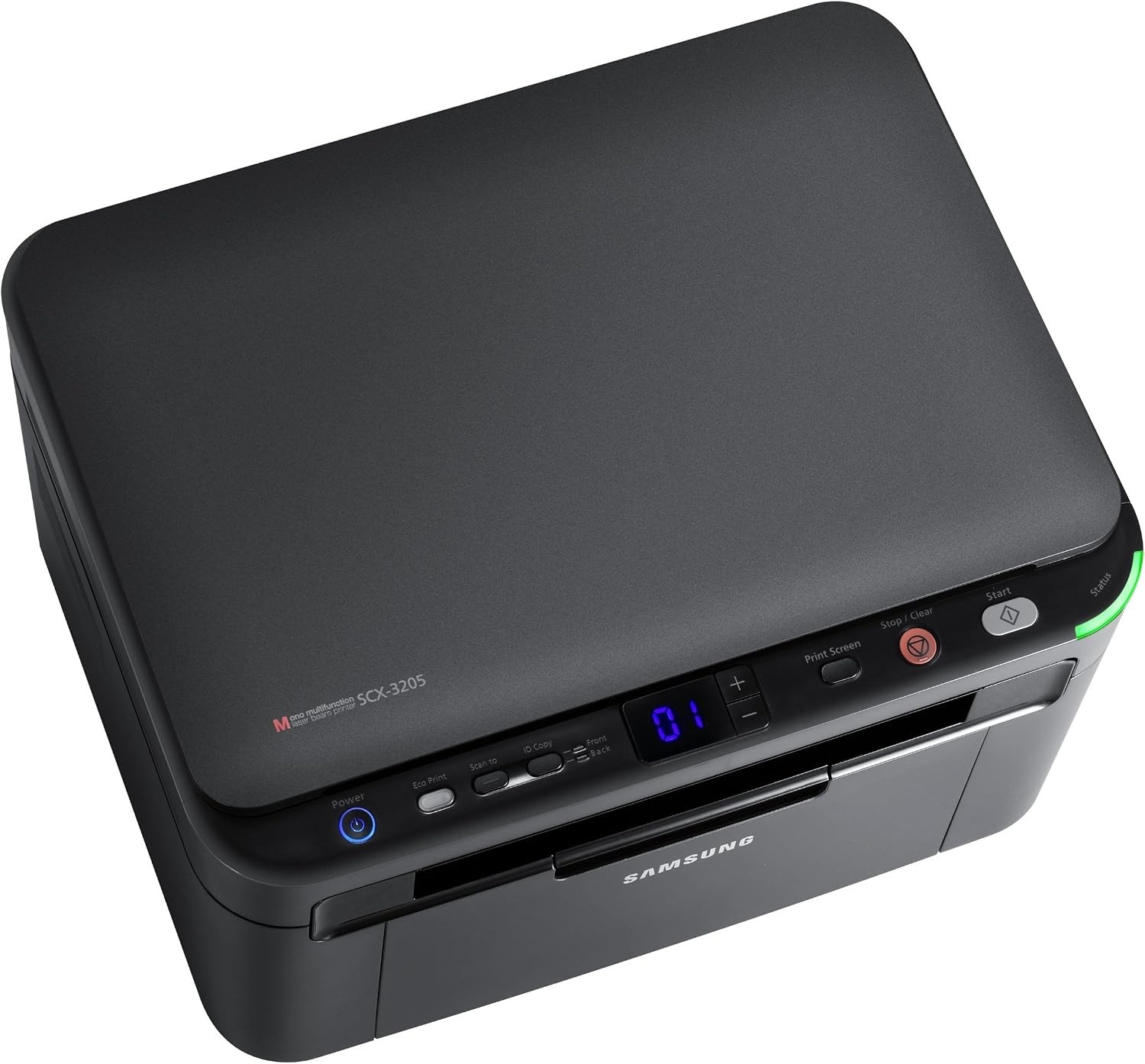
Some printers earn their desk space by disappearing into the background, and the wireless SCX-3205W is built for exactly that. This compact Samsung multifunction prints, scans and copies, and its Wi-Fi connection means every computer in the room can use it without a cable run or a host PC left awake. All of that work runs on a single black cartridge, the MLT-D104S, so there is exactly one supply to track no matter which of the three functions you call on.
In a home office the SCX-3205W usually ends up as shared infrastructure: one person prints invoices, another scans signed pages, a third copies forms. Because the machine sits on the network rather than beside one desk, it can live wherever there is an outlet and a spare shelf. That shared duty matters when you order toner. A wireless multifunction quietly serves more people than a personal printer, and its cartridge drains on the group's schedule, not on yours.
Toner Cartridges for SCX-3205W
| Cartridge | Color | Page Yield |
|---|---|---|
| MLT-D104S | Black | See product page |
| MLT-D104S 2 Pack | Black | See product page |
| MLT-D104S 4 Pack | Black | See product page |
| MLT-D104S Premium 5 Pack | Black | See product page |
| SCX-3205W | Black | See product page |
| SCX-3205W 5 Pack | Black | See product page |
Which cartridge should you buy?
There is only one decision here, and it concerns quantity rather than type. Every listing above is the same cartridge in a different pack size, including the two sold under the printer's own SCX-3205W name. A single cartridge suits a lightly used machine that prints a few pages a week. Step up to the two-pack or four-pack when the printer is shared, because network users rarely warn you before a big job lands. The Premium five-pack makes sense for a small office that would rather reorder twice a year than every few weeks, and it keeps a sealed spare beside the machine for the day the installed cartridge fades mid-run. Whatever the size, keep one unopened pack in reserve: an empty wireless printer inconveniences the whole room, not just one desk.
Chip, toner and everyday use
The SCX-3205W reads a small chip on the cartridge to confirm it is seated and to estimate the toner remaining, so a cartridge that is not pushed fully home can be reported as missing even when it is present. Push until the cartridge settles, and treat supply warnings as estimates rather than verdicts. When pages start to fade near the end of a cartridge's life, lift it out and rock it gently from side to side a few times. The powder settles back toward the feed roller and full density often returns for a while. Store unopened spares flat, in their sealed packaging, away from radiators and sunny shelves, and they will be ready the moment the machine asks. Every compatible cartridge on this page is covered by a 1-year warranty and 1-year returns.
Frequently Asked Questions
Does the SCX-3205W take the same cartridge as the wired SCX-3205?
Yes. The SCX-3205 and this wireless model are the same platform with different connections, and both run on the MLT-D104S. If your household or office keeps both versions, one spare on the shelf covers either machine.
My prints fade in the middle of a long job — is the cartridge finished?
Usually it is nearly finished rather than completely empty. Toner settles unevenly as the cartridge empties, so density drops first on long runs. Rocking the cartridge side to side redistributes what remains and often buys a useful run of extra pages. Treat that recovery as borrowed time: order the replacement while those pages print, because the fade will return and there is no second redistribution trick after it.
Why does this printer talk about a drum when it only uses one cartridge?
Toner and the imaging drum do different jobs. The cartridge supplies powder; the drum is the surface that carries the image to the page, and in this design the two are separate parts with very different service lives. The drum typically outlasts several cartridges, so nearly every supply order for this machine is simply toner. Knowing which part does what keeps troubleshooting short when quality drops.
The SCX-3205W stopped printing over Wi-Fi — could that be a toner problem?
No. Toner problems announce themselves as fading pages or supply messages, never as a lost network connection. If jobs stop arriving, check that the printer still shows on your network and restart the router or the printer. Order toner for pale output, not for silence.
More printers that use the same cartridges
The MLT-D104S works across a wide stretch of Samsung's compact range, so the same spare also feeds these models: ML-1660, ML-1660K, ML-1660N, ML-1661, ML-1661K, ML-1665, ML-1665K, ML-1666, ML-1667, ML-1670, ML-1675, ML-1676, ML-1860, ML-1861, ML-1864, ML-1865, ML-1865W, ML-1866, SCX-3200, SCX-3200K, SCX-3200W, SCX-3201, SCX-3201G, SCX-3205, SCX-3205K, SCX-3205WK, SCX-3206, SCX-3206W, SCX-3210, SCX-3210K, SCX-3217, SCX-3218, Samsung-MLTD104S.