




SCX-3217
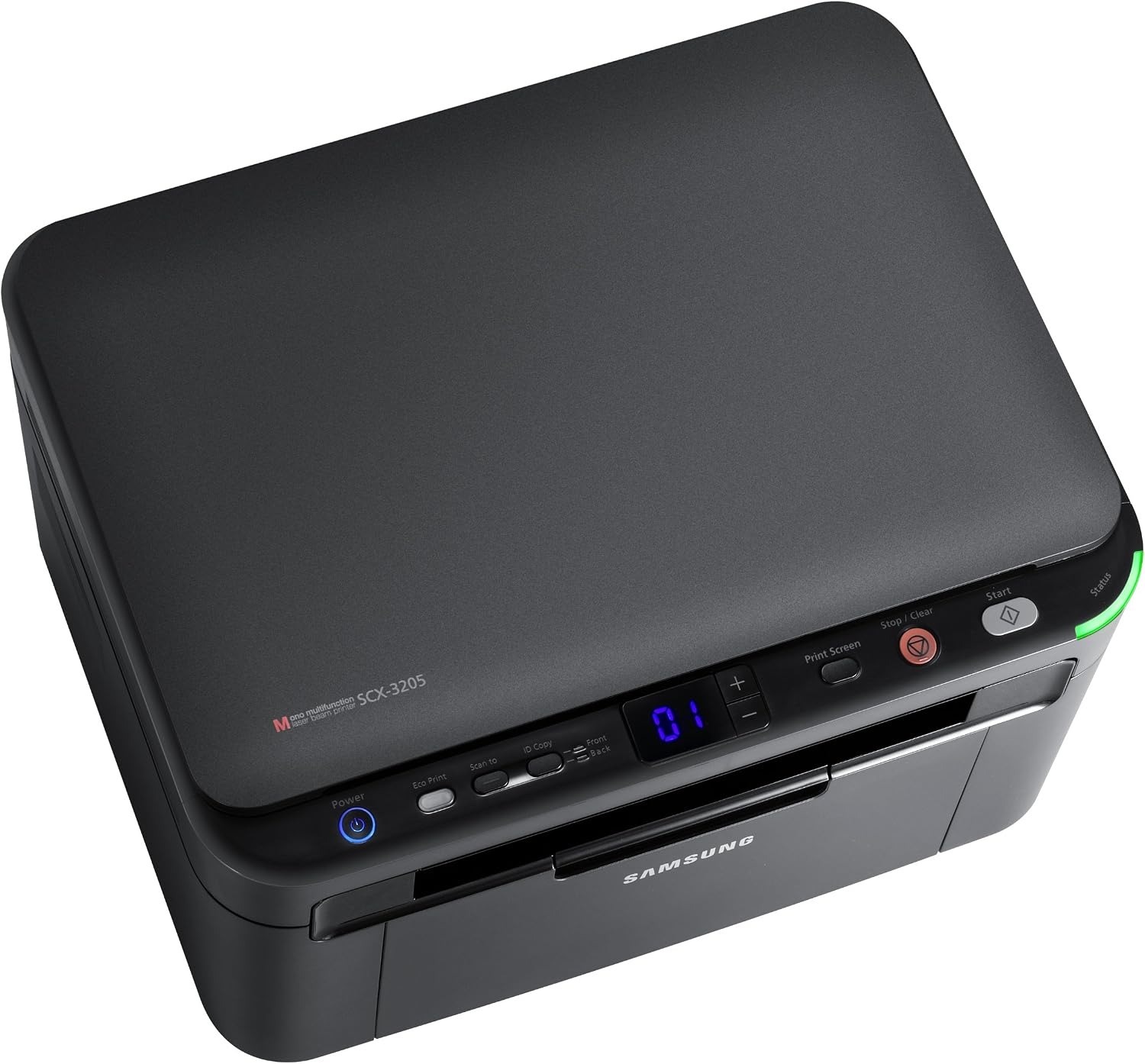
Another badge, same honest machine: the SCX-3217 carries Samsung's compact multifunction design into a further regional market, with the print, scan and copy core of its 3200-series cousins, straightforward operation and clean monochrome output. Its cartridge is the MLT-D104S, listed below under both the code and the SCX-3217 name, in packs of one, two, four and five.
Because regional badges multiply faster than the hardware changes, the SCX-3217 rewards buyers who think in cartridges rather than model names. The machine under the badge is the compact 3200-series design; the consumable is one black cartridge with a long compatibility list; and the ownership routine is short enough to fit on an index card taped inside a cupboard door.
Toner Cartridges for SCX-3217
| Cartridge | Color | Page Yield |
|---|---|---|
| Samsung MLT-D104S Laser Toner Cartridge Black | Black | See product page |
| Samsung MLT-D104S Laser Toner Cartridge Black 2 Pack | Black | See product page |
| Samsung MLT-D104S Laser Toner Cartridge Black 4 Pack | Black | See product page |
| Samsung MLT-D104S Premium Quality Laser Toner Cartridge Black 5 Pack | Black | See product page |
| Samsung SCX-3217 Laser Toner Cartridge Black | Black | See product page |
| Samsung SCX-3217 Laser Toner Cartridge Black 5 Pack | Black | See product page |
Which cartridge should you buy?
Confirm the code and you are done: MLT-D104S is the only cartridge this machine accepts, and the SCX-3217-named listings are that same cartridge under the printer's label. Singles cover light duty. The two-pack suits most home offices, balancing price against shelf space. The four-pack and the five-packs, including the Premium line, bring the per-cartridge cost down for anyone printing daily. One distinction worth knowing: the imaging drum is a separate, long-life component, not part of the cartridge decision — buy toner for output volume, and let drum replacement be driven by symptoms, as the questions below explain. A spare cartridge also doubles as insurance for every other model in the family list, since all of them take the same one.
Chip, toner and everyday use
Learn to read symptoms and this printer becomes easy to keep. Defects that survive a fresh cartridge — repeating marks, stubborn streaks, a gray wash — belong to the drum, not the toner. Defects that arrive with a new cartridge and leave with the next one belonged to the cartridge. Swap first, conclude second. When installing, remove every seal, seat the cartridge until it clicks, and keep spare cartridges sealed and upright. Timing drum replacement to symptoms instead of the calendar means you never replace one early — and never nurse a spent one for months either.
Frequently Asked Questions
Text smudges when I rub the page. Fuser or bad toner?
When toner sits on the surface rather than melting into the paper fibers, the fuser — the hot roller at the output — is the prime suspect. Test on plain paper: if fresh output still smudges with a new MLT-D104S installed, the fuser itself is probably failing and needs service or replacement.
Dark spots keep scattering across pages even after I wipe the paper path. Why?
Spots that repeat at regular intervals come from a damaged or worn drum surface. A lone hairline line is often debris that a gentle cleaning pass can clear, but patterned, persistent spotting names the drum. Knowing which roller is guilty turns a confusing defect into a one-part repair.
When should the imaging unit be replaced instead of the toner?
When print defects survive a fresh cartridge: repeating marks, persistent streaks or gray backgrounds all point at the drum. Printing on with a tired drum does the printer no harm — output simply worsens until you replace the unit — so the pages, not the calendar, should call the timing.
More printers that use the same cartridges
The MLT-D104S family extends well beyond this one badge:
ML-1660, ML-1660K, ML-1660N, ML-1661, ML-1661K, ML-1665, ML-1665K, ML-1666, ML-1667, ML-1670, ML-1675, ML-1676, ML-1860, ML-1861, ML-1864, ML-1865, ML-1865W, ML-1866, SCX-3200, SCX-3200K, SCX-3200W, SCX-3201, SCX-3201G, SCX-3205, SCX-3205K, SCX-3205W, SCX-3205WK, SCX-3206, SCX-3206W, SCX-3210, SCX-3210K, SCX-3218, Samsung-MLTD104S