




ML-1865W
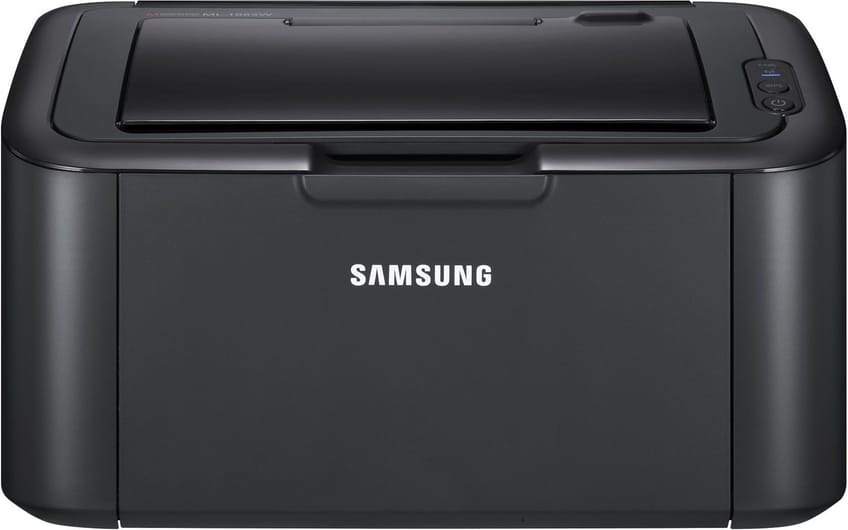
Wireless printing meets the ultra-compact 1865 in Samsung's ML-1865W: the tiny mono laser can live on a shelf while laptops around the room print to it over Wi-Fi. Small printer, zero cables, clean pages — and a single cartridge to feed it, the MLT-D104S. Because the machine is often out of arm's reach, that one cartridge is worth keeping an eye on before it runs dry.
A printer that lives on a shelf gets forgotten until it stops, which makes the spare strategy different here: one cartridge in reserve, stored near the machine, turns a dead printer day into a two-minute swap. The listings below include the cartridge by code, multi-packs, and listings under this model's name. The same cartridge is also sold under sibling model names for the rest of this family — those listings belong to their own models' pages, while the table here holds the ones stocked for this printer.
Toner Cartridges for ML-1865W
| Cartridge | Color | Page Yield |
|---|---|---|
| ML-1865W Toner Cartridge Black (MLT-D104S) | Black | See product page |
| MLT-D104S Premium Toner Black 5 Pack | Black | See product page |
| MLT-D104S Toner Black 4 Pack | Black | See product page |
| MLT-D104S Toner Black 2 Pack | Black | See product page |
| MLT-D104S Toner Black | Black | See product page |
| ML-1865W Toner Black 5 Pack | Black | See product page |
| ML-1865W Toner Black | Black | See product page |
Which cartridge should you buy?
Start with one spare and the single-cartridge habit. The ML-1865W serves light home and small-office printing, and a lone cartridge covers that workload for a long stretch; buying deep only pays when several people print daily and the shelf spare keeps getting consumed. Wireless households often find their page volume creeping up — a printer everyone can reach gets used by everyone — and that is when a multi-pack starts to make sense. The model-named single is the same cartridge under this printer's badge, useful for a fast reorder from your order history. Compatible cartridges carry a 1-year warranty and 1-year returns.
Chip, toner and everyday use
The cleanest swap on this model starts before you touch the printer: lay paper underneath, remove the old cartridge slowly and keep it level, then give the new one a gentle side-to-side rock so the toner settles evenly before it goes in. If toner escapes during a swap, wipe it with a dry cloth or use a vacuum rated for toner — never a damp cloth, and never an ordinary vacuum on a large spill. The cartridge's chip reports levels to the printer, which shares them with your computers over Wi-Fi, so a low-toner notice on your laptop is the same warning the panel would give you.
Frequently Asked Questions
Should I shake the new cartridge before installing it in the ML-1865W?
A gentle rock, yes — tilt the sealed cartridge slowly from side to side a handful of times so the toner distributes evenly. Vigorous shaking is unnecessary and risks forcing toner past the seals. Do it before you remove the sealing tape, with the cartridge still closed.
Can I check the toner level without walking to the printer?
Yes. Because the ML-1865W reports its status over the network, the driver on your computer shows the cartridge level the printer's chip is reporting. Check it there when pages start looking light, and order against the level you see rather than guessing.
Does the wireless model use a different cartridge from the wired ML-1865?
No. The W adds Wi-Fi to the same compact machine, and both badges run on the same single black cartridge. The family list below shows every model that shares it.
More printers that use the same cartridges
Also fed by the same single black cartridge:
ML-1660, SCX-3200, ML-1660K, SCX-3200K, ML-1660N, SCX-3200W, ML-1661, SCX-3201, ML-1661K, SCX-3201G, ML-1665, SCX-3205, ML-1665K, SCX-3205K, ML-1666, SCX-3205W, ML-1667, SCX-3205WK, ML-1670, SCX-3206, ML-1675, SCX-3206W, ML-1676, SCX-3210, ML-1860, SCX-3210K, ML-1861, SCX-3217, ML-1864, SCX-3218, ML-1865, Samsung-MLTD104S, ML-1866