




ML-1675
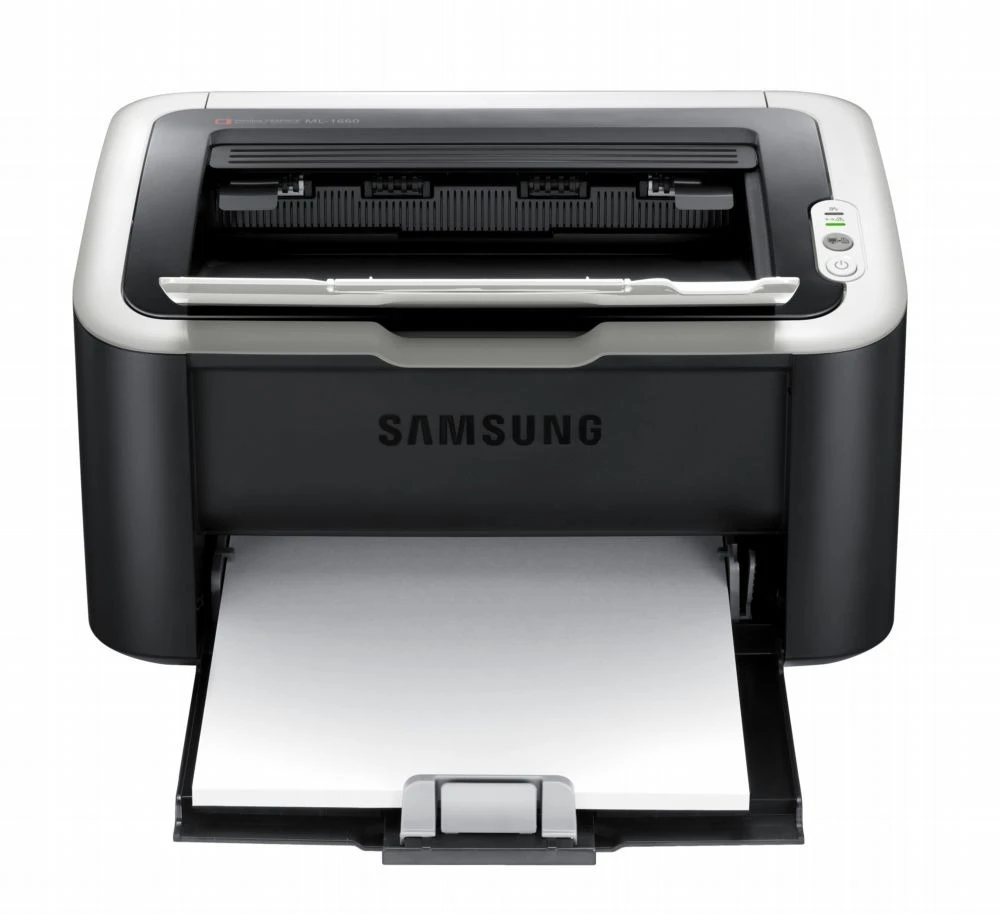
The Samsung ML-1675 is a slightly dressed-up member of the ultra-compact 1660 mono series — the same tiny footprint as the ML-1660, with its own styling and badge. Light home printing is its comfort zone. It feeds on a single cartridge, the MLT-D104S: compatible cartridges deliver the savings, genuine OEM cartridges deliver the Samsung box, and Clever Supplies ships both fast.
Styling variants exist because printers sit in living spaces, and Samsung sold this platform in several shells for several markets. Under the ML-1675's dressed-up cover there is no surprise — the same engine, the same paper path and the same one-cartridge routine as its plainer siblings. That is good news at reorder time: the supply shelf for this printer is one code deep.
Toner Cartridges for ML-1675
| Cartridge | Color | Page Yield |
|---|---|---|
| ML-1675 Toner Cartridge (Single) | Black | See product page |
| ML-1675 Toner Cartridge (MLT-D104S) | Black | See product page |
| MLT-D104S Toner Cartridge (Single) | Black | See product page |
| MLT-D104S Toner Cartridges (2 Pack) | Black | See product page |
| MLT-D104S Toner Cartridges (4 Pack) | Black | See product page |
| ML-1675 Toner Cartridges (5 Pack) | Black | See product page |
| MLT-D104S Premium Quality (5 Pack) | Black | See product page |
Which cartridge should you buy?
Light home use points to the single MLT-D104S, replaced when it fades. Homes with students or a work-from-home desk will cycle through cartridges faster, and the 2 Pack and 4 Pack listings lower the cost of keeping up. Because the cartridge is shared across a big family of Samsung compacts, stocking one spare also covers any sibling machine in the house. Compatible cartridges carry a 1-year warranty and 1-year returns on this page; OEM is the factory-original alternative.
Chip, toner and everyday use
This printer reads a small chip on the cartridge to confirm the install, so most recognition errors are physical, not electronic: a missed pull-tab, toner dust on the contact, or a cartridge that never quite clicked home. Reseat the cartridge first. A useful diagnostic is the swap test — if the old cartridge is recognized when reinstalled, the new one's chip is the likely fault and a replacement is warranted. Store spares sealed in a cool, dark place, and remember that yield figures assume light page coverage, so dense documents finish a cartridge sooner than the estimate suggests.
Frequently Asked Questions
What causes thin vertical lines on pages from my ML-1675?
Lines that survive a paper-path cleaning live on a roller surface. Measure the distance between repeating marks and compare it with the drum circumference in the manual — a match identifies the drum as the source, which saves you from buying a new MLT-D104S that would not fix it.
Does the ML-1675 need a separate drum as well as toner?
They are two independent consumables: the cartridge runs out of powder while the drum slowly loses its coating over a much longer life. Drums typically outlast several toner cartridges, so the large majority of replacements you buy will simply be the toner cartridge.
My ML-1675 does not recognize the new cartridge — should I test with the old one?
Yes, that is the fastest diagnosis available. Check first for leftover tape and dust on the chip contact, reseat the new cartridge firmly, and if it still errors, reinstall the old one: recognition of the old cartridge points squarely at the new cartridge's chip.
More printers that use the same cartridges
One cartridge, many badges — the models below all take the same supply as the ML-1675: SCX-3206W, SCX-3210, SCX-3210K, SCX-3217, SCX-3218, Samsung-MLTD104S, ML-1660, ML-1660K, ML-1660N, ML-1661, ML-1661K, ML-1665, ML-1665K, ML-1666, ML-1667, ML-1670, ML-1676, ML-1860, ML-1861, ML-1864, ML-1865, ML-1865W, ML-1866, SCX-3200, SCX-3200K, SCX-3200W, SCX-3201, SCX-3201G, SCX-3205, SCX-3205K, SCX-3205W, SCX-3205WK, SCX-3206.