




SF-650P
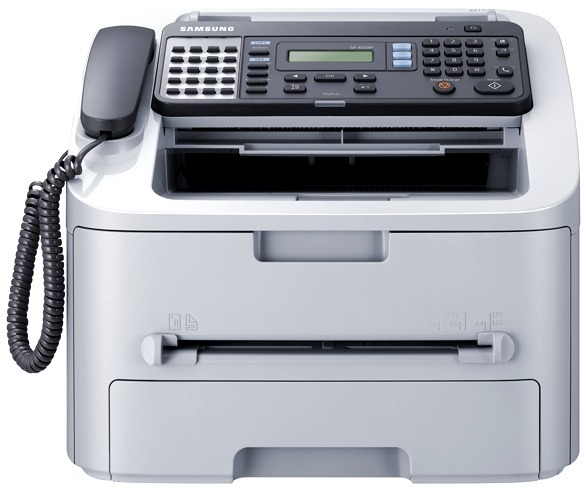
Samsung's SF-650P is a compact laser fax unit in the SF-650 family, built for front desks and back offices where faxes need to land on paper quickly. Copy and print support round out the package.
It runs on the MLT-D105S standard or MLT-D105L high-yield cartridge. Our compatible cartridges keep faxing affordable; genuine OEM cartridges keep it factory-spec. Fast shipping from Clever Supplies.
Toner Cartridges for SF-650P
This printer works with the following toner cartridges:
- Samsung MLT-D105S
- Samsung MLT-D105L
More Samsung Printers
- ML-1910
- ML-1915
- ML-2525
- ML-2525W
- ML-2545
- ML-2580N
- SCX-4600
- SCX-4623F
- SCX-4623FN
- SCX-4623FW
- SF-650
- ML-2526
- ML-2581
- SCX-4623
- ML-2580
- ML-2540
- ML-2540R
Frequently Asked Questions
How do I know whether my SF-650P needs a new drum or just toner, and which part wears out first for everyday printing?
In the SF-650P, the toner cartridge and the imaging drum are separate parts with very different replacement intervals. Drums typically outlast several toner cartridges, so most replacements you buy will simply be the MLT-D105S or MLT-D105L. Understanding the split keeps you from replacing a healthy drum when only toner is low.
What toner do I need for my SF-650P — do color cartridges exist for it?
The SF-650P takes the MLT-D105S / MLT-D105L cartridges — look for the MLT-D105S or MLT-D105L code printed on the box. This is a monochrome printer, so there are no color cartridges for it — just the black MLT-D105S / MLT-D105L in standard or high yield. One careful look at the code saves the hassle of a wrong-cartridge return.
Why are there vertical streaks on every print from the SF-650P, and can a cartridge swap fix it even on a test page?
When the same mark repeats at regular intervals down the page, the drum surface inside the SF-650P is usually damaged or worn. Wipe the accessible rollers with a dry, lint-free cloth first, since loose toner from a recent MLT-D105S change can cause temporary spotting. A quick inspection now prevents buying the wrong replacement later.