




ML-2545
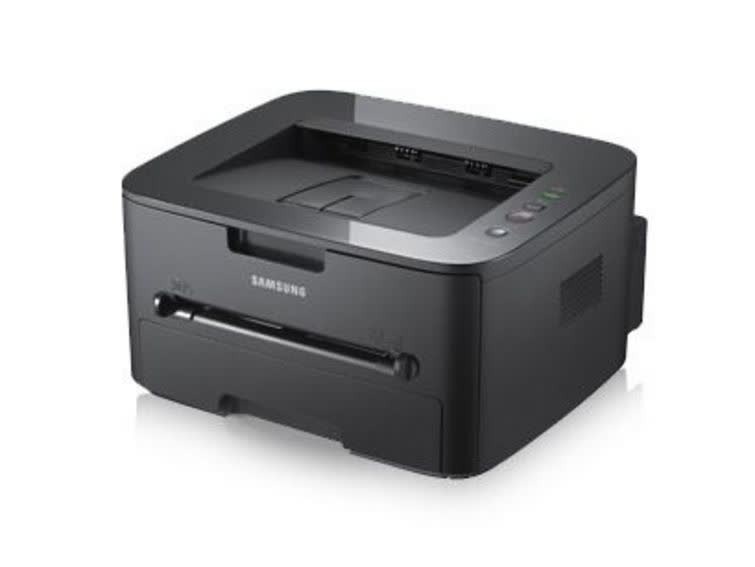
Samsung's ML-2545 is a small-workgroup monochrome laser with a bit more presence than the 2525, aimed at teams that print steadily through the day. Solid construction and clean output are its calling cards.
The MLT-D105S standard cartridge or MLT-D105L high-yield cartridge keeps it fed. We offer both in compatible and genuine OEM form, with fast shipping from Clever Supplies.
Toner Cartridges for ML-2545
This printer works with the following toner cartridges:
- Samsung MLT-D105S
- Samsung MLT-D105L
More Samsung Printers
- ML-1910
- ML-1915
- ML-2525
- ML-2525W
- ML-2580N
- SCX-4600
- SCX-4623F
- SCX-4623FN
- SCX-4623FW
- SF-650
- SF-650P
- ML-2526
- ML-2581
- SCX-4623
- ML-2580
- ML-2540
- ML-2540R
Frequently Asked Questions
How do I know the drum in my ML-2545 is finished, and can I keep printing with a tired drum on this printer?
Replace the imaging unit when print defects survive a fresh MLT-D105S: repeating marks, persistent streaks, or gray backgrounds all point at the drum. The ML-2545 may display a drum-life or imaging-unit warning on its panel or status page, separate from toner alerts. Replace on evidence and the drum will serve you well for a long stretch.
What precautions keep toner from spilling during a ML-2545 cartridge change, and where does the used cartridge go so nothing gets stained?
Lay newspaper under the ML-2545 first, then remove the old MLT-D105S slowly and keep it level — most spills happen from tilting a used cartridge. Seal the old cartridge in the new one's bag immediately so stray toner cannot spread across your desk. A little prep turns a messy job into a tidy one.
My ML-2545 is producing prints that seem weak and low-contrast halfway through a cartridge's life?
A cartridge nearing empty is the most common cause, but drum wear on the ML-2545 can mimic low toner exactly. Print a supplies status page from the ML-2545 panel to see the remaining toner before spending money on a new cartridge. Diagnosing in this order keeps you from replacing the wrong part.