




ML-2540R
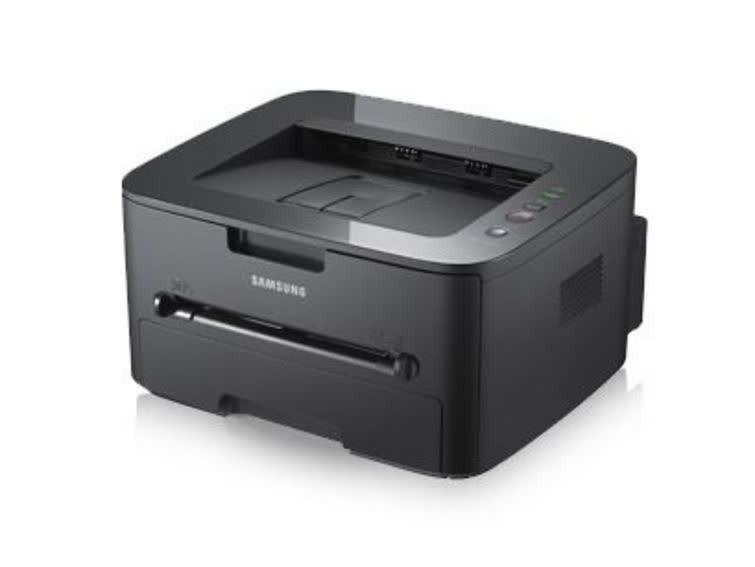
Samsung's ML-2540R is the regional configuration of the ML-2540 workgroup mono laser, sharing the same dependable single-function engine. Small offices get consistent, crisp pages without a large machine.
It takes the MLT-D105S or MLT-D105L cartridge. We carry both in compatible and genuine OEM form, with fast shipping from Clever Supplies.
Toner Cartridges for ML-2540R
This printer works with the following toner cartridges:
- Samsung MLT-D105S
- Samsung MLT-D105L
More Samsung Printers
- ML-1910
- ML-1915
- ML-2525
- ML-2525W
- ML-2545
- ML-2580N
- SCX-4600
- SCX-4623F
- SCX-4623FN
- SCX-4623FW
- SF-650
- SF-650P
- ML-2526
- ML-2581
- SCX-4623
- ML-2580
- ML-2540
Frequently Asked Questions
Why would the ML-2540R suddenly start printing faint, especially on solid areas?
A cartridge nearing empty is the most common cause, but drum wear on the ML-2540R can mimic low toner exactly. Print a supplies status page from the ML-2540R panel to see the remaining toner before spending money on a new cartridge. Either way, keep a spare MLT-D105S on hand so fading output never stalls your printing.
What is the right way to store unopened toner for the ML-2540R, and what conditions keep it fresh in a home office?
Keep the spare MLT-D105S for your ML-2540R sealed in its original packaging, stored upright in a cool, dry place away from direct sunlight. Damp basements are a poor choice; moisture can reach even sealed packaging over long periods. A little care now guarantees a fresh cartridge later.
Could my paper be causing the blotchy prints from the ML-2540R, and what paper conditions cause problems?
Humidity affects the paper far more than the cartridge: damp sheets curl, misfeed, and take toner poorly in the ML-2540R. Keep the paper in the same room as the printer so it acclimates, and avoid storing reams on cold floors or near windows. Start with the paper and work inward from there.