




ML-2580N
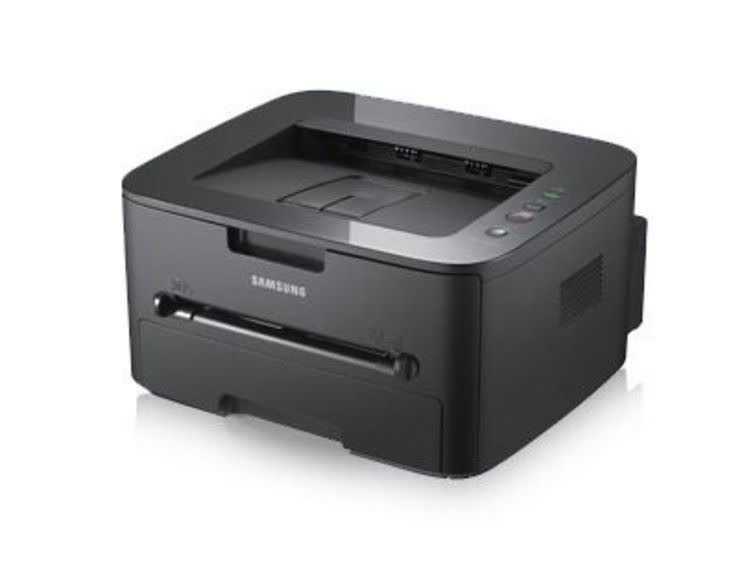
The ML-2580N brings wired networking to Samsung's 2580-series workgroup mono laser, making it a natural shared printer for a small office. One machine, many users, consistently sharp pages.
It uses the MLT-D105S standard or MLT-D105L high-yield cartridge. Compatible cartridges keep the shared-printer budget happy; genuine OEM cartridges keep it factory-original. Fast shipping from Clever Supplies.
Toner Cartridges for ML-2580N
This printer works with the following toner cartridges:
- Samsung MLT-D105S
- Samsung MLT-D105L
More Samsung Printers
- ML-1910
- ML-1915
- ML-2525
- ML-2525W
- ML-2545
- SCX-4600
- SCX-4623F
- SCX-4623FN
- SCX-4623FW
- SF-650
- SF-650P
- ML-2526
- ML-2581
- SCX-4623
- ML-2580
- ML-2540
- ML-2540R
Frequently Asked Questions
My ML-2580N prints repeating marks down the length of the sheet that will not go away after I wipe the paper path on plain text documents?
When the same mark repeats at regular intervals down the page, the drum surface inside the ML-2580N is usually damaged or worn. A single hairline line often comes from debris on the drum that a gentle cleaning pass can remove without new parts. Catching it early with a visual check beats guessing between a new MLT-D105S and a new drum.
How do I swap the toner in my ML-2580N without making a mess, and where does the used cartridge go the first time?
The cleanest swap starts with preparation: cover the area, have the new MLT-D105S or MLT-D105L unboxed, and move the old cartridge directly into a bag. Seal the old cartridge in the new one's bag immediately so stray toner cannot spread across your desk. That routine keeps both your hands and your ML-2580N clean.
I bought a backup cartridge for my ML-2580N — should it stay sealed until use for best results?
Keep the spare MLT-D105S for your ML-2580N sealed in its original packaging, stored upright in a cool, dry place away from direct sunlight. Damp basements are a poor choice; moisture can reach even sealed packaging over long periods. Store it right and the spare prints like new when its turn comes.