




ML-2526
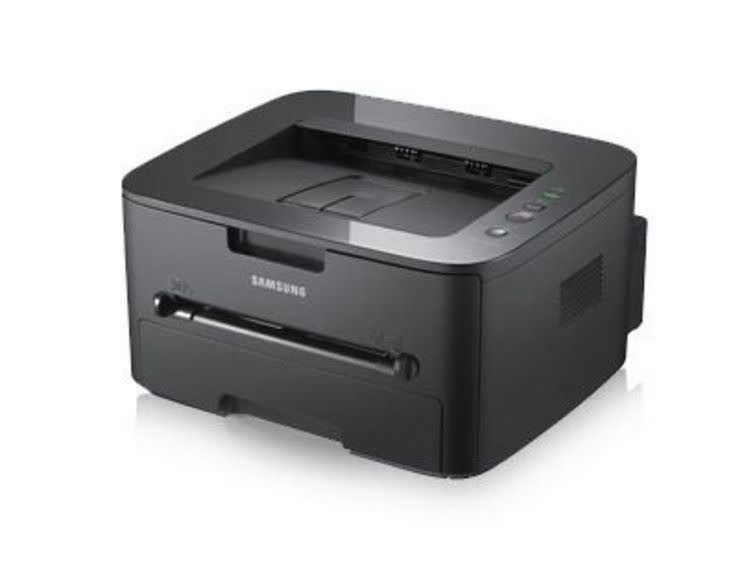
The Samsung ML-2526 is a regional variant of the ML-2525 workgroup mono laser, sharing the same sturdy single-function engine. Small teams get dependable black-and-white printing in a no-drama package.
The MLT-D105S standard or MLT-D105L high-yield cartridge keeps it running. Compatible and genuine Samsung OEM versions are both here, shipping fast from Clever Supplies.
Toner Cartridges for ML-2526
This printer works with the following toner cartridges:
- Samsung MLT-D105S
- Samsung MLT-D105L
More Samsung Printers
- ML-1910
- ML-1915
- ML-2525
- ML-2525W
- ML-2545
- ML-2580N
- SCX-4600
- SCX-4623F
- SCX-4623FN
- SCX-4623FW
- SF-650
- SF-650P
- ML-2581
- SCX-4623
- ML-2580
- ML-2540
- ML-2540R
Frequently Asked Questions
Can I get more pages out of the nearly empty MLT-D105S in my ML-2526 — does shaking it actually work?
This works because a 'low' cartridge usually still holds usable toner that has simply settled away from the feed mechanism. It is safe for the printer as long as you are gentle; rough shaking is what risks spills or damage. A gentle rock now, a fresh cartridge for the ML-2526 soon: that is the right sequence.
My ML-2526 offers two cartridge sizes — how do I decide between them for occasional printing?
For the ML-2526, the choice is simply MLT-D105S (standard yield) versus MLT-D105L (high yield) — same print quality, different toner capacity. Heavy users generally prefer the MLT-D105L because it stretches the interval between cartridge changes noticeably. It is purely a capacity question, not a quality question.
Prints from my ML-2526 come out with toner that brushes right off, and is it dangerous to keep using the printer?
When toner sits on the surface instead of melting into the fibers, the fuser — the hot roller at the ML-2526's output — is the prime suspect. First check the paper-type setting matches the loaded stock; heavy or glossy paper on a plain-paper setting under-fuses every time. Nine times out of ten, this is a settings or media mismatch, not a broken part.