




ML-1910
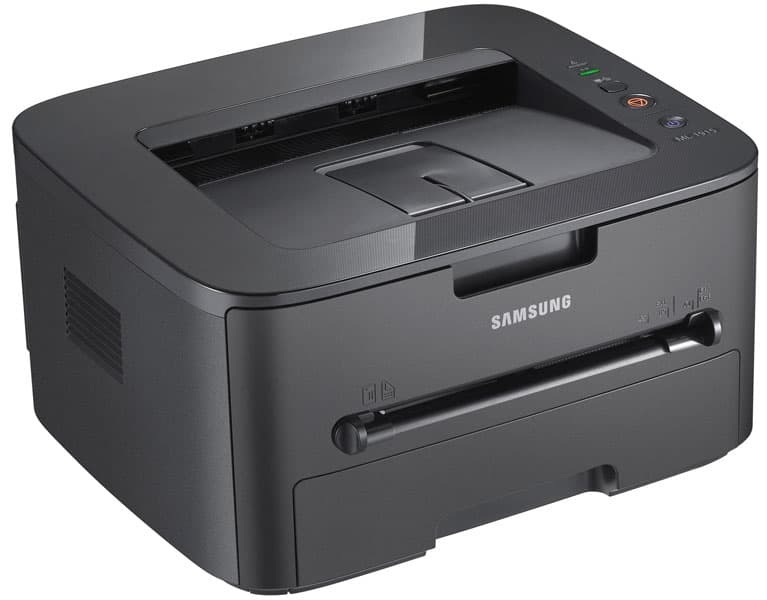
The Samsung ML-1910 is a compact monochrome laser from the late 2000s, built when small offices were ditching inkjets for the reliability of laser. It is a straightforward single-function printer: fast warm-up, crisp text, minimal fuss.
It runs on the MLT-D105S standard cartridge, with the higher-capacity MLT-D105L for heavier months. We carry both as affordable compatibles and as genuine Samsung OEM stock, shipping fast from Clever Supplies.
Toner Cartridges for ML-1910
This printer works with the following toner cartridges:
- Samsung MLT-D105S
- Samsung MLT-D105L
More Samsung Printers
- ML-1915
- ML-2525
- ML-2525W
- ML-2545
- ML-2580N
- SCX-4600
- SCX-4623F
- SCX-4623FN
- SCX-4623FW
- SF-650
- SF-650P
- ML-2526
- ML-2581
- SCX-4623
- ML-2580
- ML-2540
- ML-2540R
Frequently Asked Questions
Which toner cartridges fit the ML-1910 — is there just one cartridge type so I do not make a mistake?
The ML-1910 takes the MLT-D105S / MLT-D105L cartridges — look for the MLT-D105S or MLT-D105L code printed on the box. The S suffix marks the standard-yield cartridge and the L marks the high-yield one; both fit the ML-1910 identically. Exact-code shopping keeps the whole process painless.
Why is the white paper coming out gray from my ML-1910 — is that too much toner or something else?
That all-over gray film is the classic signature of a tired drum or a failing cleaning blade inside the ML-1910. First rule out the easy causes: print on fresh, dry paper and make sure the paper-type setting matches what is loaded. That one replacement brings the page background back to clean paper white.
My ML-1910 prints repeating marks down the length of the sheet, and how do I figure out which part is at fault even on a test page?
When the same mark repeats at regular intervals down the page, the drum surface inside the ML-1910 is usually damaged or worn. If the marks appeared right after a cartridge swap, reseat the MLT-D105S and print a few cleaning pages before suspecting the drum. Knowing which roller is guilty turns a confusing defect into a one-part repair.