




ML-1915
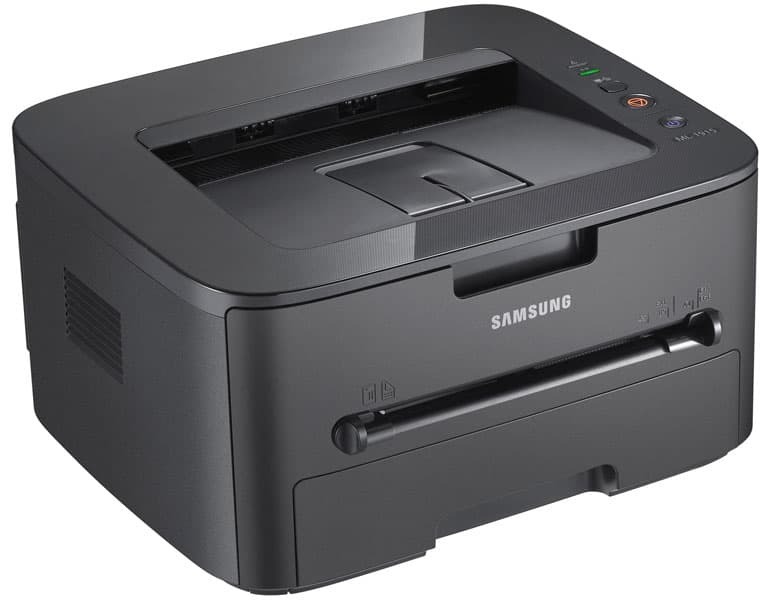
Samsung's ML-1915 is the close sibling of the ML-1910, sharing the same compact mono laser engine for no-nonsense black-and-white printing. Home offices and students get laser reliability in a genuinely small box.
The cartridge story matches the family: MLT-D105S standard or MLT-D105L high-yield. Compatible and genuine OEM versions of both are here, with fast shipping from Clever Supplies.
Toner Cartridges for ML-1915
This printer works with the following toner cartridges:
- Samsung MLT-D105S
- Samsung MLT-D105L
More Samsung Printers
- ML-1910
- ML-2525
- ML-2525W
- ML-2545
- ML-2580N
- SCX-4600
- SCX-4623F
- SCX-4623FN
- SCX-4623FW
- SF-650
- SF-650P
- ML-2526
- ML-2581
- SCX-4623
- ML-2580
- ML-2540
- ML-2540R
Frequently Asked Questions
How do I fix a cartridge error on the ML-1915 after a swap, and what steps reset the error before calling for help?
Most recognition errors come from simple causes: the cartridge is not fully seated, a seal was left on, or the chip contacts are dirty. Verify the box code matches the MLT-D105S / MLT-D105L family — a close-but-wrong code is a classic cause of 'incompatible cartridge' messages on the ML-1915. Work through the seating and seal checks first — they resolve most errors in minutes.
Why does my ML-1915 print pages that look pale with thin-looking text?
When output goes pale, the first suspect is low toner in the MLT-D105S, though an aging drum gives the same symptom. Print a supplies status page from the ML-1915 panel to see the remaining toner before spending money on a new cartridge. Diagnosing in this order keeps you from replacing the wrong part.
My ML-1915 stopped printing with a low-toner message, and is it safe to do without making a mess?
Rocking the MLT-D105S is a well-known stopgap that Samsung owners have used for years to stretch a cartridge. Hold the cartridge level and rock it side to side — never up and down or vigorously — then reinstall it in the ML-1915 and print a test page. Think of it as a bridge to the replacement, not a replacement itself.