




ML-1915
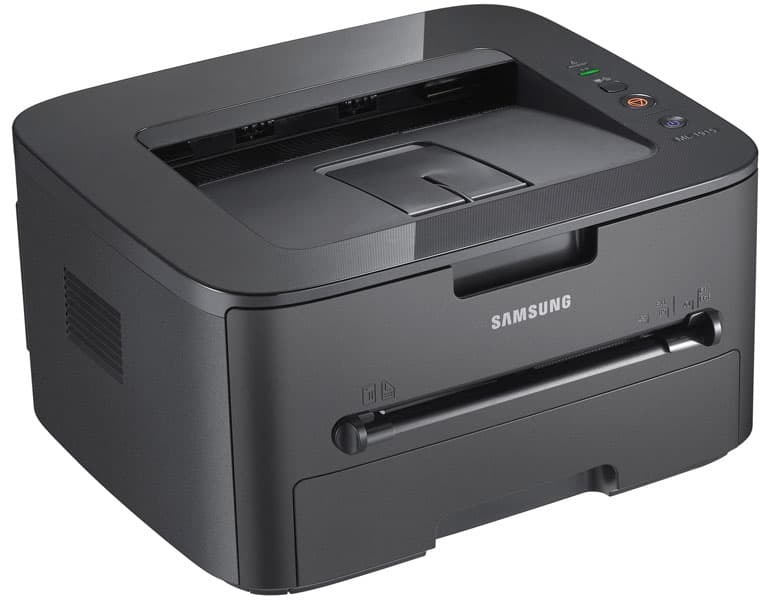
Samsung's ML-1915 is the close sibling of the ML-1910, sharing the same compact mono laser engine for no-nonsense black-and-white printing. Home offices and students get laser reliability in a genuinely small box. The cartridge story matches the family: the high-yield MLT-D105L, or the standard-yield MLT-D105S where a smaller cartridge is enough.
Two badges, one engine — and one shared shelf. ML-1915 owners regularly cross-shop the ML-1910's listings, and on the supply side that instinct is correct: the cartridges are the same, the swap is the same, and the spare that fits one machine fits the other. What the ML-1915 adds is its own fit for the home-office desk — a small, plain machine that prints schoolwork, letters and forms without demanding attention between jobs.
Toner Cartridges for ML-1915
| Cartridge | Color | Page Yield |
|---|---|---|
| Samsung MLT-D105L — High Yield Black, 2 Pack | Black | See product page |
| Samsung MLT-D105L — High Yield Black, Single | Black | See product page |
| Samsung MLT-D105L — High Yield Black, 5 Pack | Black | See product page |
| Samsung MLT-D105L — High Yield Black, 3 Pack | Black | See product page |
| Samsung ML-1915 — Black Toner Cartridge (MLT-D105L) | Black | See product page |
Which cartridge should you buy?
Decide by the calendar. Across a school year or a home-office year, the high-yield MLT-D105L 2 Pack lowers the cost per page and halves the number of swaps compared with standard cartridges bought one at a time; the 3 Pack and 5 Pack extend that arithmetic for heavier use. A single high-yield cartridge is the low-commitment route for a machine that prints occasionally. The listing named for the ML-1915 itself is the same MLT-D105L cartridge labeled by model — same contents, same fit, easier name to search for next time.
Chip, toner and everyday use
Most recognition errors on this machine come from three simple causes: the cartridge is not fully seated, a protective seal was left in place, or the chip contacts are dirty. Work through them in that order — lift the cartridge out, check the seal came away whole, wipe the contacts dry, and seat the cartridge until it clicks. Before any of that, confirm the box code belongs to the MLT-D105S / MLT-D105L family, because a close-but-wrong code produces the same error message as a dirty contact. These checks resolve most cartridge errors in minutes, without a service call.
Frequently Asked Questions
How do I fix a cartridge error on the ML-1915 after a swap — what resets it?
There is rarely anything to reset: most recognition errors are physical. The cartridge is not fully seated, a seal was left on, or the chip contacts are dirty. Verify the box code matches the MLT-D105S / MLT-D105L family, then work through the seating and seal checks — they resolve most errors in minutes.
Why does my ML-1915 print pages that look pale, with thin-looking text?
Start with the toner: pale output's first suspect is a cartridge running low, though an aging drum produces the same symptom. Print a supplies status page from the ML-1915's panel to see the remaining toner before spending money on a new MLT-D105L. Diagnosing in that order keeps you from replacing the wrong part.
My ML-1915 stopped with a low-toner message mid-job. Can I stretch the cartridge safely?
Yes — rocking the MLT-D105L is a long-used stopgap. Hold the cartridge level and rock it side to side, never up and down and never vigorously, then reinstall it and print a test page. It redistributes the last of the toner for a few more jobs. Think of it as a bridge to the replacement, not a replacement itself.
More printers that use the same cartridges
Sibling under the badge, and the family is wider still — all of these take the same cartridges: Samsung-MLTD105, SF-650P, SF-650, SCX-4623FW, SCX-4623FN, SCX-4623F, SCX-4623, SCX-4600, ML-2850N, ML-2581, ML-2580N, ML-2580, ML-2545, ML-2540R, ML-2540, ML-2526, ML-2525W, ML-2525, ML-1910.