




SF-650
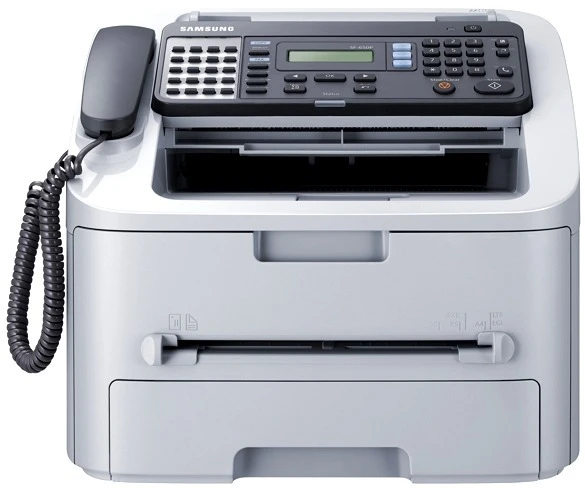
The Samsung SF-650 is a dedicated laser fax machine for businesses that still depend on fax, with print and copy functions riding along. It produces the sharp fax pages that only a laser engine can deliver.
Its cartridge is the MLT-D105S, with the MLT-D105L high-yield for fax-heavy environments. Compatible and genuine OEM versions are stocked, shipping fast from Clever Supplies.
Toner Cartridges for SF-650
This printer works with the following toner cartridges:
- Samsung MLT-D105S
- Samsung MLT-D105L
More Samsung Printers
- ML-1910
- ML-1915
- ML-2525
- ML-2525W
- ML-2545
- ML-2580N
- SCX-4600
- SCX-4623F
- SCX-4623FN
- SCX-4623FW
- SF-650P
- ML-2526
- ML-2581
- SCX-4623
- ML-2580
- ML-2540
- ML-2540R
Frequently Asked Questions
Why does my SF-650 say the cartridge is incompatible — should I reinstall the old one to test?
The SF-650 reads a small chip on the MLT-D105S, so anything blocking that contact — toner dust, a missed pull-tab — triggers an error. Power the multifunction printer off, remove the cartridge, check that all shipping seals and tabs are gone, wipe the chip contacts gently, and reinstall firmly. Patience with the reinstall usually pays off immediately.
How do I know the drum in my SF-650 is finished — how many cartridges does one drum usually survive before buying another cartridge?
Replace the imaging unit when print defects survive a fresh MLT-D105S: repeating marks, persistent streaks, or gray backgrounds all point at the drum. The SF-650 may display a drum-life or imaging-unit warning on its panel or status page, separate from toner alerts. Trust the new-cartridge test; it rarely leads you wrong.
I am buying toner for the SF-650 — which code should I look for — is there just one cartridge type for everyday use?
Your multifunction printer is designed for the MLT-D105S / MLT-D105L family, so any cartridge labeled MLT-D105S and MLT-D105L will fit. The S suffix marks the standard-yield cartridge and the L marks the high-yield one; both fit the SF-650 identically. Buying by exact code is the single best way to avoid a return.