




SCX-4623
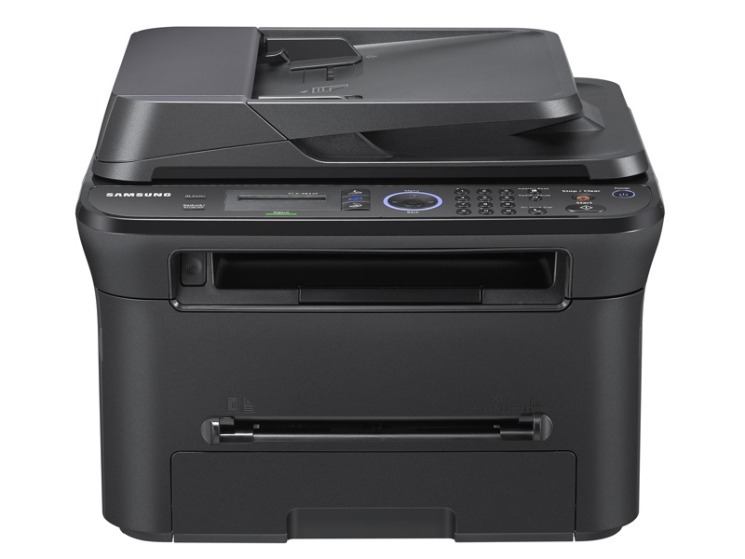
The SCX-4623 is the base multifunction of Samsung's 4623 workgroup line: print, scan, and copy without the fax of its F/FN/FW siblings. A straightforward shared MFP for offices that fax rarely or never.
The cartridge is the MLT-D105S standard, with the MLT-D105L high-yield for busier periods. Compatible or genuine OEM, both ship fast from Clever Supplies.
Toner Cartridges for SCX-4623
This printer works with the following toner cartridges:
- Samsung MLT-D105S
- Samsung MLT-D105L
More Samsung Printers
- ML-1910
- ML-1915
- ML-2525
- ML-2525W
- ML-2545
- ML-2580N
- SCX-4600
- SCX-4623F
- SCX-4623FN
- SCX-4623FW
- SF-650
- SF-650P
- ML-2526
- ML-2581
- ML-2580
- ML-2540
- ML-2540R
Frequently Asked Questions
My SCX-4623 pages are coming out looking faint, especially on solid areas on every document now?
Light prints are the classic sign that toner is running low, yet a worn drum on the SCX-4623 produces an almost identical look. When a new MLT-D105S does not solve it, inspect the drum surface for a worn, shiny look or visible scoring, which signals it is time for a fresh imaging unit. Diagnosing in this order keeps you from replacing the wrong part.
I bought a backup cartridge for my SCX-4623 — should it stay sealed until use in a home office?
Keep the spare MLT-D105S for your SCX-4623 sealed in its original packaging, stored upright in a cool, dry place away from direct sunlight. Keep it upright rather than on its side so toner stays evenly distributed and seals stay unstressed. Store it right and the spare prints like new when its turn comes.
Is the high-yield version of the MLT-D105S family worth it for the SCX-4623 — what actually differs inside the cartridge for a home office?
Samsung sells the MLT-D105S / MLT-D105L in two capacities for the SCX-4623: standard (MLT-D105S) and high yield (MLT-D105L). Heavy users generally prefer the MLT-D105L because it stretches the interval between cartridge changes noticeably. Your printing volume makes this decision for you.