




ML-2580
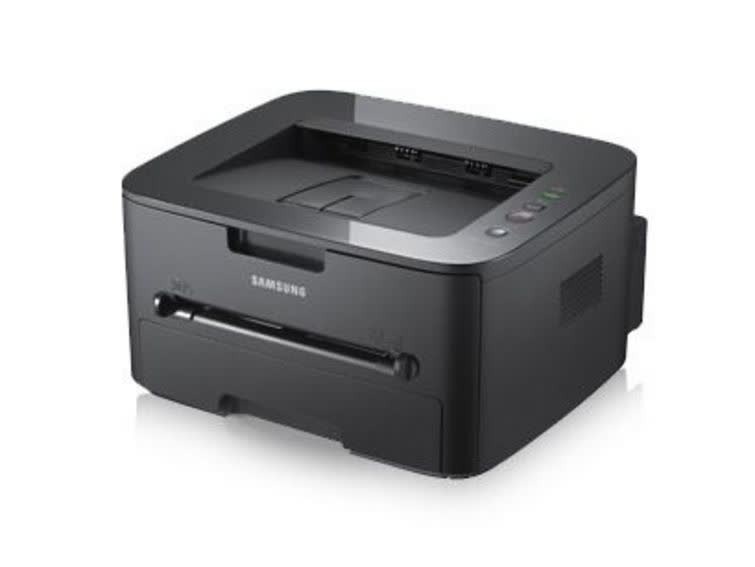
Samsung's ML-2580 is the base model of the 2580 workgroup mono series, a single-function laser for small offices that print consistently. It skips the networking of its 2580N sibling to keep things simple for a single desk — one computer, one printer, no queue politics. It runs on the MLT-D105S standard cartridge or the longer MLT-D105L high yield, and this shelf concentrates on the L: the cartridge that asks the least attention from the person sitting beside it.
A desk printer's toner story is written by one person's habits. If that desk produces a steady daily trickle of letters, labels and reports, cartridge changes land months apart and each one feels like an event; the high-yield cartridge stretches those intervals further and lowers the cost of every page in between. The base model's simplicity is the point — supplies should be the least interesting thing about it.
Toner Cartridges for ML-2580
| Cartridge | Color | Page Yield |
|---|---|---|
| MLT-D105L High Yield Laser Toner Cartridge Black | Black | See product page |
| MLT-D105L High Yield Laser Toner Cartridge Black 2 Pack | Black | See product page |
| MLT-D105L High Yield Laser Toner Cartridge Black 3 Pack | Black | See product page |
| MLT-D105L High Yield Laser Toner Cartridge Black 5 Pack | Black | See product page |
Which cartridge should you buy?
Unless your printing is truly occasional, choose the MLT-D105L over the standard MLT-D105S: the high-yield cartridge costs less per page and asks for fewer swaps across the year, which is the entire running-cost story of a single-desk printer. Buy it singly if the desk prints in gentle waves. The two-pack is the sweet spot for a consistent office — one cartridge working, one waiting — and the three- and five-packs suit anyone who has standardized several desks on this cartridge family and prefers one annual order to a string of small ones. The compatible cartridges here carry a one-year warranty with one-year returns; genuine Samsung remains the factory-original alternative for owners who prefer it.
Chip, toner and everyday use
Paper deserves a mention before toner does: in humid rooms the stack in the tray absorbs moisture, and damp sheets print blotchy no matter how fresh the cartridge is. Keep the working stack in a resealable bag on muggy days and the output steadies. When a cartridge nears its end, even fading across the whole page is the classic sign; a gentle side-to-side rock buys a final run of pages while the replacement travels. Judge any yield figure as an estimate at five percent coverage. And print a supplies status page before ordering — the remaining level it reports tells you whether to buy this week or next month.
Frequently Asked Questions
Does the ML-2580 use a separate imaging drum, or is it built into the cartridge?
They are two independent consumables in this family: the cartridge runs out of powder while the drum slowly loses its coating over a much longer life. Read the prints to tell them apart — even fading points to the cartridge, while defects that repeat in a pattern or a dirty background point to the drum. The listings on this page are the cartridge side of the pair.
My ML-2580 prints look blotchy — is the paper or the printer at fault?
On humid days, suspect the paper first. Moisture changes how each sheet takes toner, and a stack left open in a damp office can spoil output from a healthy printer. Try a fresh, dry ream before replacing anything; dry paper is the foundation every other fix builds on.
Why has the text gone pale halfway through a cartridge's life?
Usually the MLT-D105L is simply running low, and rocking it gently redistributes what remains. If a full cartridge prints pale from page one, check the supplies status page and the paper setting, then look at the drum as the next suspect rather than buying a second cartridge.
Is the high-yield cartridge worth it on a printer without networking?
Yes — arguably more so. A single-desk machine has no IT department behind it, so every avoided cartridge change is time its owner keeps. The MLT-D105L stretches each interval and lowers the per-page cost at the same time.
More printers that use the same cartridges
The D105 family also feeds these Samsung printers and fax machines:
ML-1915, ML-2525W, ML-2540, ML-2545, ML-2581, SCX-4600, SCX-4623F, SCX-4623FW, SF-650P, ML-1910, ML-2525, ML-2526, ML-2540R, ML-2580N, ML-2850N, SCX-4623, SCX-4623FN, SF-650, Samsung-MLTD105