




LaserJet M425DW
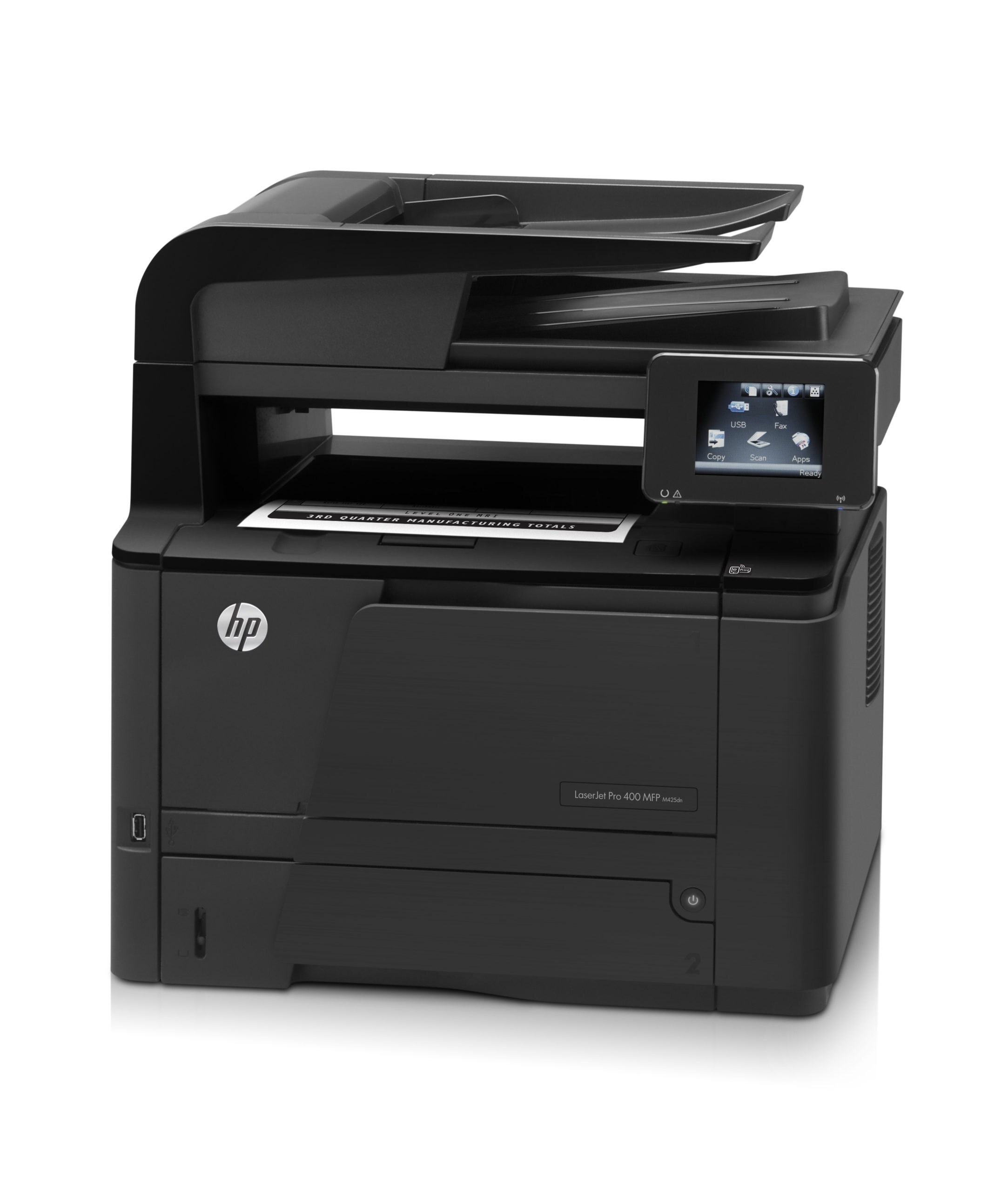
Wireless printing, duplex and fax in one box made the LaserJet M425DW the most connected configuration of the M425 line — built for offices where laptops outnumber desktops and the printer still has to serve everyone. Its everyday cartridge is the HP 80A, sold on this page as the CF280A in single and multi-pack builds. Desks that print harder move up to the HP 80X tier and the high-yield CF280X, and this shelf carries two stretched builds beyond it: the jumbo-yield CF280XJ and the maximum-yield CF280XX, both made for the same cartridge bay.
The DW badge earns its keep in a shared office. Wi-Fi lets a laptop at the far end of the room print without a cable run, duplex keeps two-sided reports from doubling the paper bill, and the fax side still handles the contracts and order forms that arrive the old way. Because one machine ends up doing everyone's printing, its cartridge drains faster than a personal printer's would — which is why the yield ladder on this page matters more than it does on the single-user models.
Toner Cartridges for LaserJet M425DW
Also stocked for the wider Pro 400 family — same 80X cartridge, listed under their own model names: M401A Black (CF280X), M401D Black (CF280X), M401DN Black (CF280X), M401DW Black (CF280X), M401N Black (CF280X), M425DN Black (CF280X), plus the MICR builds M401A-MICR (CF280X), M401D-MICR (CF280X), M401DN-MICR (CF280X), M401DW-MICR (CF280X), M401N-MICR (CF280X) and M425DN-MICR (CF280X). Each is sold for the model in its name; check the code on your own cartridge before ordering across models.
Which cartridge should you buy?
Four fill levels share one bay, so the choice is really about how long you want to go between swaps. The standard cartridge suits a desk that prints a few pages a day. The high-yield build is the sensible default for a shared machine — it costs less per page and survives a busy month without attention. The jumbo and maximum-yield builds stretch that interval further still, and they earn their place where the M425DW feeds a whole team or where ordering happens in batches. If the machine prints checks, pick a MICR build of whichever tier you choose; the magnetic toner is what bank scanners read. Every compatible cartridge here carries a 1-year warranty and 1-year returns.
Chip, toner and everyday use
The M425DW reads a chip on the cartridge to confirm the match and track the level, so seat a new unit firmly until it clicks and let the printer recognize it before sending a job. Pull the sealing tape straight out before installing, and give a cartridge that has sat for months a gentle rocking, end to end, to loosen toner that has settled. Page yields are measured at roughly five percent page coverage, so dense reports and fax cover sheets will empty any build sooner than the rating suggests. Keep one spare on the shelf — a shared printer always runs dry at the worst moment.
Frequently Asked Questions
Which cartridges does the LaserJet M425DW accept?
Four builds of the same cartridge: the standard CF280A, the high-yield CF280X, and the two stretched compatible variants, jumbo-yield CF280XJ and maximum-yield CF280XX. All four fit the same bay; they differ in how much toner they hold, not in shape.
Are the jumbo and maximum-yield versions regular HP tiers?
No — the standard and high-yield cartridges are HP's own tiers, while the jumbo and maximum-yield builds are extended compatible variants made for this cartridge family. They install the same way and print the same black; they simply carry more toner, so they last through longer runs between changes.
Does printing over Wi-Fi change which cartridge I need?
Not at all. Wireless, Ethernet and USB printing all use the same cartridge bay and the same toner. Connectivity decides how jobs reach the M425DW; the cartridge decision is only about yield tier and, for check printing, MICR toner.
When should I choose a MICR cartridge for this printer?
Choose a MICR build when the M425DW prints checks or other documents that pass through bank processing — the toner is magnetic, which is what check scanners read. For ordinary office pages the regular builds are the right pick, and switching back and forth between MICR and standard cartridges does no harm.
More printers that use the same cartridges
The same cartridge family also feeds the other Pro 400 models — the full list: HP CF280A, LaserJet M401, LaserJet M401A, LaserJet M401D, LaserJet M401DN, LaserJet M401DNE, LaserJet M401DW, LaserJet M401N, LaserJet M401a, LaserJet M401dw,LaserJet M401n, LaserJet M425, LaserJet M425DN, LaserJet M425dn MFP, LaserJet PRO 400 M401A, LaserJet Pro 400 M401, LaserJet Pro 400 M401D, LaserJet Pro 400 M401DW, LaserJet Pro 400 M401N, LaserJet Pro 400 M425DW, LaserJet Pro 400 MFP M425DN, LaserJet Pro 400 Printer M401A, LaserJet Pro 400 Printer M401D, LaserJet Pro 400 Printer M401DN, LaserJet Pro 400 Printer M401DNE, LaserJet Pro 400 Printer M401DW, LaserJet Pro 400 Printer M401N, LaserJet Pro 400 Printer M401S, Laserjet Pro 400 M401DN, Laserjet Pro 400 M401DNE, Laserjet Pro 400 M425, Laserjet Pro 400 MFP M425, Laserjet Pro 400 MFP M425DW, Laserjet Pro 400 PRINTER M401.