




LaserJet Pro 400 M425DW
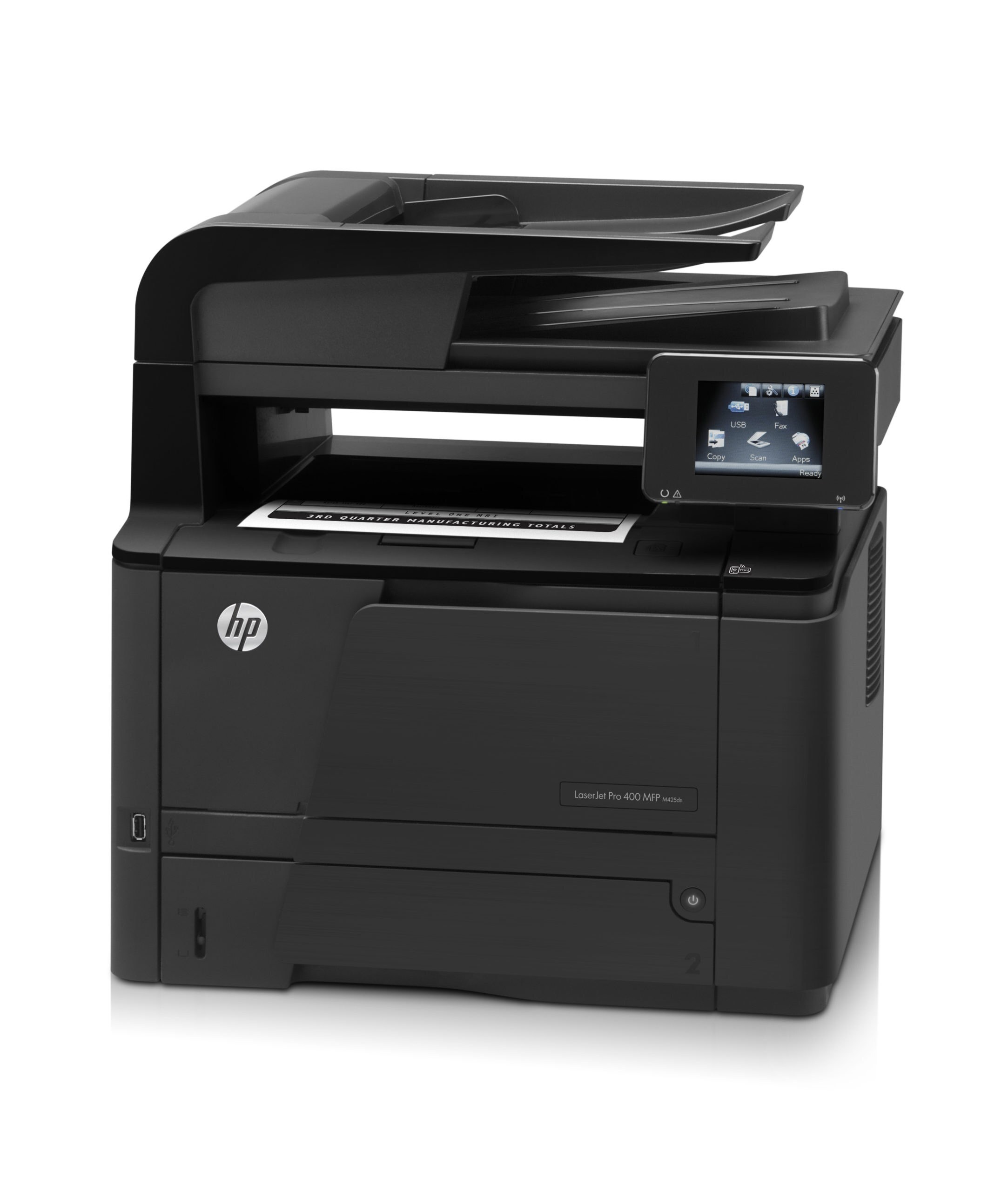
Duplexing and wireless are what separate the LaserJet Pro 400 M425DW from the base M425: a mono multifunction machine that takes two-sided jobs from laptops and phones anywhere in the office. Its cartridge shelf is the family standard — CF280A (HP's 80A) for ordinary volume, or the high-yield CF280X (the 80X) for heavier weeks. The compatible range reaches higher than the two original tiers: first the jumbo CF280XJ (80XJ), then the maximum-yield CF280XX (80XX).
Phones changed what an office printer does. The M425DW fields jobs from laptops, handsets and the copier glass in the same hour, and its wireless link means the queue rarely cares where the sender sits. Volume arrives in bursts — a contract printed twice, a run of faxes, a stack of copies — so the practical question is less which cartridge fits than which one survives a bursty month without demanding a mid-job swap.
Toner Cartridges for LaserJet Pro 400 M425DW
Every cartridge stocked for the M425DW, in shelf order:
| Cartridge | Color | Page Yield |
|---|---|---|
| CF280A — the standard fill, sold singly | Black | See product page |
| CF280A MICR — magnetic-ink build for checks, sold singly | Black | See product page |
| CF280A 3 Pack — the standard fill in a three pack | Black | See product page |
| CF280X 5 Pack — the high-yield fill in a five pack | Black | See product page |
| CF280X — the longer fill, sold singly | Black | See product page |
| CF280X MICR — high-yield magnetic-ink build, sold singly | Black | See product page |
| CF280X 3 Pack — the longer fill in a three pack | Black | See product page |
| CF280XJ — the jumbo fill, sold singly | Black | See product page |
| CF280XX 3 Pack — the deepest fill in a three pack | Black | See product page |
| CF280XX — the deepest fill, sold singly | Black | See product page |
| CF280A Premium 3 Pack — premium-grade standard fill in a three pack | Black | See product page |
Which cartridge should you buy?
Bursty volume rewards headroom. A week of phone and laptop jobs, copies and faxes can drain a standard CF280A sooner than expected, so most M425DW owners settle on the high-yield CF280X as their default and keep the standard fill as the spare. Where the machine anchors a front office, the jumbo CF280XJ stretches the change interval; the maximum CF280XX stretches it furthest. The 3 and 5 packs exist for offices that prefer one order to cover a season. Choose MICR only for checks — for everything else, it is capacity rather than the magnetic build that should drive the choice.
Chip, toner and everyday use
Swapping toner on the M425DW does not touch its wireless settings — the chip identifies the cartridge to the printer itself, and the machine confirms the new fill on its panel. If recognition fails, reseat before you retry the network; the two systems are unrelated. Received faxes print the moment they arrive, including overnight, which is why a cartridge can seem to empty by itself: the yield rating assumes 5% coverage across pages you chose to print, and faxes quietly add their own. Rock a fading cartridge gently to redistribute the toner and buy time until the replacement lands.
Frequently Asked Questions
Does the M425DW take the same toner as the base M425?
Yes. Duplex and wireless change the printer, not the cartridge: CF280A, CF280X and the extended CF280XJ and CF280XX fills all fit both machines.
What is the difference between the jumbo and maximum fills?
Depth. The jumbo CF280XJ holds more than the high-yield CF280X, and the maximum CF280XX holds more again. The fit is identical — you are choosing how long the machine runs between swaps.
Why did the cartridge empty over a weekend when nobody printed?
Faxes. Received faxes print as they arrive, nights and weekends included, so an MFP's page count grows while the office is empty. A deeper fill is the practical answer.
What does the MICR listing on this shelf mean?
It is a magnetic-toner build for printing checks that bank scanners can read. Ordinary printing does not need it — match the MICR choice to check work only.
More printers that use the same cartridges
These are all the Pro 400 categories fed by this cartridge family.
- Laserjet Pro 400 PRINTER M401
- Laserjet Pro 400 MFP M425DW
- Laserjet Pro 400 MFP M425
- Laserjet Pro 400 M425
- Laserjet Pro 400 M401DNE
- Laserjet Pro 400 M401DN
- LaserJet Pro 400 Printer M401S
- LaserJet Pro 400 Printer M401N
- LaserJet Pro 400 Printer M401DW
- LaserJet Pro 400 Printer M401DNE
- LaserJet Pro 400 Printer M401DN
- LaserJet Pro 400 Printer M401D
- LaserJet Pro 400 Printer M401A
- LaserJet Pro 400 MFP M425DN
- LaserJet Pro 400 M401N
- LaserJet Pro 400 M401DW
- LaserJet Pro 400 M401D
- LaserJet Pro 400 M401
- LaserJet PRO 400 M401A
- LaserJet M425dn MFP
- LaserJet M425DW
- LaserJet M425DN
- LaserJet M425
- LaserJet M401dw,LaserJet M401n
- LaserJet M401a
- LaserJet M401N
- LaserJet M401DW
- LaserJet M401DNE
- LaserJet M401DN
- LaserJet M401D
- LaserJet M401A
- LaserJet M401
- HP CF280A