




HP CF280A
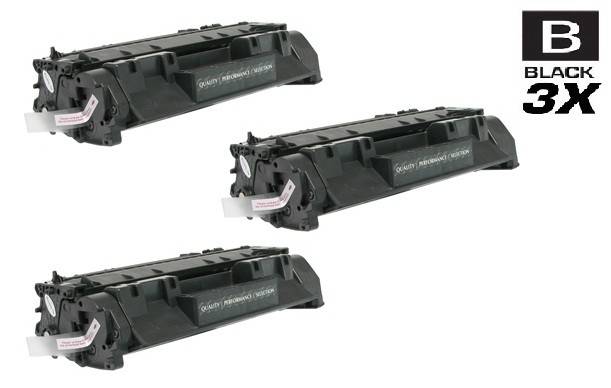
HP CF280A Toner Cartridges
HP CF280A Toner Cartridges, HP 80A
- Backed by a One Year 100% Satisfaction Guarantee
- FREE delivery on orders over $49, shipping within the contiguous U.S.
- Ships same day if order is placed before 4 PM PST
- Award-winning customer service you can count on
The LaserJet Pro 400 series — the M401 printers and M425 MFPs — runs on the HP CF280A, known as the HP 80A. These are the small-business workhorses of the early 2010s, still going strong in countless offices. Compatible models include the Pro 400 M401dn, the Pro 400 M401dw, the M425dn MFP, and the Pro 400 M425dw. The 80A is a standard-yield black cartridge; HP never issued an X high-yield version, so higher-volume users should simply stock an extra. As an integrated toner-and-drum unit, every replacement renews the entire print path. Our shelves hold genuine OEM HP CF280A cartridges as well as compatible replacements. Choose OEM for original HP supplies, or choose compatible and get the same sharp, professional black text at a lower price per page.
Works with these HP printers
- LaserJet M401
- LaserJet M401A
- LaserJet M401D
- LaserJet M401DN
- LaserJet M401DNE
- LaserJet M401DW
- LaserJet M401N
- LaserJet M401a
- LaserJet M401dw,LaserJet M401n
- LaserJet M425
- LaserJet M425DN
- LaserJet M425DW
- LaserJet M425dn MFP
- LaserJet PRO 400 M401A
- LaserJet Pro 400 M401
- LaserJet Pro 400 M401D
- LaserJet Pro 400 M401DW
- LaserJet Pro 400 M401N
- LaserJet Pro 400 M425DW
- LaserJet Pro 400 MFP M425DN
- LaserJet Pro 400 Printer M401A
- LaserJet Pro 400 Printer M401D
- LaserJet Pro 400 Printer M401DN
- LaserJet Pro 400 Printer M401DNE
- LaserJet Pro 400 Printer M401DW
- LaserJet Pro 400 Printer M401N
- LaserJet Pro 400 Printer M401S
- Laserjet Pro 400 M401DN
- Laserjet Pro 400 M401DNE
- Laserjet Pro 400 M425
- Laserjet Pro 400 MFP M425
- Laserjet Pro 400 MFP M425DW
- Laserjet Pro 400 PRINTER M401
Frequently Asked Questions
Does the Pro 400 M401dn take the 80A?
Yes — the entire LaserJet Pro 400 M401 and M425 families use the 80A (CF280A). Confirm by checking the toner door label or supplies status page for 80A or CF280A, and verify your exact variant in the list above. Any 80A-marked cartridge, OEM or compatible, fits.
What is the difference between OEM and compatible 80A in practice?
In practice: price and branding. Both print the same sharp black text in the same printers. OEM HP 80A cartridges come from HP with original packaging; compatible 80A cartridges come from third-party makers at a lower cost. Offices that standardize on OEM do so for policy reasons; offices that switch to compatible do so for the per-page savings.
My M401 prints gray instead of black — new cartridge time?
Very likely. Gray, washed-out text is the classic sign of a nearly empty toner cartridge. Try redistributing the toner — remove the 80A, rock it gently side to side, reinstall — which can recover some final pages. If output stays gray, the cartridge is spent and it is time for a replacement. Keep a spare on hand before it gets to this point.