




LaserJet Pro 400 Printer M401N
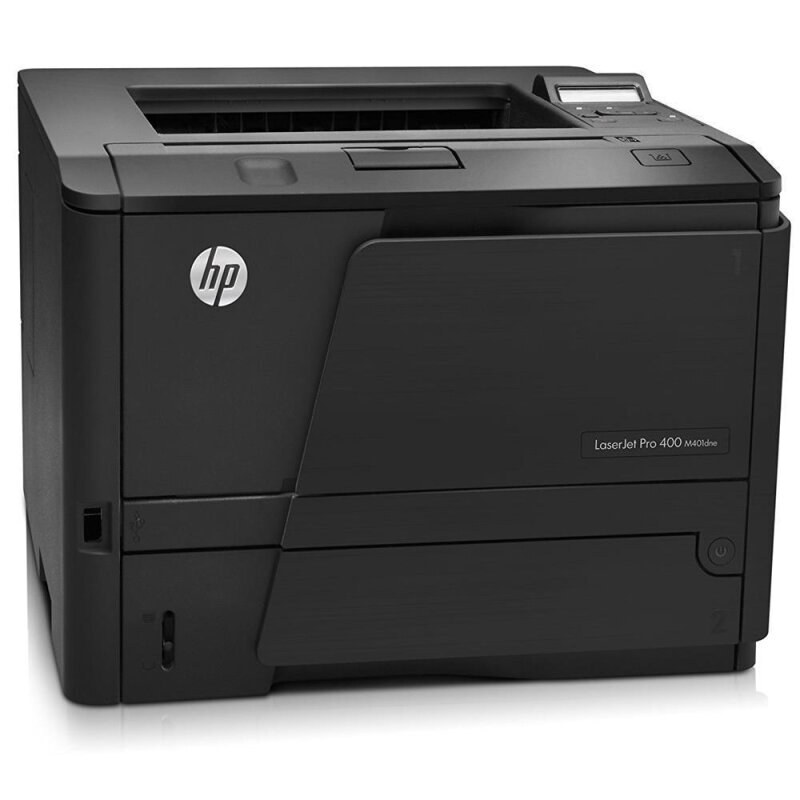
The LaserJet Pro 400 Printer M401N is the Ethernet-ready M401 for shared queues — networked mono printing without duplex hardware. Cartridges come from the HP 80A lineup: the CF280A as the regular fill, or the high-yield CF280X — the HP 80X — for heavier use. On a shared queue the fills empty steadily, and two compatible tiers stretch each one further: the jumbo CF280XJ (80XJ) and the maximum CF280XX (80XX).
Without a duplexer, the M401N is the line's honest network unit: one-sided printing for a workgroup that needs reach more than paper savings. Shared queues flatten the peaks of individual use into a constant draw on the cartridge, which is why this configuration pairs so well with the upper yield tiers and with multipack buying. One black cartridge, one code family, no surprises for whoever restocks the shelf.
Toner Cartridges for LaserJet Pro 400 Printer M401N
- CF280XJ jumbo black cartridge — black, yield on the product page
- CF280XX maximum black cartridge — black, yield on the product page
- CF280XX maximum black triple pack — black, yield on the product page
- CF280X extended black cartridge — black, yield on the product page
- CF280X high-yield magnetic-ink black — black, yield on the product page
- CF280X high-yield black triple pack — black, yield on the product page
- CF280X high-yield black five pack — black, yield on the product page
- CF280A high-capacity black cartridge — black, yield on the product page
- CF280A magnetic-ink (MICR) black — black, yield on the product page
- CF280A black triple pack — black, yield on the product page
- CF280A Premium-grade black, 3 pack — black, yield on the product page
Which cartridge should you buy?
For a queue-fed printer, plan around the team rather than a single user. The CF280A standard single works for a small group with light habits; the CF280X high-yield single, 3 pack or 5 pack fits most shared M401N installations. The CF280XJ jumbo single and the CF280XX maximum-yield single or 3 pack are for queues that empty cartridges monthly. MICR versions of the two principal tiers handle check runs, and the Premium 3 pack upgrades the standard fill. Everything listed is backed by a 1-year warranty and 1-year returns.
Chip, toner and everyday use
Shared printers teach a simple habit: whoever sees the low-toner alert first should know where the spare lives. The cartridge chip reports the level, but estimates assume roughly 5% coverage, so a team printing dense documents will beat the rating. Seat replacements firmly, remove the seal completely, and rock the unit gently before installation so the first pages print evenly. Fading that survives a rock means the fill is truly spent. Keep spares sealed, flat and out of sunlight near the printer.
Frequently Asked Questions
Is the LaserJet Pro 400 Printer M401N a monochrome or color printer?
Monochrome — it prints in black only, using the 80A family. If your team needs color, that is a different LaserJet line; every cartridge on this page is black.
What should I do if the M401N prints blank pages?
Blank output usually means an empty cartridge or one that is not seated. Remove the unit, confirm the sealing tape was pulled, reseat it firmly, and print again; if pages stay blank, install a fresh cartridge.
Does the M401N duplex automatically?
No — this configuration leaves the duplexer out, which its existing documentation states plainly. For automatic two-sided printing on the same cartridge family, look at the M401D, M401DN, M401DNE or M401DW in the list below.
Which cartridge does the M401N take?
The CF280A standard fill or the CF280X high-yield from the HP 80A range, with compatible CF280XJ jumbo and CF280XX maximum-yield builds above them — the same shelf as every M401 and M425.
More printers that use the same cartridges
The same cartridges also run in:
- HP CF280A
- LaserJet M401
- LaserJet M401A
- LaserJet M401D
- LaserJet M401DN
- LaserJet M401DNE
- LaserJet M401DW
- LaserJet M401N
- LaserJet M401a
- LaserJet M401dw,LaserJet M401n
- LaserJet M425
- LaserJet M425DN
- LaserJet M425DW
- LaserJet M425dn MFP
- LaserJet PRO 400 M401A
- LaserJet Pro 400 M401
- LaserJet Pro 400 M401D
- LaserJet Pro 400 M401DW
- LaserJet Pro 400 M401N
- LaserJet Pro 400 M425DW
- LaserJet Pro 400 MFP M425DN
- LaserJet Pro 400 Printer M401A
- LaserJet Pro 400 Printer M401D
- LaserJet Pro 400 Printer M401DN
- LaserJet Pro 400 Printer M401DNE
- LaserJet Pro 400 Printer M401DW
- LaserJet Pro 400 Printer M401S
- Laserjet Pro 400 M401DN
- Laserjet Pro 400 M401DNE
- Laserjet Pro 400 M425
- Laserjet Pro 400 MFP M425
- Laserjet Pro 400 MFP M425DW
- Laserjet Pro 400 PRINTER M401