




LaserJet M401DW
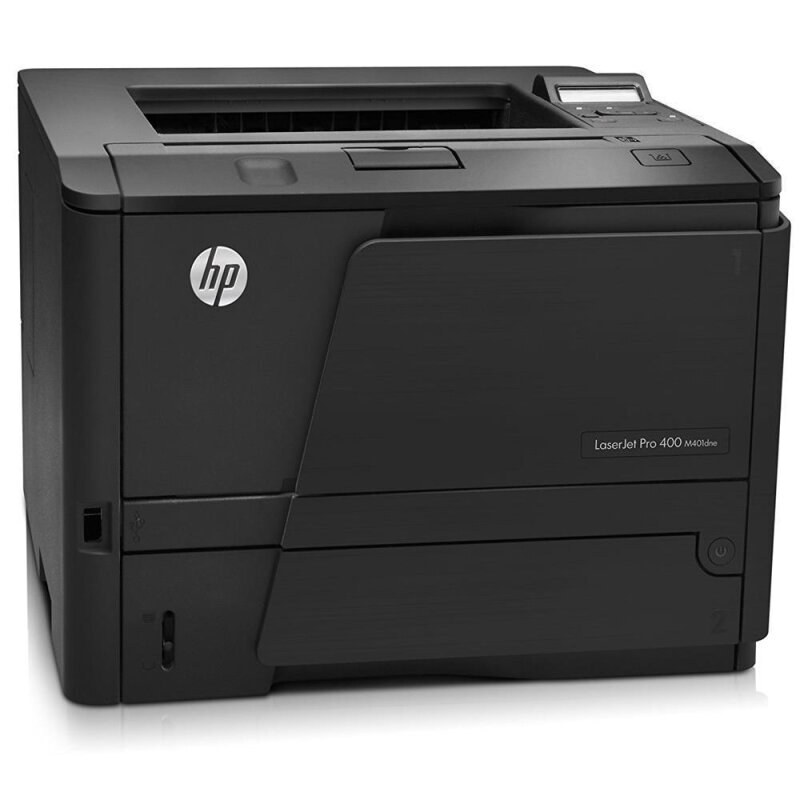
Wireless plus duplex printing made the LaserJet M401DW the flexible pick of its family — two-sided output with no cable to the desk, built for offices where laptops, phones and fixed workstations all print in the same hour. It drinks from HP's 80A family: the standard CF280A, the high-yield CF280X (shelf name 80X), and two extended compatible builds above them, the jumbo CF280XJ (80XJ) and the maximum-yield CF280XX (80XX).
Flexibility is a placement decision before it is a specification. A wireless duplex machine can live on a credenza, a supply-room shelf or the end of a shared bench and still serve every desk in the room — nobody's workflow bends around a cable. The trade is invisible until toner runs out mid-afternoon, which is why a machine shared this widely deserves a supply plan with the same reach: bigger fills, and a sealed spare kept where the whole office can find it.
Toner Cartridges for LaserJet M401DW
Also stocked on this shelf, under sibling model names from the same Pro 400 family (the cartridges carry the same codes; the listing names simply call out the sister machines): M401As — CF280X, M401Ds — CF280X, M401DNs — CF280X, M401Ns — CF280X, M425DNs — CF280X, M425DWs — CF280X, M401A-MICRs — CF280X, M401D-MICRs — CF280X, M401DN-MICRs — CF280X, M401N-MICRs — CF280X, M425DN-MICRs — CF280X, M425DW-MICRs — CF280X.
Which cartridge should you buy?
Buy for the room, not for one desk. A wireless machine accumulates other people's print jobs, so the high-yield CF280X is the sensible floor, and the multipacks of the standard CF280A make sense mainly where a supply shelf is restocked on a schedule. The CF280XJ stretches changes further still, and the CF280XX is the longest fill the family offers — the pair of them exist for machines whose empty-cartridge moments always seem to land on the busiest day. The MICR listings are check-printing specialists; load one for that run and return to a standard fill afterwards.
Chip, toner and everyday use
Because this printer serves people who cannot see it, the chip's level report does real work — it is what every connected computer shows its user. A cartridge that seats fully and clicks home reports honestly; one left slightly loose can cry wolf. Swap toner when the room is quiet if you can, and print a test page from the panel afterward so the next sender is not greeted by pale output. Keep the spare sealed in its bag — a wireless office's spare tends to sit for months, and an opened cartridge ages far faster than a sealed one.
Frequently Asked Questions
Does using a compatible cartridge affect the wireless connection?
No. Wireless printing lives in the printer, not the cartridge. A compatible CF280A with a working chip seats, reports its level and prints jobs from any connected device exactly as an original would.
What is the difference between the CF280XJ and the CF280XX?
Fill size. The CF280XJ is the jumbo step above the high-yield design; the CF280XX is the maximum step above that. Both are compatible-only builds of the same cartridge shape, and both fit this machine.
Does the M401DW need a separate drum unit?
No. The drum is part of the cartridge on this whole family, so each CF280A you install brings a fresh drum with it. There is no drum part number to order for this printer.
Can the M401DW print checks?
Yes, when a MICR cartridge is loaded — its magnetic toner is what bank readers scan. The standard and high-yield listings are document toner and should not be used for check runs.
More printers that use the same cartridges
Every Pro 400 mono model below shares these cartridges, from the base M401 to the M425 multifunctions:
Laserjet Pro 400 PRINTER M401, Laserjet Pro 400 MFP M425DW, Laserjet Pro 400 MFP M425, Laserjet Pro 400 M425, Laserjet Pro 400 M401DNE, Laserjet Pro 400 M401DN, LaserJet Pro 400 Printer M401S, LaserJet Pro 400 Printer M401N, LaserJet Pro 400 Printer M401DW, LaserJet Pro 400 Printer M401DNE, LaserJet Pro 400 Printer M401DN, LaserJet Pro 400 Printer M401D, LaserJet Pro 400 Printer M401A, LaserJet Pro 400 MFP M425DN, LaserJet Pro 400 M425DW, LaserJet Pro 400 M401N, LaserJet Pro 400 M401DW, LaserJet Pro 400 M401D, LaserJet Pro 400 M401, LaserJet PRO 400 M401A, LaserJet M425dn MFP, LaserJet M425DW, LaserJet M425DN, LaserJet M425, LaserJet M401dw,LaserJet M401n, LaserJet M401a, LaserJet M401N, LaserJet M401DNE, LaserJet M401DN, LaserJet M401D, LaserJet M401A, LaserJet M401, HP CF280A