




LaserJet Pro 400 M401N
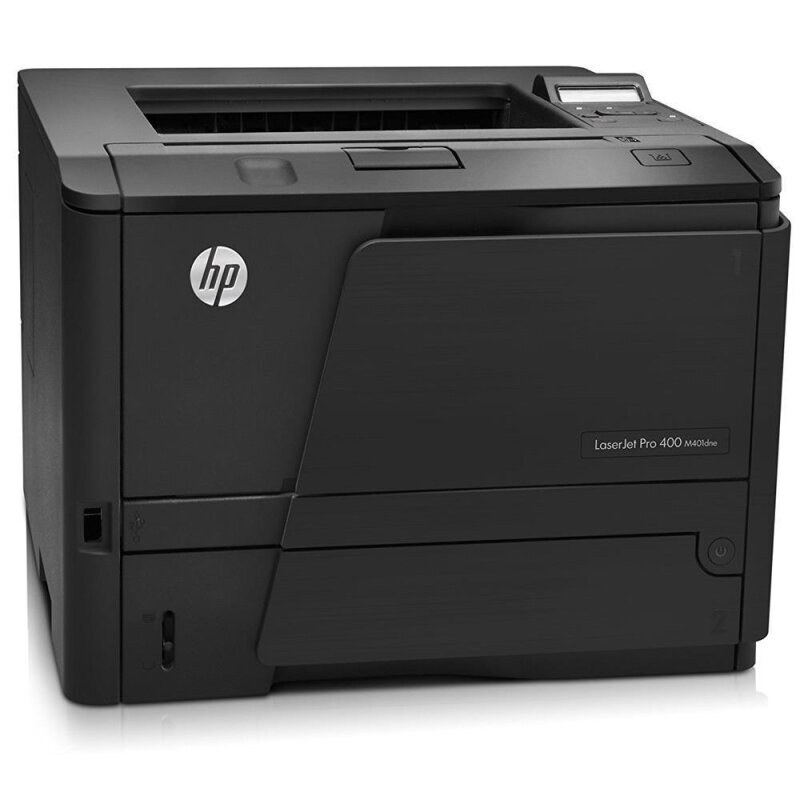
The LaserJet Pro 400 M401N is the wired-network member of the line: Ethernet sharing for a workgroup, without the built-in duplex unit its DN sibling carries. Toner comes from the same family shelf — the standard CF280A (the 80A), the high-yield CF280X (the 80X), and two deeper compatible fills, the jumbo CF280XJ (80XJ) and the maximum CF280XX (80XX). Shared machines drain cartridges faster than personal ones, which is why those upper tiers matter more here than on a single-desk printer.
The M401N asks a small trade: give up the automatic duplexer, keep the network port. For offices whose output is mostly single-sided anyway — forms, one-page letters, mailing pieces — that trade costs little, and the shared queue still empties cartridges at team speed. Owners who do print long documents on both sides can flip the stack by hand, a slower route that makes the deeper fills feel worth their price.
Toner Cartridges for LaserJet Pro 400 M401N
Singles first, then the multipacks — the M401N's full shelf:
| Cartridge | Color | Page Yield |
|---|---|---|
| CF280A — standard yield, single | Black | See product page |
| CF280A MICR — MICR build for check printing, single | Black | See product page |
| CF280X — high yield, single | Black | See product page |
| CF280X MICR — high yield MICR build, single | Black | See product page |
| CF280XJ — jumbo yield, single | Black | See product page |
| CF280XX — maximum yield, single | Black | See product page |
| CF280A 3 Pack — standard yield, 3 pack | Black | See product page |
| CF280A Premium 3 Pack — premium-grade standard yield, 3 pack | Black | See product page |
| CF280X 3 Pack — high yield, 3 pack | Black | See product page |
| CF280X 5 Pack — high yield, 5 pack | Black | See product page |
| CF280XX 3 Pack — maximum yield, 3 pack | Black | See product page |
Which cartridge should you buy?
Without a duplexer, this model's paper costs stay flat — so the toner tier is where the savings live. Light, mostly single-sided output runs happily on the standard CF280A. A busy shared N model should skip straight to the high-yield CF280X: the queue, not the feature list, decides how fast a fill disappears. Offices that stock for a season choose the CF280X 5 pack; those who want the longest gap between orders take the jumbo CF280XJ or the maximum CF280XX. If the office prints its own checks, the MICR singles are the specialized pick — otherwise, standard toner is the right tool.
Chip, toner and everyday use
The M401N reads its cartridge the moment the door closes; if the panel questions a fresh compatible, pull it out and reseat it with a firm push — chip contact, not the network, is what that message is about. Draft mode in the driver stretches any fill for internal documents, a useful habit on a model whose paper savings must come from settings rather than hardware. Yields are rated at 5% coverage, so treat them as comparisons between tiers rather than as promises. Store the spare near the printer: on a shared machine, the person who finds it empty is rarely the person who ordered last.
Frequently Asked Questions
What toner fits the LaserJet Pro 400 M401N?
The family fills: standard CF280A, high-yield CF280X, and the extended compatible builds CF280XJ (jumbo) and CF280XX (maximum). All four fit the same slot in this printer.
Is the M401N's cartridge the same as the M401DN's?
Yes. The DN adds a duplexer, not a different toner system — cartridges move freely between the network models of this family, which simplifies stocking for mixed fleets.
How do I print two-sided on a model with no duplexer?
Most print drivers offer a manual two-sided setting: print the odd pages first, reload the stack as the on-screen prompt directs, then print the even sides. It is slower than an automatic unit but works with any fill fitted.
Which tier should a shared N model run day to day?
The high-yield CF280X is the sensible floor for a queue-fed machine; the standard CF280A suits only light sharing. The extended fills stretch the interval between changes further again.
More printers that use the same cartridges
Same slot, same fills, across the line — the full set of sibling models: HP CF280A, LaserJet M401, LaserJet M401A, LaserJet M401a, LaserJet M401D, LaserJet M401DN, LaserJet M401DNE, LaserJet M401DW, LaserJet M401dw,LaserJet M401n, LaserJet M401N, LaserJet M425, LaserJet M425DN, LaserJet M425dn MFP, LaserJet M425DW, LaserJet Pro 400 M401, LaserJet PRO 400 M401A, LaserJet Pro 400 M401D, Laserjet Pro 400 M401DN, Laserjet Pro 400 M401DNE, LaserJet Pro 400 M401DW, Laserjet Pro 400 M425, LaserJet Pro 400 M425DW, Laserjet Pro 400 MFP M425, LaserJet Pro 400 MFP M425DN, Laserjet Pro 400 MFP M425DW, Laserjet Pro 400 PRINTER M401, LaserJet Pro 400 Printer M401A, LaserJet Pro 400 Printer M401D, LaserJet Pro 400 Printer M401DN, LaserJet Pro 400 Printer M401DNE, LaserJet Pro 400 Printer M401DW, LaserJet Pro 400 Printer M401N, LaserJet Pro 400 Printer M401S.