




Laserjet Pro 400 M401DN
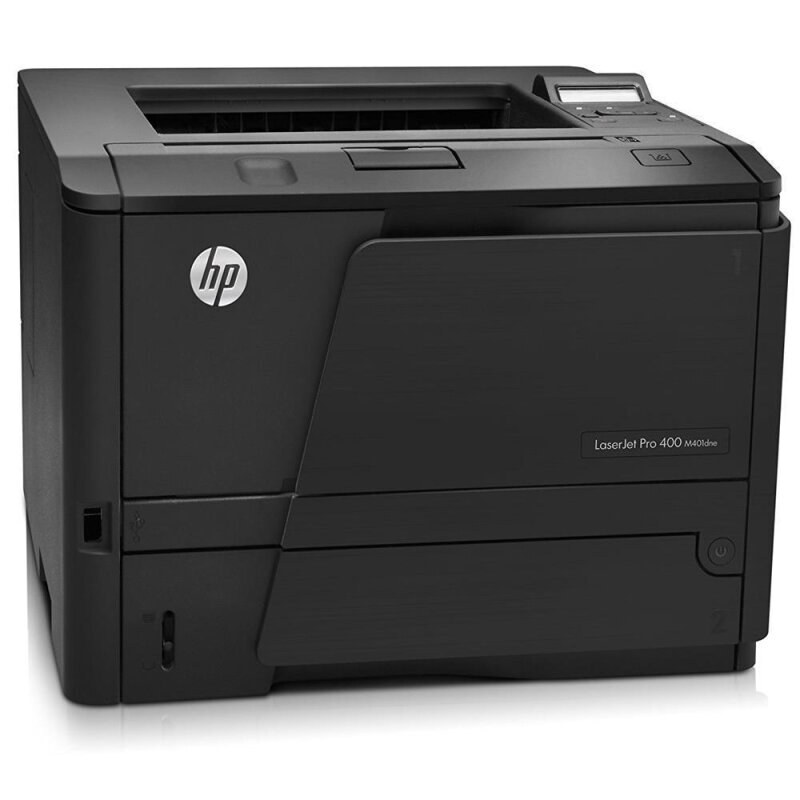
The LaserJet Pro 400 M401DN is the Pro 400 configuration built for a shared queue: automatic two-sided printing and an Ethernet port, so a small office prints to one machine instead of crowding around a personal desktop unit. It runs on the family's standard cartridge, the CF280A — the cartridge HP also labels the 80A — and steps up to the high-yield CF280X, sold as the 80X, when the queue gets busy. Two stretched compatible fills sit above those: the jumbo CF280XJ (80XJ) and the maximum-yield CF280XX (80XX), both made for printers that cannot pause during the workday.
A shared queue changes how a printer ages. Five people sending jobs all day means the cartridge empties on the team's schedule, not on one person's — usually in the middle of a report run. That is why this page leads with capacity: on a networked M401DN, the difference between the standard fill and the maximum fill is the difference between a monthly swap and a quarterly one, and every swap is a small interruption for everyone connected to the machine.
Toner Cartridges for Laserjet Pro 400 M401DN
| Cartridge | Color | Page Yield |
|---|---|---|
| CF280A — standard yield, single | Black | See product page |
| CF280A MICR — MICR build for check printing, single | Black | See product page |
| CF280A 3 Pack — standard yield, 3 pack | Black | See product page |
| CF280X 5 Pack — high yield, 5 pack | Black | See product page |
| CF280X — high yield, single | Black | See product page |
| CF280X MICR — high yield MICR build, single | Black | See product page |
| CF280X 3 Pack — high yield, 3 pack | Black | See product page |
| CF280XJ — jumbo yield, single | Black | See product page |
| CF280XX 3 Pack — maximum yield, 3 pack | Black | See product page |
| CF280XX — maximum yield, single | Black | See product page |
| CF280A Premium 3 Pack — premium-grade standard yield, 3 pack | Black | See product page |
Which cartridge should you buy?
Start with the queue's appetite. A lightly used M401DN — a few jobs a day — is well served by the standard CF280A, and its 3 pack keeps a spare ready without committing to deep stock. Once the whole office prints daily, step up to the high-yield CF280X: same fit, more pages before the swap, and a lower cost per page across the run. The 5 pack suits offices that would rather stock a quarter at a time. Heavy queues belong on the extended fills — the jumbo CF280XJ for long unattended stretches, the maximum CF280XX when the printer must simply not stop midweek. The MICR builds are the exception to this ladder: they exist for printing checks and other magnetic-ink documents, not for everyday volume.
Chip, toner and everyday use
The Pro 400 reads each cartridge's chip on installation, and a compatible fill registers like any other when it is seated properly: slide it in until it clicks, close the door, and let the machine calibrate before sending a test page. If a shared printer reports a cartridge it cannot read, reseating usually fixes it — a quarter-inch of travel is enough to break contact. Page yields are estimates at 5% coverage, so a queue full of dense reports will land short of the headline figure. Keep one spare on the network shelf; five people notice an empty printer faster than one person does.
Frequently Asked Questions
Which toner does the LaserJet Pro 400 M401DN take?
It takes the standard CF280A or the high-yield CF280X — both fit the same slot. The compatible range adds two stretched builds, the jumbo CF280XJ and the maximum CF280XX, which are the same cartridge family in deeper fills made for shared queues.
Does the M401DN need a separate drum?
No. On this family the drum is built into the cartridge itself, so every toner change is also a fresh drum — there is no second consumable to track, stock or order separately.
Why does our shared M401DN run out of toner faster than expected?
Because everyone prints to it. Five users' jobs add up invisibly until the low-toner warning arrives; that is exactly the case for the high-yield or extended fills, and for keeping a spare beside the machine.
Can I change the cartridge while jobs are waiting in the queue?
Yes — the machine holds its queue while you swap. Open the door, change the fill, and the waiting jobs continue printing once the new cartridge registers.
More printers that use the same cartridges
One cartridge family covers the whole Pro 400 shelf — these sibling models all take the same fills: HP CF280A, LaserJet M401, LaserJet M401A, LaserJet M401D, LaserJet M401DN, LaserJet M401DNE, LaserJet M401DW, LaserJet M401N, LaserJet M401a, LaserJet M401dw,LaserJet M401n, LaserJet M425, LaserJet M425DN, LaserJet M425DW, LaserJet M425dn MFP, LaserJet PRO 400 M401A, LaserJet Pro 400 M401, LaserJet Pro 400 M401D, LaserJet Pro 400 M401DW, LaserJet Pro 400 M401N, LaserJet Pro 400 M425DW, LaserJet Pro 400 MFP M425DN, LaserJet Pro 400 Printer M401A, LaserJet Pro 400 Printer M401D, LaserJet Pro 400 Printer M401DN, LaserJet Pro 400 Printer M401DNE, LaserJet Pro 400 Printer M401DW, LaserJet Pro 400 Printer M401N, LaserJet Pro 400 Printer M401S, Laserjet Pro 400 M401DNE, Laserjet Pro 400 M425, Laserjet Pro 400 MFP M425, Laserjet Pro 400 MFP M425DW, Laserjet Pro 400 PRINTER M401.