




LaserJet Pro 400 M401D
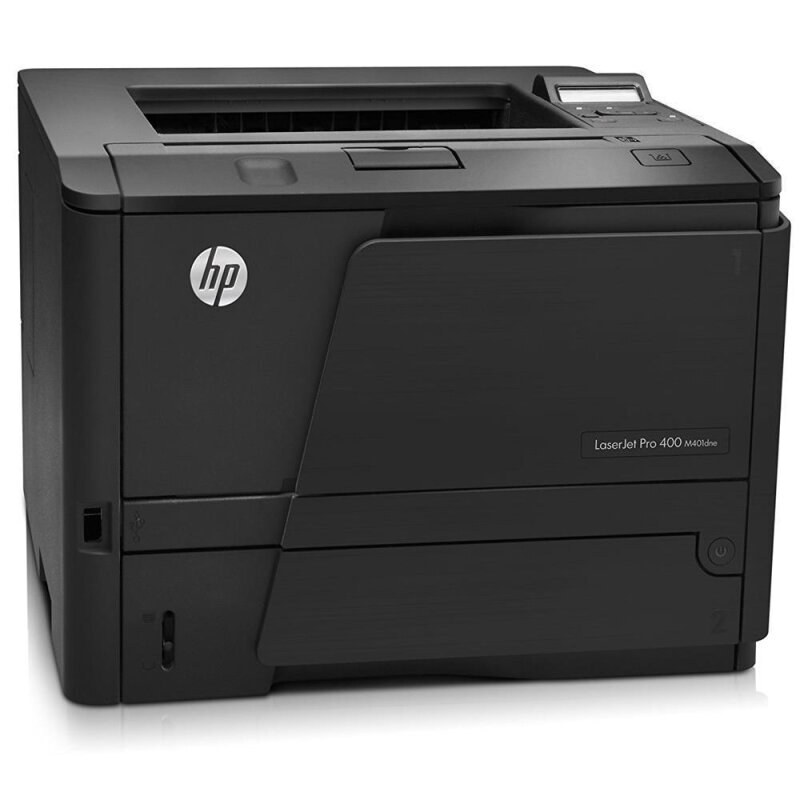
The HP LaserJet Pro 400 M401D specialized in two-sided mono printing — automatic duplexing for offices producing reports, contracts and manuals. Cartridges come from the HP 80A lineup: the CF280A, or the high-yield 80X in full as the CF280X. For two-sided marathons on the Pro 400 M401D, compatible suppliers go bigger than the high-yield: the jumbo CF280XJ and the maximum-yield CF280XX.
Duplex machines consume toner on an unusual schedule. A report that looks like twenty pages on the desk is forty printed sides to the cartridge, and the M401D's natural workload — long documents, printed on both faces, often in runs — stacks those sides quickly. Paper use per document falls, sometimes dramatically; toner use per document does not. Owners who plan supplies by counting documents instead of printed sides are the ones surprised by an empty cartridge mid-manual, which is why this model's cartridge ladder matters more than its spec sheet suggests.
Toner Cartridges for LaserJet Pro 400 M401D
| Cartridge | Color | Page Yield |
|---|---|---|
| High Yield Black — CF280X + 80X, 5 Pack (as labeled) | Black | See product page |
| High Yield Black — CF280X + 80X (as labeled) | Black | See product page |
| MICR High Yield Black — CF280X + 80X (as labeled) | Black | See product page |
| High Yield Black — CF280X + 80X, 3 Pack (as labeled) | Black | See product page |
| Jumbo Yield Black — CF280XJ | Black | See product page |
| Maximum Yield Black — CF280XX, 3 Pack | Black | See product page |
| Maximum Yield Black — CF280XX | Black | See product page |
| Black — CF280A + 80A (as labeled) | Black | See product page |
| MICR Black — CF280A + 80A (as labeled) | Black | See product page |
| Black — CF280A + 80A, 3 Pack (as labeled) | Black | See product page |
| Premium Black — CF280A + 80A, 3 Pack (as labeled) | Black | See product page |
Which cartridge should you buy?
Buy the M401D's toner by printed sides, not by documents. A duplex desk running long reports belongs on the high-yield CF280X at minimum — the standard CF280A empties deceptively fast when every sheet carries two pages. Sustained two-sided production justifies the jumbo CF280XJ, and the maximum-yield CF280XX serves the rare M401D that runs manual-length jobs daily. The tiers swap freely — same slot, same fit — so a department can trial a bigger cartridge on its heaviest month without committing to it. The MICR listings here are check-printing builds; the premium listing is a build-quality variation on the standard tier.
Chip, toner and everyday use
The Pro 400 M401D accepts each chipped cartridge on this page without setup: slide it in level, close the cover, and the toner gauge reports the new supply. Yield ratings in this family assume about five percent coverage per printed side, and duplex output doubles the sides per sheet — a distinction that explains most 'the cartridge did not last' complaints about two-sided machines. A fading cartridge often revives briefly after a gentle side-to-side rock redistributes its toner. Store the spare sealed and flat; a duplex printer caught empty mid-run wastes more than the minutes the swap itself takes.
Frequently Asked Questions
Does two-sided printing use more toner on the M401D?
Per sheet, yes — because each sheet carries two printed sides. Per page, no: the toner cost of a printed side is the same either way. That is why the high-yield CF280X or the jumbo CF280XJ suits this model better than page counts alone suggest.
Which cartridge should a contracts desk choose for the M401D?
Long duplex documents argue for capacity: the CF280X as the working tier, stepping to the CF280XX if the printer runs manual-length jobs most days. The standard CF280A remains fine for light, mostly single-sided use.
Can I switch between the standard and jumbo cartridges?
Freely. The CF280A, CF280X, CF280XJ and CF280XX all share one cartridge design and one slot — the M401D neither knows nor cares which fill level is inside.
Does the M401D need a separate drum or maintenance kit for toner?
Not for toner purposes: the imaging drum is built into the cartridge, so each replacement renews the printing surface. There is no second toner-related consumable to order for this model.
More printers that use the same cartridges
Every model below shares the 80-series cartridge with the M401D — the full Pro 400 family, printers and multifunction machines together: Laserjet Pro 400 PRINTER M401, Laserjet Pro 400 MFP M425DW, Laserjet Pro 400 MFP M425, Laserjet Pro 400 M425, Laserjet Pro 400 M401DNE, Laserjet Pro 400 M401DN, LaserJet Pro 400 Printer M401S, LaserJet Pro 400 Printer M401N, LaserJet Pro 400 Printer M401DW, LaserJet Pro 400 Printer M401DNE, LaserJet Pro 400 Printer M401DN, LaserJet Pro 400 Printer M401D, LaserJet Pro 400 Printer M401A, LaserJet Pro 400 MFP M425DN, LaserJet Pro 400 M425DW, LaserJet Pro 400 M401N
LaserJet Pro 400 M401DW, LaserJet Pro 400 M401, LaserJet PRO 400 M401A, LaserJet M425dn MFP, LaserJet M425DW, LaserJet M425DN, LaserJet M425, LaserJet M401dw,LaserJet M401n, LaserJet M401a, LaserJet M401N, LaserJet M401DW, LaserJet M401DNE, LaserJet M401DN, LaserJet M401D, LaserJet M401A, LaserJet M401, HP CF280A