




LaserJet M401dw,LaserJet M401n
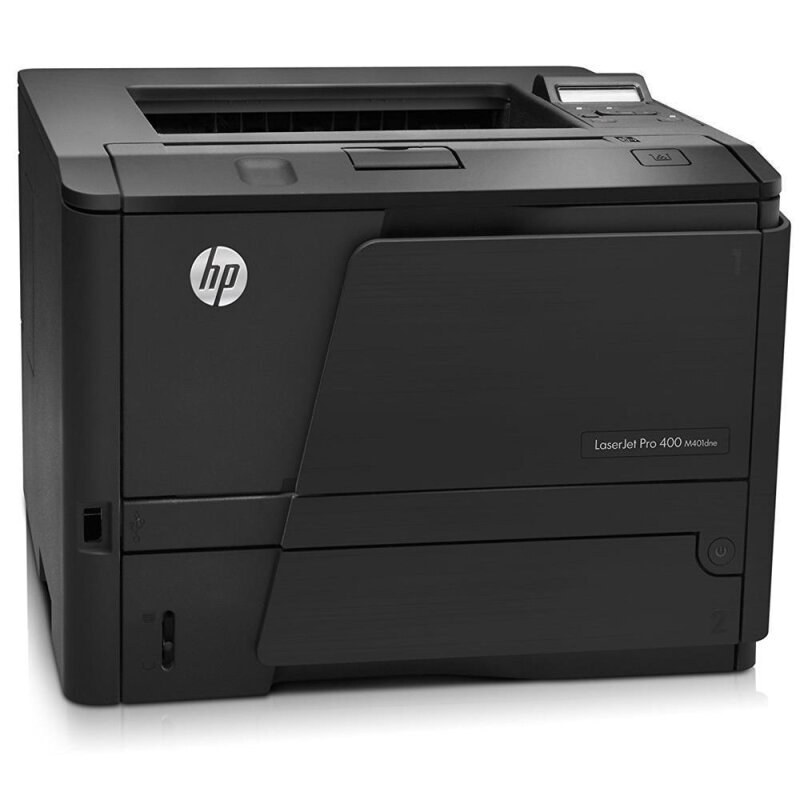
One category, two configurations. This page serves the LaserJet M401dw and the LaserJet M401n together — the M401's two most popular setups, wireless with duplex on one side and networked on the other — because the supply answer for both is identical. Each runs on the standard HP 80A (CF280A) or the high-yield HP 80X (CF280X), and both yields are stocked below as 4-packs, whichever of the pair sits on your network.
Shoppers land here comparing the pair, and offices often end up running both: a wireless unit at a hot-desk bench, a networked unit shared by a team. That mix is painless on the supply side, because a single shelf of cartridges feeds either machine. There is no separate stock to keep for the dw and the n, no risk of grabbing the wrong box in a hurry — one cartridge family covers the pair, and whoever orders toner only ever has two codes to think about.
Toner Cartridges for LaserJet M401dw,LaserJet M401n
| Cartridge | Color | Page Yield |
|---|---|---|
| HP 80A (CF280A) Toner Cartridge — 4 Black | Black | See product page |
| HP 80X (CF280X) Toner Cartridge — 4 Black | Black | See product page |
Which cartridge should you buy?
In a two-machine household or office, match the yield to the busier printer rather than to the pair. The networked M401n, if a whole team prints through it, will chew through toner at a pace that makes the high-yield 80X the natural fit — longer stretches between swaps on the machine nobody wants to service mid-week. The wireless M401dw at a single desk often does fine on the standard 80A. Both cartridges fit both models and install the same way, and both are stocked here as 4-packs, so a shared supply shelf can hold a pack of each and let each printer draw the tier that suits its workload. When in doubt, watch which machine empties first over a month; that observation settles the tier question better than any guess.
Chip, toner and everyday use
Two machines sharing one shelf rewards a small labeling habit: store cartridges by code, not by machine, since the code is what decides the fit. Unpack a unit only when a printer actually calls for it, strip the seal completely, and seat it until it clicks; a cartridge resting a fraction short is the usual reason a printer claims not to see its chip. Spares keep best sealed, flat and out of bright light. If output thins on one machine while the other prints fine, the cartridge in the fading unit is simply nearing its end — a gentle rock redistributes what toner remains and buys time until the swap.
Frequently Asked Questions
Do the LaserJet M401dw and the LaserJet M401n take the same cartridge?
Yes, exactly the same: the CF280A standard cartridge or the CF280X high-yield. A spare bought for one model works in the other, which is why the two configurations share this page and its shelf.
Will a compatible CF280A cartridge work in either model?
Compatible cartridges are made for both configurations and are what this page stocks. If a printer ever declines a unit, pull it out and reseat it firmly — chip recognition hiccups are the most common cause, and a reseat clears most of them.
How should I store spare cartridges when two machines share one shelf?
Keep them sealed in their boxes with the code facing out, in a cool, dry place. Because both models use the same codes, there is no need to reserve a cartridge for a particular printer — the first sealed unit on the shelf is the right one for whichever machine runs out.
Which yield suits a networked M401n used by a whole team?
The high-yield CF280X. Shared printers accumulate pages far faster than personal ones, and the larger cartridge simply means fewer changeovers interrupting the team's work. The standard CF280A remains the lighter-duty option for the quieter machine.
More printers that use the same cartridges
Every model in the wider Pro 400 family below draws on these same two cartridge codes: HP CF280A, LaserJet M401, LaserJet M401A, LaserJet M401a, LaserJet M401D, LaserJet M401DN, LaserJet M401DNE, LaserJet M401DW, LaserJet M401N, LaserJet M425, LaserJet M425DN, LaserJet M425dn MFP, LaserJet M425DW, LaserJet Pro 400 M401, LaserJet PRO 400 M401A, LaserJet Pro 400 M401D, Laserjet Pro 400 M401DN, Laserjet Pro 400 M401DNE, LaserJet Pro 400 M401DW, LaserJet Pro 400 M401N, Laserjet Pro 400 M425, LaserJet Pro 400 M425DW, Laserjet Pro 400 MFP M425, LaserJet Pro 400 MFP M425DN, Laserjet Pro 400 MFP M425DW, Laserjet Pro 400 PRINTER M401, LaserJet Pro 400 Printer M401A, LaserJet Pro 400 Printer M401D, LaserJet Pro 400 Printer M401DN, LaserJet Pro 400 Printer M401DNE, LaserJet Pro 400 Printer M401DW, LaserJet Pro 400 Printer M401N, LaserJet Pro 400 Printer M401S.