




Laserjet Pro 400 PRINTER M401
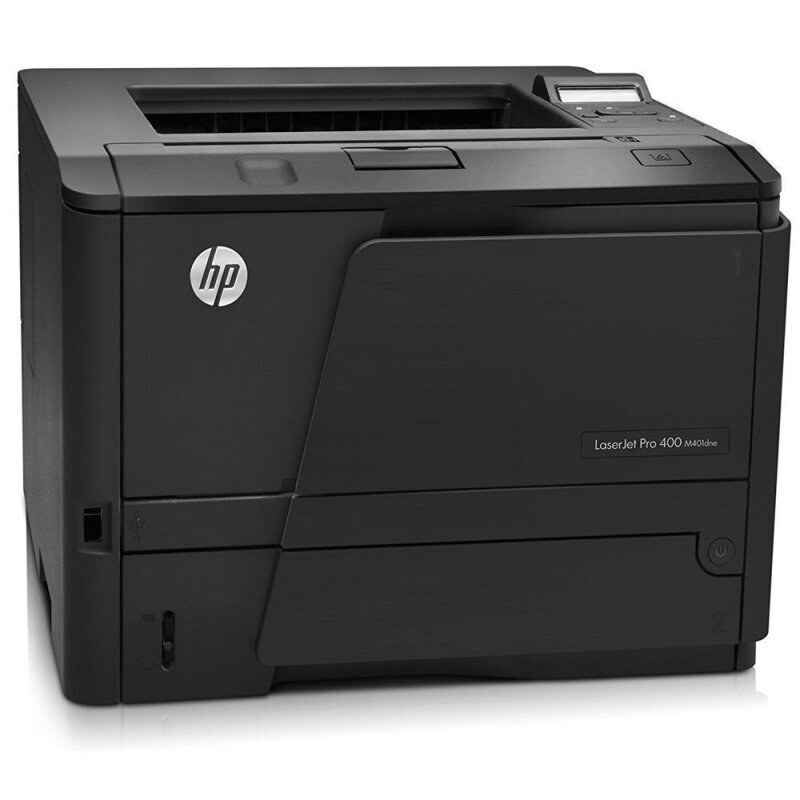
The LaserJet Pro 400 Printer M401 is the dedicated single-function printer of the family — pure mono output for teams that keep scanning on separate hardware. Its cartridge is the standard CF280A (HP's 80A), with the high-yield CF280X (the 80X) for longer runs. Print-only duty has not left it behind on fills: it also runs the family's stretched compatible builds, the maximum CF280XX (80XX) and the jumbo CF280XJ (80XJ).
Single-function printers survive because they do one job without compromise or menu-diving. The Printer M401 has no scanner to warm up and no fax line to manage; it exists to turn a queue into paper. Teams pair it with a separate scanner precisely so print volume never waits behind somebody copying — and that uninterrupted volume is exactly what the extended fills were built to feed.
Toner Cartridges for Laserjet Pro 400 PRINTER M401
The Printer M401's shelf, arranged by fill depth from the standard single upward:
- CF280A — the standard fill, sold singly
- CF280X — the longer fill, sold singly
- CF280XJ — the jumbo fill, sold singly
- CF280XX — the deepest fill, sold singly
- CF280A MICR — magnetic-ink build for checks, sold singly
- CF280X MICR — high-yield magnetic-ink build, sold singly
- CF280A 3 Pack — the standard fill in a three pack
- CF280A Premium 3 Pack — premium-grade standard fill in a three pack
- CF280X 3 Pack — the longer fill in a three pack
- CF280X 5 Pack — the high-yield fill in a five pack
- CF280XX 3 Pack — the deepest fill in a three pack
Which cartridge should you buy?
A print-only machine makes the decision simple: it is all about pages per fill. The standard CF280A suits a Printer M401 with a modest queue; the high-yield CF280X is the natural step when output climbs, lowering cost per page across the longer run. Because nothing else shares this machine's time, its volume is predictable — which makes the extended fills easy to justify: jumbo CF280XJ for long unattended stretches, maximum CF280XX for the printer that anchors a team's output. The 3 and 5 packs convert the tier choice into shelf stock. MICR remains the check-printing exception.
Chip, toner and everyday use
No scanner lid, no fax menu — the Printer M401's cartridge routine is the family's simplest: open the front, swap the fill, and its chip is read as the door closes. A compatible cartridge that draws a question from the panel usually just needs reseating; push it fully home and the message clears. Because this machine's diet is pure print jobs, its yield experience tracks the 5% coverage rating more closely than a multifunction machine's does. Keep one spare beside the printer itself; a single-function machine has a single consumable, and running out is the only way it ever stops.
Frequently Asked Questions
Which toner fits the LaserJet Pro 400 Printer M401?
The family standard CF280A, the high-yield CF280X, or the extended compatible fills — jumbo CF280XJ and maximum CF280XX. One slot, four depths, and no other consumable to manage.
Does it share cartridges with the M425 multifunction models?
Yes. The printer and MFP branches of the Pro 400 line use the same cartridge family, so spares interchange freely across a mixed fleet.
Is a separate drum used in this model?
No. The drum lives inside the cartridge itself; every swap is a complete refresh of the imaging path, with nothing else to order or schedule.
Which fill suits a print-only workhorse?
The deepest your volume justifies. Uninterrupted print duty is what the jumbo and maximum fills were made for; the high-yield CF280X is the middle ground for moderate queues.
More printers that use the same cartridges
Print-only and multifunction models alike share these fills:
- HP CF280A
- LaserJet M401
- LaserJet M401A
- LaserJet M401a
- LaserJet M401D
- LaserJet M401DN
- LaserJet M401DNE
- LaserJet M401DW
- LaserJet M401dw,LaserJet M401n
- LaserJet M401N
- LaserJet M425
- LaserJet M425DN
- LaserJet M425dn MFP
- LaserJet M425DW
- LaserJet Pro 400 M401
- LaserJet PRO 400 M401A
- LaserJet Pro 400 M401D
- Laserjet Pro 400 M401DN
- Laserjet Pro 400 M401DNE
- LaserJet Pro 400 M401DW
- LaserJet Pro 400 M401N
- Laserjet Pro 400 M425
- LaserJet Pro 400 M425DW
- Laserjet Pro 400 MFP M425
- LaserJet Pro 400 MFP M425DN
- Laserjet Pro 400 MFP M425DW
- LaserJet Pro 400 Printer M401A
- LaserJet Pro 400 Printer M401D
- LaserJet Pro 400 Printer M401DN
- LaserJet Pro 400 Printer M401DNE
- LaserJet Pro 400 Printer M401DW
- LaserJet Pro 400 Printer M401N
- LaserJet Pro 400 Printer M401S