




LaserJet M401N
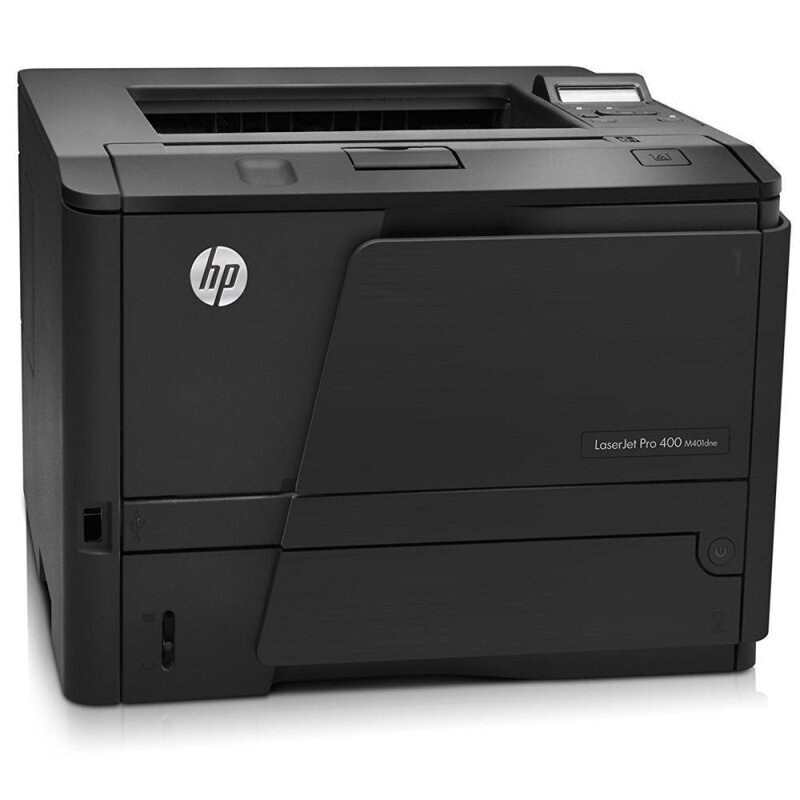
The LaserJet M401N put its family's fast monochrome printing onto Ethernet — the shared configuration for small offices that skipped duplexing and wanted one honest printer on the network. It uses HP's 80A cartridge in standard form, the CF280A, with the high-yield CF280X — the 80X — as the first upgrade. Read by number, the compatible range runs four deep: those two, plus the jumbo CF280XJ (80XJ) and the maximum-yield CF280XX (80XX) at the top.
Skipping duplex was a deliberate economy, and it defines this machine's working life: one-sided pages, produced quickly, for offices whose documents — invoices, labels, internal forms — rarely need a second side. What the N configuration adds instead is presence. On the network, the printer belongs to everyone in the room at once, and its toner stops being one person's errand and becomes the office's shared supply, best managed with a spare on the shelf and the biggest fill the workload earns.
Toner Cartridges for LaserJet M401N
- CF280A Black (80A) — black; page yield on the product page
- CF280A MICR Black (80A) — black; page yield on the product page
- CF280A Black 3 Pack (80A) — black; page yield on the product page
- CF280X High Yield Black 5 Pack (80X) — black; page yield on the product page
- CF280X High Yield Black (80X) — black; page yield on the product page
- CF280X High Yield MICR Black (80X) — black; page yield on the product page
- CF280X High Yield Black 3 Pack (80X) — black; page yield on the product page
- CF280XJ Jumbo Yield Black (80XJ) — black; page yield on the product page
- CF280XX Maximum Yield Black 3 Pack (80XX) — black; page yield on the product page
- CF280XX Maximum Yield Black (80XX) — black; page yield on the product page
- CF280A Premium Quality Black 3 Pack (80A) — black; page yield on the product page
- 80As Black (CF280A) — black; page yield on the product page
- 80As Black 2 Pack (CF280A) — black; page yield on the product page
- 80As Black 3 Pack (CF280A) — black; page yield on the product page
- 80As Black 5 Pack (CF280A) — black; page yield on the product page
- 80As Black 10 Pack (CF280A) — black; page yield on the product page
- 80A-MICRs Black (CF280A) — black; page yield on the product page
- 80A-MICRs Black 2 Pack (CF280A) — black; page yield on the product page
- 80A-MICRs Black 3 Pack (CF280A) — black; page yield on the product page
- 80A-MICRs Black 5 Pack (CF280A) — black; page yield on the product page
- 80A-MICRs Black 10 Pack (CF280A) — black; page yield on the product page
- 80Xs Black (CF280X) — black; page yield on the product page
- 80Xs Black 2 Pack (CF280X) — black; page yield on the product page
- 80Xs Black 3 Pack (CF280X) — black; page yield on the product page
- 80Xs Black 5 Pack (CF280X) — black; page yield on the product page
- 80Xs Black 10 Pack (CF280X) — black; page yield on the product page
- M401Ns Black (CF280X) — black; page yield on the product page
- 80X-MICRs Black (CF280X) — black; page yield on the product page
- 80X-MICRs Black 2 Pack (CF280X) — black; page yield on the product page
- 80X-MICRs Black 3 Pack (CF280X) — black; page yield on the product page
- 80X-MICRs Black 5 Pack (CF280X) — black; page yield on the product page
- 80X-MICRs Black 10 Pack (CF280X) — black; page yield on the product page
- M401N-MICRs Black (CF280X) — black; page yield on the product page
Also stocked on this shelf, under sibling model names from the same Pro 400 family (the cartridges carry the same codes; the listing names simply call out the sister machines): M401As Black (CF280X), M401Ds Black (CF280X), M401DNs Black (CF280X), M401DWs Black (CF280X), M425DNs Black (CF280X), M425DWs Black (CF280X), M401A-MICRs Black (CF280X), M401D-MICRs Black (CF280X), M401DN-MICRs Black (CF280X), M401DW-MICRs Black (CF280X), M425DN-MICRs Black (CF280X), M425DW-MICRs Black (CF280X).
Which cartridge should you buy?
Let the number of people sharing the machine decide. Two or three light users can live on the standard CF280A and its multipacks. A whole bench printing through the day should standardize on the high-yield CF280X so changes land weekly instead of daily, and the busiest shared installations belong on the CF280XJ or the CF280XX, where the fill is sized to forget about. The MICR variants answer a narrower question — magnetic toner for checks — and earn their place only in offices that print their own.
Chip, toner and everyday use
On a shared printer, the polite cartridge is the one that reports itself. The chip tells the M401N its level and the printer passes that status to every connected desk, so seat a fresh unit until it clicks and the whole office sees an honest reading. Give the new cartridge a slow rock first — toner settles in transit and a level fill prints evenly from page one. Store the shelf spare sealed, cool and dry, and rotate it in when the current cartridge fades rather than opening it early to check; an opened spare is a spare already aging.
Frequently Asked Questions
Does the M401N print on both sides automatically?
No — this is the configuration that skipped duplexing, so pages come out one-sided unless you flip the stack manually. Its cartridge story is unaffected: it takes the same CF280A family as its duplexing siblings.
Which cartridge lasts longest in the M401N?
The CF280XX, the maximum-yield build at the top of the compatible range. Below it sit the jumbo CF280XJ, the high-yield CF280X and the standard cartridge, each a step down in fill.
Everyone shares this printer. How do we avoid running dry?
Watch the level the printer reports — the chip in each CF280A keeps it current — and keep one sealed spare beside the machine. Ordering when the spare goes in, rather than when the tray empties, removes the crisis entirely.
Are the MICR listings safe for everyday documents?
They print documents fine, but that wastes their purpose. The MICR fills exist so checks can be machine-read; everyday pages belong on the standard or high-yield listings, which are built and priced for them.
More printers that use the same cartridges
The same cartridge line serves the entire Pro 400 mono family, alphabetically:
HP CF280A, LaserJet M401, LaserJet M401A, LaserJet M401a, LaserJet M401D, LaserJet M401DN, LaserJet M401DNE, LaserJet M401DW, LaserJet M401dw,LaserJet M401n, LaserJet M425, LaserJet M425DN, LaserJet M425dn MFP, LaserJet M425DW, LaserJet Pro 400 M401, LaserJet PRO 400 M401A, LaserJet Pro 400 M401D
Laserjet Pro 400 M401DN, Laserjet Pro 400 M401DNE, LaserJet Pro 400 M401DW, LaserJet Pro 400 M401N, Laserjet Pro 400 M425, LaserJet Pro 400 M425DW, Laserjet Pro 400 MFP M425, LaserJet Pro 400 MFP M425DN, Laserjet Pro 400 MFP M425DW, Laserjet Pro 400 PRINTER M401, LaserJet Pro 400 Printer M401A, LaserJet Pro 400 Printer M401D, LaserJet Pro 400 Printer M401DN, LaserJet Pro 400 Printer M401DNE, LaserJet Pro 400 Printer M401DW, LaserJet Pro 400 Printer M401N, LaserJet Pro 400 Printer M401S