




LaserJet M401A
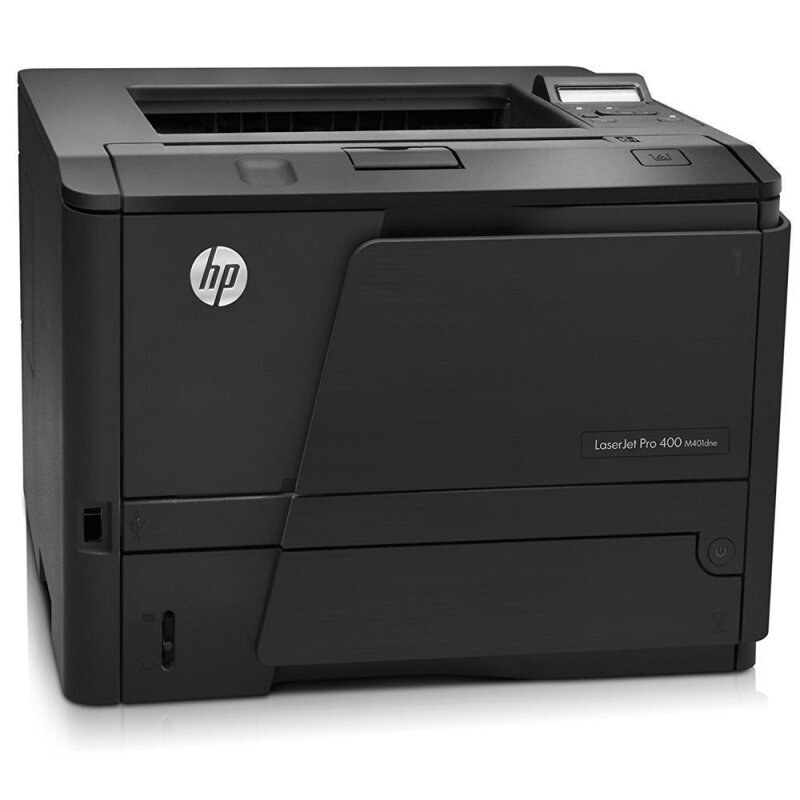
The LaserJet M401A was the base configuration of the Pro 400 M401 family — a straightforward mono printer for desks and small workgroups, with nothing fitted that a small team would not use. Its cartridge is the family standard: the CF280A black cartridge, HP's 80A, also sold as the high-yield CF280X, the 80X. In compatible form the family runs longer still — the jumbo CF280XJ (80XJ) sits one rung below the top, and the maximum-yield CF280XX (80XX) crowns the range.
Base configurations earn their keep by being easy to feed and easy to live with. The M401A sat on a desk, printed the day's documents, and asked for nothing beyond paper and the occasional cartridge. For a one-person office or a two-desk team, that simplicity is the specification: the buying question is never which exotic option to add, only which yield of a very common cartridge to keep in the drawer.
Toner Cartridges for LaserJet M401A
- CF280X — high-yield single, black; yield: see product page
- CF280X — high-yield 3 pack, black; yield: see product page
- CF280X — high-yield 5 pack, black; yield: see product page
- CF280X — high-yield MICR single, black, MICR; yield: see product page
- CF280A — standard single, black; yield: see product page
- CF280A — standard 3 pack, black; yield: see product page
- CF280A — MICR single for check printing, black, MICR; yield: see product page
- CF280A — premium-quality 3 pack, black; yield: see product page
- CF280XJ — jumbo-yield single, black; yield: see product page
- CF280XX — maximum-yield single, black; yield: see product page
- CF280XX — maximum-yield 3 pack, black; yield: see product page
Which cartridge should you buy?
Let your monthly volume decide, and resist buying capacity you will not use. A desk that prints a few dozen pages a week is perfectly matched to the standard cartridge — one in the machine, perhaps one in the drawer. Step up to the high-yield build when toner changes start to feel frequent; it is the same cartridge idea with a longer run, and the swap routine does not change. The jumbo and maximum tiers make sense where several people share the printer and its queue stays warm all day. Multipacks suit teams standardizing on one tier across several Pro 400 machines. Compatible cartridges on this page come with a 1-year warranty and 1-year returns.
Chip, toner and everyday use
Treat the low-toner warning as your reorder alarm: on a base desk printer the cartridge usually outlasts the warning by a comfortable margin, but the day it truly empties is always the day with a deadline. Before installing, pull the sealing tape fully out and give the cartridge a gentle rock to loosen the toner; after installing, print one test page so any seating problem shows up immediately instead of mid-job. Store the spare flat in its bag, away from windows — heat and light age toner even in an unopened cartridge. And because the whole Pro 400 family drinks from the same cartridge line, a spare bought for this desk also fits its siblings.
Frequently Asked Questions
Does the M401A take the same cartridge as the other M401 models?
Yes. The whole Pro 400 M401 and M425 family shares one cartridge line, so the standard, high-yield, jumbo and maximum-yield builds listed here fit across the range — handy when one office runs several variants.
Is there a high-yield option for the M401A?
Three of them, in effect: the high-yield cartridge is the natural first step up, and compatible jumbo and maximum-yield builds run longer again. All seat in the same bay with the same installation routine.
How do I change the cartridge in the M401A?
Open the cartridge door, pull the spent cartridge out by its handle, slide the new one in until it clicks, and close the door. Remove the sealing tape before the new cartridge goes in — leaving it in place is the classic cause of a blank first page.
What if my prints come out light on one side?
Uneven fading usually means the toner has settled toward one end of the cartridge. Take it out, rock it gently from side to side a few times, and reinstall; even coverage normally returns. If it does not, the cartridge is near its end.
More printers that use the same cartridges
Order runs the other way here, but the membership is identical — every model below shares this printer's cartridges: Laserjet Pro 400 PRINTER M401, Laserjet Pro 400 MFP M425DW, Laserjet Pro 400 MFP M425, Laserjet Pro 400 M425, Laserjet Pro 400 M401DNE, Laserjet Pro 400 M401DN, LaserJet Pro 400 Printer M401S, LaserJet Pro 400 Printer M401N, LaserJet Pro 400 Printer M401DW, LaserJet Pro 400 Printer M401DNE, LaserJet Pro 400 Printer M401DN, LaserJet Pro 400 Printer M401D, LaserJet Pro 400 Printer M401A, LaserJet Pro 400 MFP M425DN, LaserJet Pro 400 M425DW, LaserJet Pro 400 M401N, LaserJet Pro 400 M401DW, LaserJet Pro 400 M401D, LaserJet Pro 400 M401, LaserJet PRO 400 M401A, LaserJet M425dn MFP, LaserJet M425DW, LaserJet M425DN, LaserJet M425, LaserJet M401dw,LaserJet M401n, LaserJet M401a, LaserJet M401N, LaserJet M401DW, LaserJet M401DNE, LaserJet M401DN, LaserJet M401D, LaserJet M401, HP CF280A.