




LaserJet M425DN
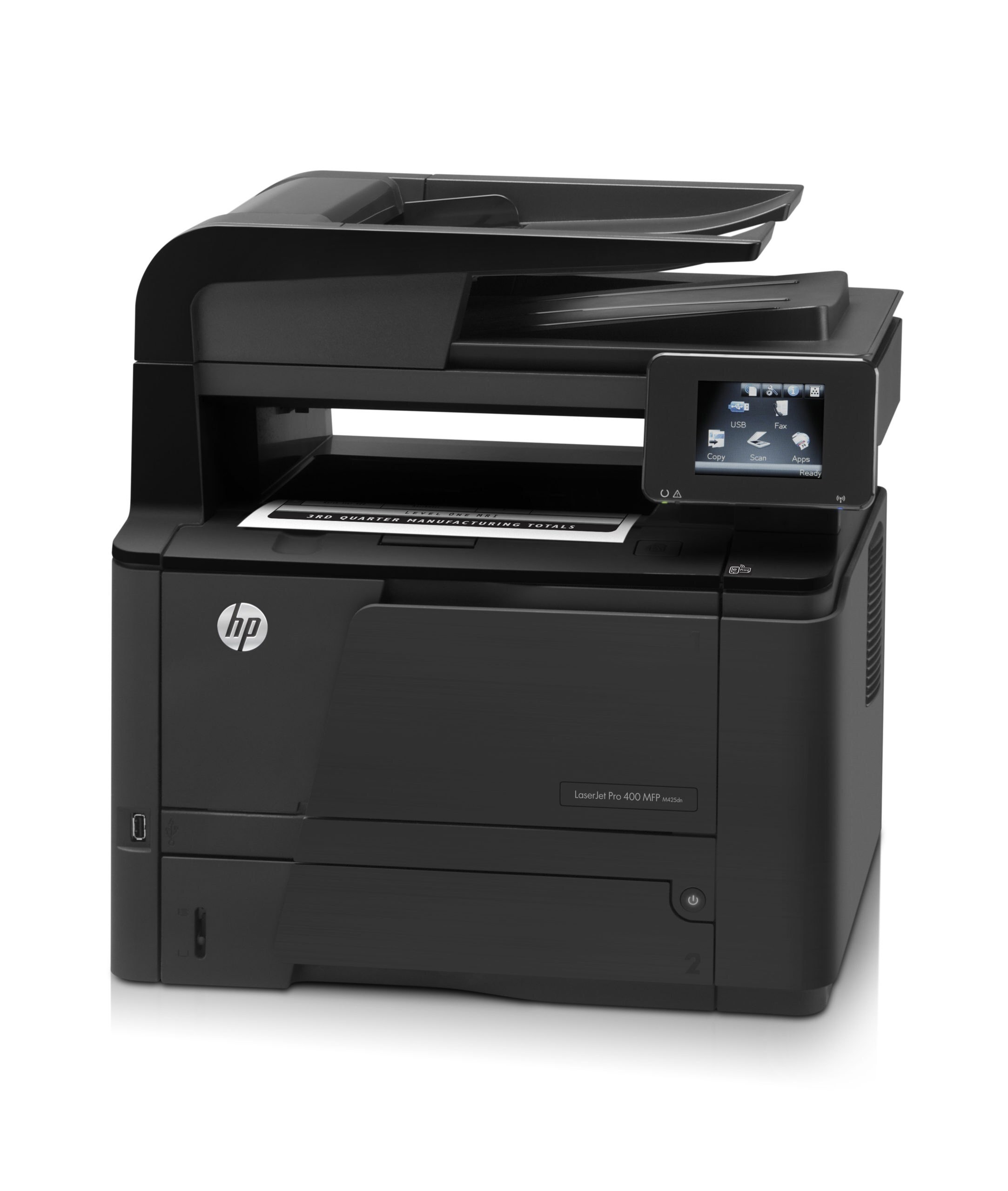
Duplex and networking made the LaserJet M425DN the office-standard version of its line — a monochrome multifunction with two-sided printing riding on Ethernet, built for shared workgroups. It takes HP's 80A cartridge, the black CF280A, also sold in high-yield form as the CF280X (80X). Where this machine prints all day, compatible makers answer with bigger fills: the jumbo CF280XJ (80XJ) and the maximum-yield CF280XX (80XX), each a step beyond the regular high-yield.
Office-standard is a social title as much as a technical one. The M425DN is the configuration a workgroup standardizes on so that nobody has to learn a second machine: duplexing for the reports, networking for the room, copying and faxing for the paperwork that still moves on paper. Standardization pays its dividend in supplies — one cartridge family to stock, one spare to keep, one reorder habit for whoever manages the cabinet, no matter which desk the pages came from.
Toner Cartridges for LaserJet M425DN
Also stocked on this shelf, under sibling model names from the same Pro 400 family (the cartridges carry the same codes; the listing names simply call out the sister machines): M401As Black (CF280X), M401Ds Black (CF280X), M401DNs Black (CF280X), M401DWs Black (CF280X), M401Ns Black (CF280X), M425DWs Black (CF280X), M401A-MICRs Black (CF280X), M401D-MICRs Black (CF280X), M401DN-MICRs Black (CF280X), M401DW-MICRs Black (CF280X), M401N-MICRs Black (CF280X), M425DW-MICRs Black (CF280X).
Which cartridge should you buy?
Standardize the way the machine itself was standardized. A workgroup MFP should not run on single standard cartridges bought in a panic; it should live on the high-yield CF280X as its baseline, with the CF280XJ for the heaviest groups and the CF280XX where the machine truly never rests. The standard CF280A and its multipacks remain the right economy for a small team with a predictable rhythm. Keep the MICR listings segregated for check runs — a workgroup standard is no place for a specialty fill to wander into general use.
Chip, toner and everyday use
In a workgroup, the cartridge chip is a shared instrument: its level reading is what every desk sees, so a properly seated cartridge keeps the whole team honest about remaining toner. Replace during a quiet window, rock the new unit level first, and confirm with a test page before the morning queue builds. Duplex work spends toner on both sides of the sheet, so judge a cartridge's life against your real page count rather than sheet count. And keep the sealed spare in the supply cabinet, not on top of the warm machine — heat is toner's slow enemy.
Frequently Asked Questions
What do the D and N in M425DN add over the base M425?
Duplexing and networking — automatic two-sided printing and an Ethernet connection for sharing. The toner story is unchanged: the same CF280A family feeds every version of the machine.
Which fill should a busy workgroup standardize on?
Start at the high-yield CF280X and step up if changes still come too often — first to the jumbo CF280XJ, then to the maximum-yield CF280XX. Each step is the same slot and the same fit, only a larger fill.
Can this machine print checks for the office?
Yes, with a MICR cartridge loaded for the run. Its magnetic toner is formulated for bank readers; the standard fills on this page are document toner and should stay in document work.
How does the office know when toner is getting low?
The chip inside each CF280A reports the level to the printer, and the networked machine shares that status with connected computers. Treat the first warning as the moment to open the spare, not the moment to panic-order.
More printers that use the same cartridges
The full Pro 400 mono family runs on this cartridge line, multifunctions and printers together:
HP CF280A, LaserJet M401, LaserJet M401A, LaserJet M401D, LaserJet M401DN, LaserJet M401DNE, LaserJet M401DW, LaserJet M401N, LaserJet M401a, LaserJet M401dw,LaserJet M401n, LaserJet M425, LaserJet M425DW, LaserJet M425dn MFP, LaserJet PRO 400 M401A, LaserJet Pro 400 M401, LaserJet Pro 400 M401D, LaserJet Pro 400 M401DW, LaserJet Pro 400 M401N, LaserJet Pro 400 M425DW, LaserJet Pro 400 MFP M425DN, LaserJet Pro 400 Printer M401A, LaserJet Pro 400 Printer M401D, LaserJet Pro 400 Printer M401DN, LaserJet Pro 400 Printer M401DNE, LaserJet Pro 400 Printer M401DW, LaserJet Pro 400 Printer M401N, LaserJet Pro 400 Printer M401S, Laserjet Pro 400 M401DN, Laserjet Pro 400 M401DNE, Laserjet Pro 400 M425, Laserjet Pro 400 MFP M425, Laserjet Pro 400 MFP M425DW, Laserjet Pro 400 PRINTER M401