




MultiPass L90
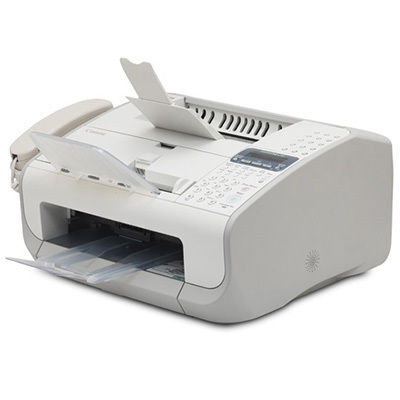
A 1998 article singled the MultiPASS L90 out as the 4 ppm exception in its family — and then listed what that modest speed bought: a laser printer, plain-paper fax, PC fax, scanner and copier in one unit, with a 14.4 kbps fax modem at roughly six seconds a page, 600 dpi output, a 250-sheet tray, a 30-sheet document feeder and 138 pages of fax memory. Even as the family's slow exception, it shares the standard supply: the FX-3 cartridge, good for 2,700 pages.
Five functions on one cartridge concentrates the risk and the remedy in a single place. When an L90 fades, everything fades — faxes, copies and prints together — and one swap restores all of it. Owners of these long-lived machines tend to learn that lesson once and then keep an FX-3 in reserve permanently; the buying pattern that suits the L90 is a standing spare, not a reorder after failure.
Toner Cartridges for MultiPass L90
| Cartridge | Color | Page Yield |
|---|---|---|
| Canon FX-3 Black 3 Pack | Black | 2,700 pages per cartridge |
| Canon FX-3 Black | Black | 2,700 pages |
| Canon FX-3 Black 5 Pack | Black | 2,700 pages per cartridge |
| Canon FX-3 Premium Quality Black 5 Pack | Black | 2,700 pages per cartridge |
| Canon FX-3 Black 2 Pack | Black | 2,700 pages per cartridge |
Every listing is the same FX-3 cartridge in a different box count, including the premium-grade five-pack.
Which cartridge should you buy?
Since the FX-3 is the only cartridge this machine takes, choose by continuity rather than specification. The L90's five functions justify a deeper shelf than a plain printer would: a 2 or 3 pack keeps one cartridge installed, one in reserve and the reorder point comfortably far away. Sites supporting several FX-3 machines can pool the 5 packs across all of them. Whichever quantity you settle on, the compatible FX-3 cartridges here are backed by a 1-year warranty and 1-year returns.
Chip, toner and everyday use
Swapping the FX-3 is a simple mechanical job with no chip pairing to wait on. Its 2,700-page rating assumes about 5% coverage — realistic for the fax traffic and letters this machine was built around, less so for dense copied graphics. The 138-page fax memory protects incoming faxes while a cartridge is changed, so a mid-reception swap loses nothing. Keep the reserve cartridge sealed until the day it is fitted, store it level, and give it a gentle rock first if it has sat for a long while.
Frequently Asked Questions
What cartridge fits the MultiPASS L90?
The Canon FX-3 black toner cartridge, rated at approximately 2,700 pages. One cartridge supplies the printer, fax, scanner output and copier functions together.
Why is the L90 called the slow exception of its family?
Contemporary coverage noted its 4 ppm print speed as unusually modest for the line — the trade-off for a unit that combined five functions, a document feeder and substantial fax memory at its price.
Will incoming faxes be lost while I change the cartridge?
No. The L90 holds up to 138 pages in fax memory, so received pages wait safely while the FX-3 is swapped and print once the machine is ready.
How many pages does one FX-3 cartridge print in the L90?
Approximately 2,700 pages at 5% coverage. Fax-heavy use lands close to that figure; dense copies and graphics will shorten it.
More printers that use the same cartridges
The same FX-3 supply serves these related Canon models:
L3500, L4000, L4500, L4500IF, L60, L75, L80, LaserClass 1050, LaserClass 1060, LaserClass 1060P, LaserClass 1100, LaserClass 1300, LaserClass 2050, LaserClass 2050P, LaserClass 2060, LaserClass 2060P, LaserClass 3500, LaserClass 4000, LaserClass 4500, LaserClass 6000L, LaserClass L4000, LaserClass L4500, MultiPass L60, MultiPass L600, MultiPass L6000, C100, CFX-2060, CFX-L3500, CFX-L3500IF, CFX-L4000, CFX-L4000IF, CFX-L4500, CFX-L4500IF, CFX-LC2050, FaxPhone L75, FaxPhone L80, ImageClass 1100, ImageClass 1100P, L200, L250, L260, L260I, L280, L300, L350