




MultiPass L6000
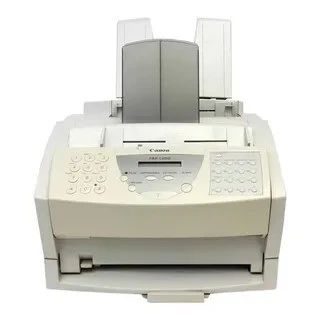
Canon's official user manual defines the MultiPASS L6000: 6 ppm laser printer/fax/copier/scanner over a Centronics parallel interface (no network), with a 100-sheet multipurpose tray, MultiPASS Desktop Manager and ScanGear software. It uses the Canon FX-3 cartridge (1557A002), rated for 2,700 pages.
Toner Cartridges for Canon Multipass L6000
| Cartridge | Color | Page Yield | OEM # |
|---|---|---|---|
| Canon FX-3 (Compatible) | Black | 2,700 pages | 1557A002 |
Frequently Asked Questions
What toner does the Canon Multipass L6000 use?
The Canon Multipass L6000 uses the Canon FX-3 toner cartridge (OEM #1557A002).
How many pages does a Canon FX-3 cartridge print?
A standard Canon FX-3 toner cartridge yields approximately 2,700 pages pages at 5% coverage.
Are compatible Canon FX-3 cartridges safe for the Multipass L6000?
Compatible cartridges are designed to work in the Multipass L6000. Check your printer's warranty terms for specific coverage details.
How do I install a Canon FX-3 toner cartridge in the Multipass L6000?
Open the front cover of your Canon Multipass L6000, remove the old cartridge, unpack the new Canon FX-3 cartridge, gently rock it to distribute toner, and slide it into place until it clicks.
More Printers That Use Canon FX-3 Toner
- Faxphone L75
- Faxphone L80
- Imageclass 1100P
- Imageclass 1100
- L300
- L280
- L200
- L350
- L250
- L260I
- L260
- L3500
- L4500
- L4000
- L60
- L75
- L4500If
- C100
- L80
- Cfx 2060
- Cfx Lc2050
- Cfx L4500
- Cfx L3500If
- Cfx L4500If
- Cfx L3500
- Cfx L4000If
- Cfx L4000
- Laserclass 2060P
- Laserclass 1100
- Laserclass 2050
- Laserclass 1050
- Laserclass 2050P
- Laserclass 1060P
- Laserclass 1300
- Laserclass 2060
- Laserclass 1060
- Laserclass 4000
- Laserclass 4500
- Laserclass 3500
- Laserclass 6000L
- Laserclass L4000
- Laserclass L4500
- Multipass L60
- Multipass L600
- Multipass L90