




L75
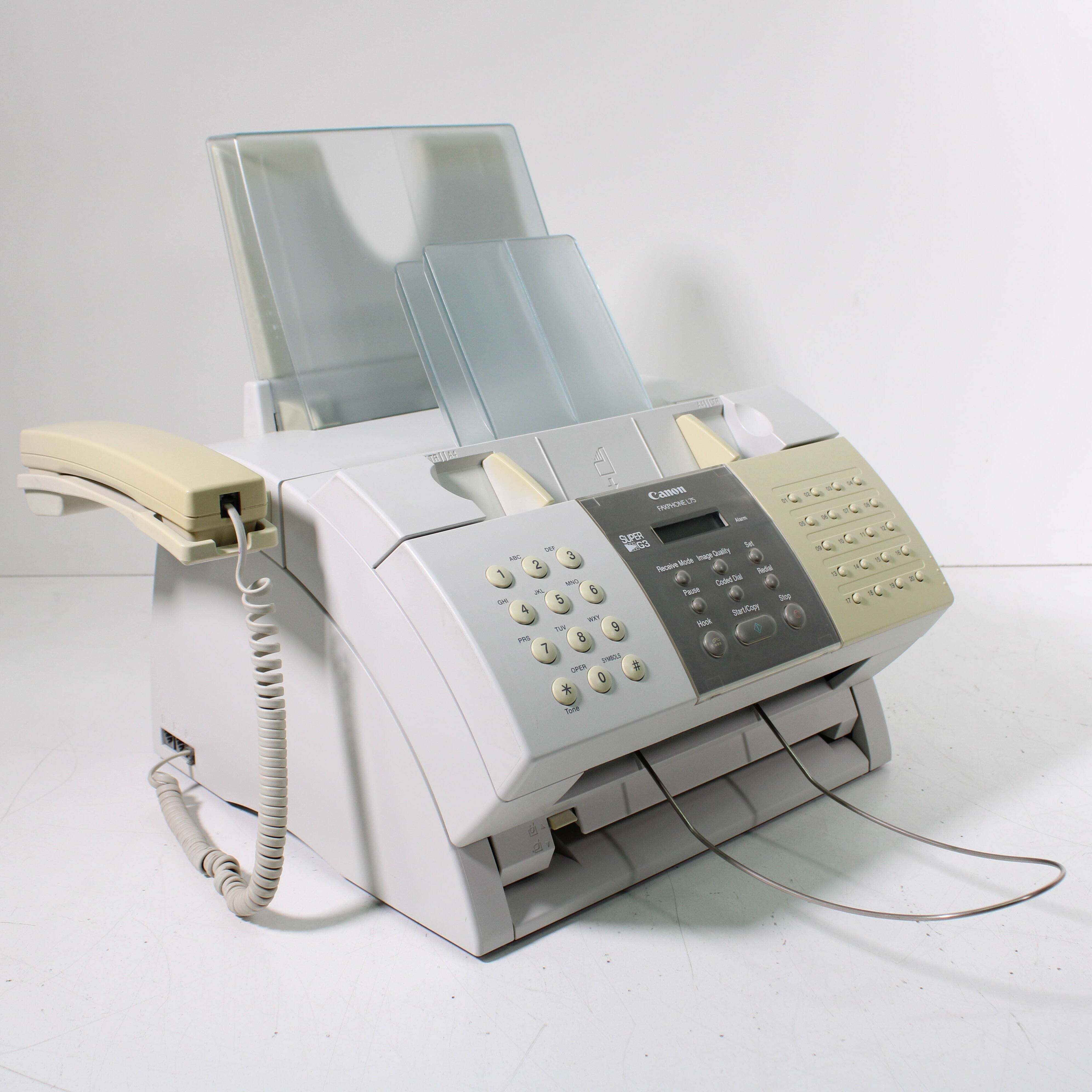
'Canon Fax-L75' is an alternate retailer name for the FaxPhone L75 — the same hardware, with the same 6 ppm engine, Super G3 fax, a handset and 256 pages of fax memory. This page simply uses the shorter name. The shorter badge changes nothing about toner: the L75 takes the Canon FX-3 toner cartridge, which delivers up to 2,700 pages.
Alias naming causes most of the confusion around this machine. The manual and the front panel may say FAXPHONE while a retail invoice says Fax-L75, and owners reasonably wonder whether they own two different models. They do not. In daily life it is a compact fax station: the handset lets one phone line handle voice and fax, and the memory holds incoming pages in a busy stretch, all at a measured 6 ppm that suits a small office rather than a mail room.
Toner Cartridges for L75
| Cartridge | Color | Page Yield |
|---|---|---|
| Canon FX-3 Toner Cartridges Black 2 Pack | Black | 2,700 pages per cartridge |
| Canon FX-3 Toner Cartridge Black | Black | 2,700 pages |
| Canon FX-3 Toner Cartridges Black 5 Pack | Black | 2,700 pages per cartridge |
| Canon FX-3 Toner Cartridges Black 3 Pack | Black | 2,700 pages per cartridge |
| Canon FX-3 Premium Quality Toner Cartridges Black 5 Pack | Black | 2,700 pages per cartridge |
Which cartridge should you buy?
There is one cartridge decision to make here and it is only about quantity. The FX-3 single is the right starting point if the machine is new to you or used occasionally; its 2,700-page rating already goes far at fax volumes. Desks that send and receive all day will appreciate the 2, 3 and 5 packs — the premium-quality 5 pack included — because a fax machine that runs dry stops a business process, not just a print queue. Every pack contains the same 2,700-page cartridge, so choose by how painful a stock-out would be. Clever Supplies covers these compatibles with a 1-year warranty and 1-year returns.
Chip, toner and everyday use
When output fades on an L75, lift the cartridge out and rock it slowly side to side; redistributing the toner often restores even printing long enough to finish a fax run while the replacement ships. Fit the new cartridge with the cover open, tape removed, and press it down until it seats with a click, then print a test copy from the flatbed to confirm the page is clean before the next transmission arrives. Keep the boxed spare near the machine, sealed and out of direct sun. Yield figures assume 5% coverage, and long incoming documents will use a cartridge faster than short memos.
Frequently Asked Questions
My manual says FAXPHONE L75 — is this the right toner page?
Yes. Fax-L75 is simply a shorter retailer name for the FaxPhone L75; the hardware is identical and both names take the Canon FX-3 cartridge.
What toner cartridge does the L75 use?
The Canon FX-3, rated for up to 2,700 pages. It is the only cartridge type on this page, available as a single and in 2, 3 and 5 packs.
Does the 256-page fax memory change which cartridge I need?
No. The memory describes how many incoming pages the machine can hold; the supply is unchanged. A bigger memory simply means more pages waiting to print when a fresh cartridge goes in.
Is a compatible FX-3 a safe choice for this machine?
Clever Supplies compatible cartridges are built to the FX-3 specification for these machines and are backed by a 1-year warranty with 1-year returns.
More printers that use the same cartridges
Plenty of other Canon fax and LaserClass models run on the identical cartridge: ImageClass 1100P, ImageClass 1100, L4500IF, L60, L80, L200, L250, L260, L260I, L280, L300, L350, L3500, L4000, L4500, LaserClass 4500, LaserClass 6000L, LaserClass L4000, LaserClass L4500, LaserClass 1050, LaserClass 1060, LaserClass 1060P, LaserClass 1100, LaserClass 1300, LaserClass 2050, LaserClass 2050P, LaserClass 2060, LaserClass 2060P, LaserClass 3500, LaserClass 4000, MultiPass L60, MultiPass L600, MultiPass L6000, MultiPass L90, C100, CFX-L4500IF, CFX-LC2050, CFX-2060, CFX-L3500, CFX-L3500IF, CFX-L4000, CFX-L4000IF, CFX-L4500, FaxPhone L80, FaxPhone L75