




L250
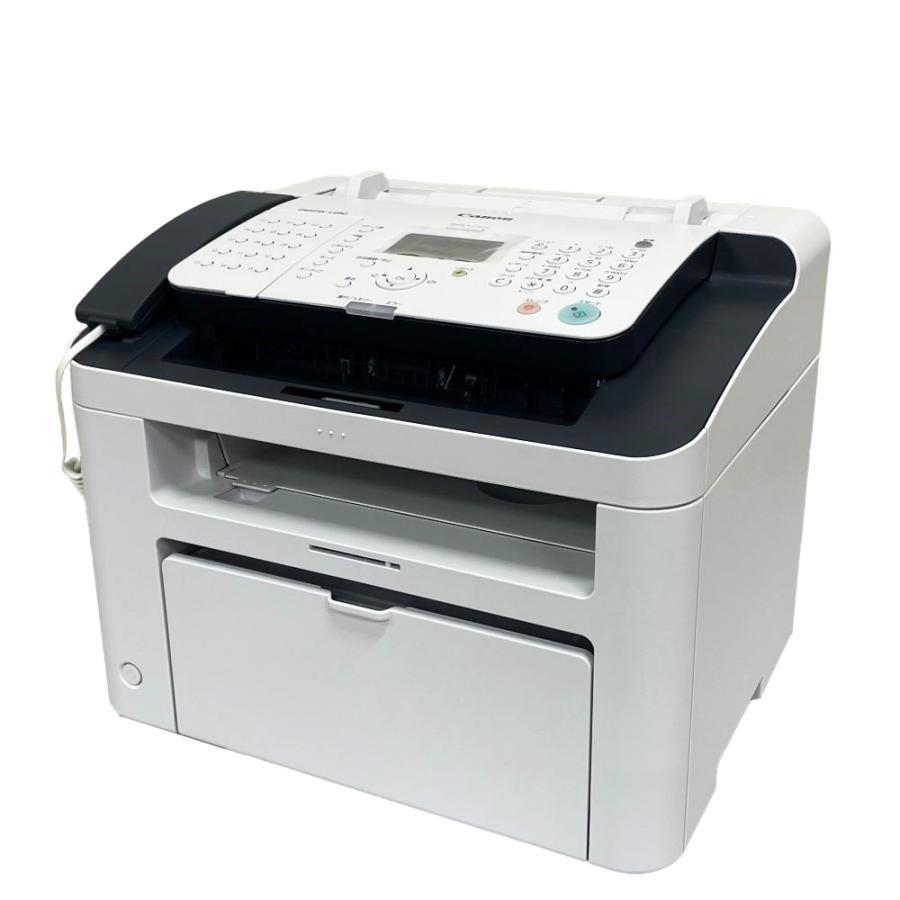
Canon's own user guide is unusually generous with the L250: it describes a laser fax and copier that works at about 6 pages per minute, sends and receives plain-paper faxes, and handles telephone duties on the side. Everything the machine puts on paper comes from a single black cartridge, the Canon FX-3, rated for up to 2,700 pages — so keeping an L250 fed is a one-item shopping list.
In daily service the L250 behaves less like a printer and more like a front-desk communications hub. Its G3 fax uses UHQ image processing and ECM error correction, so incoming pages arrive cleaner and troubled lines get their failed blocks resent; it can run off up to 99 copies at roughly 6 copies per minute; and built-in telephone functions, with an optional handset, let the same box answer the phone. Toner consumption follows that mix — a busy fax line and steady copy work rather than long computer print runs.
Toner Cartridges for L250
| Cartridge | Color | Page Yield |
|---|---|---|
| Canon FX-3 Toner Cartridge | Black | 2,700 pages |
| Canon FX-3 Toner Cartridges, 2 Pack | Black | 2,700 pages per cartridge |
| Canon FX-3 Toner Cartridges, 3 Pack | Black | 2,700 pages per cartridge |
| Canon FX-3 Toner Cartridges, 5 Pack | Black | 2,700 pages per cartridge |
| Canon FX-3 Premium Quality Toner Cartridges, 5 Pack | Black | 2,700 pages per cartridge |
Which cartridge should you buy?
There is exactly one cartridge decision on this machine: how many FX-3 cartridges to keep within reach. A single cartridge covers roughly 2,700 pages, which a quiet desk — a few faxes a day, the odd copy run — may take months to spend, so the single is the sensible default there. A fax line that receives all day is a different calculation, because the machine prints whatever arrives, whenever it arrives; a 2 pack keeps a spare beside the machine for the morning the output turns faint. Desks that lean on the 99-copy function should look at the 3 pack or 5 pack, where the cost per cartridge drops, and the premium 5 pack suits the heaviest rotation of all.
Chip, toner and everyday use
Swapping the cartridge is a front-cover job: open the cover, lift the spent unit out, rock the fresh one gently side to side so the toner inside sits level, then slide it home until it seats. Remember that the 2,700-page rating assumes about 5% page coverage; a dense fax page or a copy of a shaded form spends toner faster than a short letter does. If output fades before the cartridge is truly empty, removing it and rocking it again often evens the remaining toner out for a while longer.
Frequently Asked Questions
What toner does the Canon L250 use?
It uses the Canon FX-3 black toner cartridge, and that one cartridge serves everything the machine does — printing, fax reception and copying alike.
How many copies can the L250 make in a single run?
Canon's user guide rates the copier at up to 99 copies per run, produced at about 6 copies per minute.
What do UHQ and ECM mean on this fax?
UHQ is Canon's image-processing step, which sharpens the pages the L250 sends and receives. ECM — error correction mode — has the two machines check transmitted blocks and resend any that arrive damaged, which matters on noisy phone lines.
Can the L250 work as a telephone as well?
Yes. Telephone functions are built into the machine, and Canon offered an optional handset for it, so one unit can cover a small office's calls, faxes and copies.
More printers that use the same cartridges
The FX-3 was the shared cartridge of a whole fax generation, so an L250 owner orders the same black cartridge as every one of these machines: C100, CFX-2060, CFX-L3500, CFX-L3500IF, CFX-L4000, CFX-L4000IF, CFX-L4500, CFX-L4500IF, CFX-LC2050, FaxPhone L75, FaxPhone L80, ImageClass 1100, ImageClass 1100P, L200, L260. Also running on this cartridge: L260I, L280, L300, L350, L3500, L4000, L4500, L4500IF, L60, L75, L80, LaserClass 1050, LaserClass 1060, LaserClass 1060P, LaserClass 1100. Rounding out the family: LaserClass 1300, LaserClass 2050, LaserClass 2050P, LaserClass 2060, LaserClass 2060P, LaserClass 3500, LaserClass 4000, LaserClass 4500, LaserClass 6000L, LaserClass L4000, LaserClass L4500, MultiPass L60, MultiPass L600, MultiPass L6000, MultiPass L90.