




LaserClass 1060
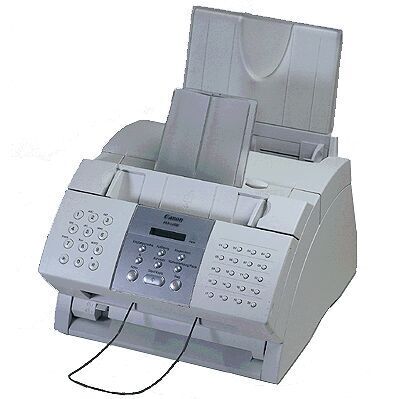
Two near-identical Canon fax machines share this shelf, and the LaserClass 1060 is the plain fax of the pair: a 6-ppm-class laser fax that sends and receives, while its sibling the LaserClass 1060P is the version that adds PC printing. If your machine has no printer port duties, this is your page. The 1060 runs on the Canon FX-3 toner cartridge, rated for up to 2,700 pages of plain-paper fax output.
A dedicated fax still earns its desk space in offices where signed authorizations, referral forms and order sheets move by fax every day. The 1060 does that one job without menus or drivers to manage: documents arrive on ordinary paper, readable and fileable, and the machine asks for nothing but a fresh cartridge every few thousand pages. For a home office or a small front desk, that simplicity is the entire point.
Toner Cartridges for LaserClass 1060
| Cartridge | Color | Page Yield |
|---|---|---|
| Canon FX-3 Toner Cartridge | Black | 2,700 pages |
| Canon FX-3 Toner Cartridges — 2 Pack | Black | 2,700 pages per cartridge |
| Canon FX-3 Toner Cartridges — 3 Pack | Black | 2,700 pages per cartridge |
| Canon FX-3 Toner Cartridges — 5 Pack | Black | 2,700 pages per cartridge |
| Canon FX-3 Premium Quality Toner Cartridges — 5 Pack | Black | 2,700 pages per cartridge |
Which cartridge should you buy?
Every option on this page is the same FX-3 cartridge with the same 2,700-page rating, so choose by volume rather than by yield. A single cartridge suits a quiet fax line and is the sensible pick if the machine only wakes up a few times a week. The 2 pack and 3 pack trim the cost per cartridge for steady senders, and the 5 packs — standard or premium quality — are for offices that cannot afford a fax line sitting empty while a shipment is in transit. Whatever the pack size, each compatible FX-3 here carries a 1-year warranty with 1-year returns.
Chip, toner and everyday use
Changing the FX-3 is a front-access job: lift the cover, pull the spent cartridge straight out, and rock its replacement end to end a few times before removing the sealing tape and sliding it in. That rocking step matters on a fax, because toner that has sat still settles to one side and the first pages after an install can look streaky. Remember that the 2,700-page figure assumes about 5% coverage — a fax full of dense forms and logos spends toner faster. Keep one spare sealed in its bag, stored flat away from heat, and the 1060 will never sit idle waiting on toner.
Frequently Asked Questions
What toner does the LaserClass 1060 use?
It uses the Canon FX-3 cartridge, rated at roughly 2,700 pages. There is no separate drum or second supply to buy for this machine.
What is the difference between the LaserClass 1060 and the 1060P?
The two machines share the same fax hardware and the same FX-3 cartridge. The difference is printing: the LaserClass 1060P adds a PC printing function, while the plain 1060 on this page is fax only.
How will I know the FX-3 is running out?
Incoming and copied pages gradually lose density, especially across the middle of the page. Rocking the cartridge side to side redistributes the remaining toner and restores output for a short while — long enough for a replacement to arrive if you order when the fading starts.
More printers that use the same cartridges
The FX-3 is one of Canon's most widely shared fax cartridges. Any of the machines below takes the same cartridge, so a mixed fleet needs only one toner shelf: C100, CFX-2060, CFX-L3500, CFX-L3500IF, CFX-L4000, CFX-L4000IF, CFX-L4500, CFX-L4500IF, CFX-LC2050, FaxPhone L75, FaxPhone L80, ImageClass 1100, ImageClass 1100P, L200, L250, L260, L260I, L280, L300, L350, L3500, L4000, L4500, L4500IF, L60, L75, L80, LaserClass 1050, LaserClass 1060P, LaserClass 1100, LaserClass 1300, LaserClass 2050, LaserClass 2050P, LaserClass 2060, LaserClass 2060P, LaserClass 3500, LaserClass 4000, LaserClass 4500, LaserClass 6000L, LaserClass L4000, LaserClass L4500, MultiPass L60, MultiPass L600, MultiPass L6000, MultiPass L90.