




L200
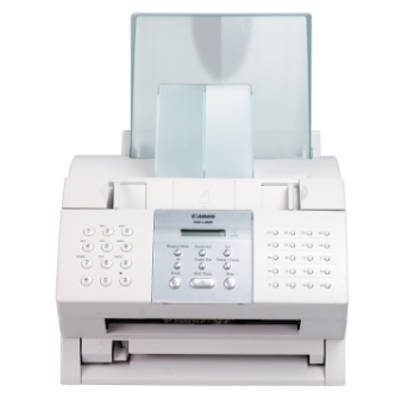
The Canon L200 is the fax-only sibling of the L280 in Canon's combined user guide: a base 6-ppm plain-paper laser fax with no PC printing at all. The L280 is, quite literally, the L200 with a printer driver added. Everything the L200 puts on paper comes through one cartridge, the Canon FX-3, rated at 2,700 pages.
There is a certain honesty to a single-purpose machine. The L200 asks for a phone line, a paper stack and a cartridge, and in return it sends and receives faxes without drivers, networks or settings menus getting in the way. Units like this survive in back offices, workshops and counters precisely because there is so little to go wrong — and because its one consumable is shared with a whole generation of Canon fax hardware.
Toner Cartridges for Canon L200
| Cartridge | Color | Page Yield |
|---|---|---|
| Canon FX-3 Toner Cartridge — Black | Black | 2,700 pages |
| Canon FX-3 Toner Cartridges — Black 2 Pack | Black | 2,700 pages per cartridge |
| Canon FX-3 Toner Cartridges — Black 3 Pack | Black | 2,700 pages per cartridge |
| Canon FX-3 Toner Cartridges — Black 5 Pack | Black | 2,700 pages per cartridge |
| Canon FX-3 Premium Quality Toner Cartridges — Black 5 Pack | Black | 2,700 pages per cartridge |
Which cartridge should you buy?
The choice here is only about how many to keep, not which kind: every listing above is the same FX-3 cartridge, rated at 2,700 pages. A single cartridge covers a lightly used fax line for a long stretch. Because a fax machine's busiest moments are chosen by the people sending to it, keeping a 2 pack's worth on hand is the practical minimum for a line the business relies on; the 3 pack and the two 5 packs suit heavier lines or anyone maintaining several FX-3 machines at once. The Premium Quality 5 pack is the premium-build bundle. Each compatible is covered by a 1-year warranty and 1-year returns.
Chip, toner and everyday use
Plain-paper fax care is mostly toner care. When received pages start coming out pale or streaked, the cartridge is usually low rather than empty: lift it out, rock it gently from side to side to redistribute the toner, and you will typically get a useful run of clean pages while the replacement ships. Fitting that replacement is a slide-out, slide-in job — seal off the new cartridge, seat it fully, close the cover — and it is recognized automatically. The 2,700-page rating is measured at about 5% coverage, close to what ordinary fax pages use. Store the spare flat and sealed, out of direct sunlight.
Frequently Asked Questions
Can the Canon L200 print from a computer?
No. The L200 is a fax-only machine with no PC printing. Its sibling, the L280, is the same base unit with a printer driver added.
What toner does the L200 take, and how many pages does it print?
The Canon FX-3 cartridge, rated at 2,700 pages at 5% coverage. It is the only cartridge the L200 uses.
How fast is the L200?
It is a base 6-ppm laser fax — modest speed, aimed at straightforward send-and-receive work rather than volume.
Does the FX-3 fit other Canon machines?
Yes — it was shared across a long list of Canon fax models, all linked below, which is why the cartridge remains easy to source.
More printers that use the same cartridges
The FX-3 feeds a whole generation of Canon fax machines: C100, CFX-L3500IF, CFX-L4500, FaxPhone L75, ImageClass 1100P, L260I, L350, L4500, L75, LaserClass 1060, LaserClass 1300, LaserClass 2060, LaserClass 4000, LaserClass L4000, MultiPass L600, CFX-2060, CFX-L4000, CFX-L4500IF, FaxPhone L80, L250, L280, L3500, L4500IF, L80, LaserClass 1060P, LaserClass 2050, LaserClass 2060P, LaserClass 4500, LaserClass L4500, MultiPass L6000, CFX-L3500, CFX-L4000IF, CFX-LC2050, ImageClass 1100, L260, L300, L4000, L60, LaserClass 1050, LaserClass 1100, LaserClass 2050P, LaserClass 3500, LaserClass 6000L, MultiPass L60, MultiPass L90.