




L260
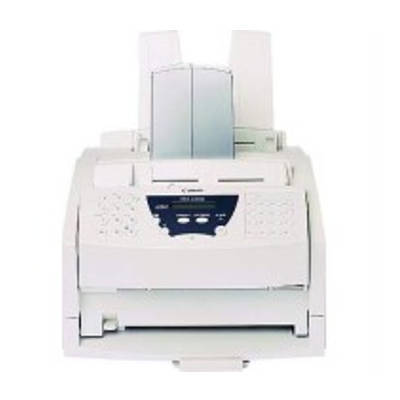
Canon published remarkably little about the L260, so the honest description is a short one: a laser fax in the 6-ppm class built around a single black cartridge, the Canon FX-3, rated for 2,700 pages. What separates it from the L260i is a suffix whose meaning Canon never verified — the cartridge, at least, is beyond doubt.
Thin documentation cuts both ways. There is very little to tell an owner about speeds beyond the class figure or about feature differences inside the family, yet the supply question could hardly be simpler: the FX-3 is the one cartridge this fax generation shares, and the unit that comes out of an L260 carries the same code as the one that goes back in. When the manual is silent, buy by the code on the cartridge in your hand.
Toner Cartridges for L260
| Cartridge | Color | Page Yield |
|---|---|---|
| FX-3 Single Cartridge | Black | Approx. 2,700 pages |
| FX-3 Three-Pack | Black | Approx. 2,700 pages each |
| FX-3 Two-Pack | Black | Approx. 2,700 pages each |
| FX-3 Premium Five-Pack | Black | Approx. 2,700 pages each |
| FX-3 Five-Pack | Black | Approx. 2,700 pages each |
Which cartridge should you buy?
There is no high-yield variant to weigh here and no second color to plan around; the only real choice is pack size. An L260 that sends and receives a handful of pages a day will take a long time to spend 2,700 pages, and a single cartridge keeps the supply shelf honest. The risk on any fax is different from the risk on a printer, though: the machine receives unattended, overnight and on weekends, and an empty cartridge on Monday morning means a weekend of faxes printed faint or not at all. If this fax still carries real traffic, hold the 2 pack as insurance; busier desks can step up to the larger packs and pay less per cartridge for the same insurance.
Chip, toner and everyday use
Machines of this generation ask for mechanical correctness rather than electronic handshakes: the cartridge must be the right code, fully seated, with its packing removed. Rock a new FX-3 gently before fitting it so the toner distributes evenly, and keep a note of the model and cartridge code somewhere near the machine — with documentation this scarce, that scrap of paper is the service manual most L260s will ever have. Store spares sealed, flat and out of direct sun.
Frequently Asked Questions
What toner does the Canon L260 take?
The Canon FX-3 black cartridge, rated for about 2,700 pages. It is the only supply item the machine uses.
Is the L260 a different machine from the L260i?
Only the suffix is documented as different, and Canon never verified what the suffix signifies. Both models run on the same FX-3 cartridge, so toner buying is identical either way.
How fast is the L260?
It belongs to the 6-ppm class of FX-3 laser faxes. Beyond that class figure, published performance detail for this specific model is scarce.
Why is so little information published about the L260?
Its documentation was thin from the start, which is why this page sticks to what can be supported. The practical answer for owners is to order by cartridge code — FX-3 — rather than by feature comparisons.
More printers that use the same cartridges
Because the FX-3 serves an entire generation of Canon fax machines, the L260 shares its cartridge with all of these models: CFX-L4500IF, CFX-LC2050, FaxPhone L75, FaxPhone L80, ImageClass 1100, ImageClass 1100P, L200, L250, L260I, L280, L300, L350, L3500, L4000, L4500. The same cartridge also fits: L4500IF, L60, L75, L80, LaserClass 1050, LaserClass 1060, LaserClass 1060P, LaserClass 1100, LaserClass 1300, LaserClass 2050, LaserClass 2050P, LaserClass 2060, LaserClass 2060P, LaserClass 3500, LaserClass 4000. Completing the list: LaserClass 4500, LaserClass 6000L, LaserClass L4000, LaserClass L4500, MultiPass L60, MultiPass L600, MultiPass L6000, MultiPass L90, C100, CFX-2060, CFX-L3500, CFX-L3500IF, CFX-L4000, CFX-L4000IF, CFX-L4500.