




L4500
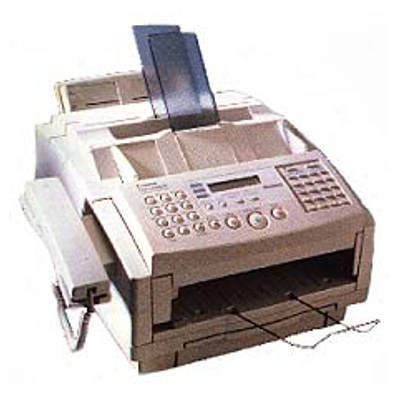
The L4500 is the short-name badge on the CFX-L4500 / LaserClass 4500 hardware: a laser fax in the 6-ppm class for which detailed published specs are scarce. What is not scarce is the supply information — it takes the family's black cartridge, the Canon FX-3, which delivers up to 2,700 pages.
Scarce documentation is a recurring theme at this end of the L series, and the practical response is to identify the machine by its cartridge rather than by its front panel. Badges multiply — the same hardware answers to three names — but the FX-3 fits all of them, and it is one of the most widely shared cartridges Canon ever put in a fax line, so an L4500 is never hard to feed even when it is hard to research.
Toner Cartridges for L4500
| Cartridge | Color | Page Yield |
|---|---|---|
| Canon FX-3 Cartridges — 5 Pack | Black | Up to 2,700 pages per cartridge |
| Canon FX-3 Cartridges — 2 Pack | Black | Up to 2,700 pages per cartridge |
| Canon FX-3 Cartridge — Single Unit | Black | Up to 2,700 pages |
| Canon FX-3 Cartridges — 3 Pack | Black | Up to 2,700 pages per cartridge |
| Canon FX-3 Premium Cartridges — 5 Pack | Black | Up to 2,700 pages per cartridge |
Which cartridge should you buy?
Buy by code, not by badge: whether the front of the machine reads L4500, CFX-L4500 or LaserClass 4500, the order is for an FX-3. Within that, size the pack to the traffic you can observe. A cartridge is rated for up to 2,700 pages; a lightly used fax may take a year or more to spend one, making the single the economical choice. A working office fax that receives daily should hold the 2 pack, so a faded Friday cartridge is a five-minute swap rather than a lost weekend of faxes. The 3 pack, 5 pack and premium 5 pack extend the same logic to busier lines and shared shelves.
Chip, toner and everyday use
Badge confusion is this model's everyday trap: when reordering, read the code on the cartridge that comes out of the machine instead of trusting the name on the cover, since all three badges conceal the same FX-3. Fit the replacement gently — rock it to distribute the toner, slide it in until it seats — and keep the spent unit's code noted by the machine for next time. Store spares sealed, flat and away from heat, and expect real-world yield to vary with how dense the received pages are.
Frequently Asked Questions
Is the L4500 the same machine as the CFX-L4500?
Yes. L4500, CFX-L4500 and LaserClass 4500 are badges on one hardware platform, and the toner is the same for all three.
What toner does the Canon L4500 use?
The Canon FX-3 black cartridge, delivering up to 2,700 pages.
Why are detailed specs for the L4500 so hard to find?
Canon published little detail for this model, and most of what circulates is thin. The reliable facts are its 6-ppm class and its cartridge — which is all an owner needs to keep it supplied.
How fast is the L4500?
It sits in the 6-ppm class of FX-3 laser faxes, in line with the rest of this generation.
More printers that use the same cartridges
Badges aside, the FX-3 links the L4500 to this whole generation of Canon fax machines: CFX-L3500IF, CFX-L4000, CFX-L4000IF, CFX-L4500, CFX-L4500IF, CFX-LC2050, FaxPhone L75, FaxPhone L80, ImageClass 1100, ImageClass 1100P, L200, L250, L260, L260I, L280. Also supplied by the FX-3: L300, L350, L3500, L4000, L4500IF, L60, L75, L80, LaserClass 1050, LaserClass 1060, LaserClass 1060P, LaserClass 1100, LaserClass 1300, LaserClass 2050, LaserClass 2050P. Closing the family list: LaserClass 2060, LaserClass 2060P, LaserClass 3500, LaserClass 4000, LaserClass 4500, LaserClass 6000L, LaserClass L4000, LaserClass L4500, MultiPass L60, MultiPass L600, MultiPass L6000, MultiPass L90, C100, CFX-2060, CFX-L3500.