




MultiPass L60
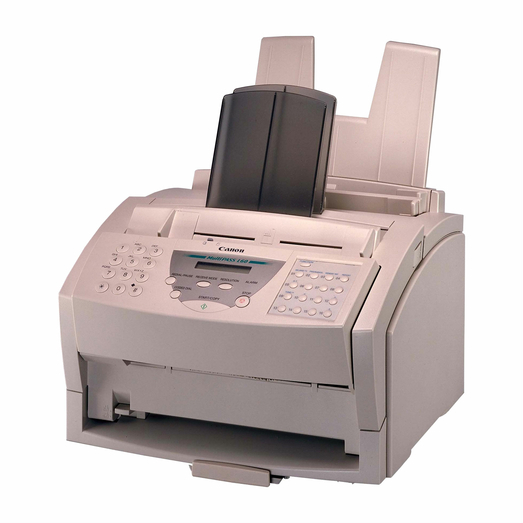
The MultiPASS L60 belongs to a brief and peculiar chapter in Canon's history: a Windows Printing System multifunction machine that faxes and prints through a Windows-only driver, demanding a dedicated bi-directional parallel port — no USB, no network — at 6 ppm. That architecture makes the correct cartridge essential, because the machine itself is unforgiving about everything else. The cartridge is the FX-3, rated for 2,700 pages.
An L60 still in service today is usually kept alive deliberately: the PC it is tethered to runs a specific setup, the fax line still earns its keep, and nobody wants to re-engineer either. For those owners the supply question is mercifully simple. One cartridge design serves the printer, the fax and the copier at once, and the only planning required is keeping a spare close enough that a faded fax never waits on shipping.
Toner Cartridges for MultiPass L60
| Cartridge | Color | Page Yield |
|---|---|---|
| Canon FX-3 Black | Black | 2,700 pages |
| Canon FX-3 Black 2 Pack | Black | 2,700 pages per cartridge |
| Canon FX-3 Black 3 Pack | Black | 2,700 pages per cartridge |
| Canon FX-3 Black 5 Pack | Black | 2,700 pages per cartridge |
| Canon FX-3 Premium Quality Black 5 Pack | Black | 2,700 pages per cartridge |
Singles and multi-packs of the same FX-3 cartridge — pick the quantity that matches how many FX-3 machines you support.
Which cartridge should you buy?
There is no yield tier to weigh on this model: the FX-3 at 2,700 pages is the cartridge, so the decision is about stock depth. A single spare suits the one surviving L60 in a small office. Anyone maintaining several FX-3 devices — this cartridge feeds a large family of Canon fax machines — will do better with a 3 or 5 pack on the shelf, premium build included as an option, so any unit can be revived the day it fades. These compatible cartridges carry a 1-year warranty and 1-year returns.
Chip, toner and everyday use
The FX-3 predates smart-chip negotiation in this class, so installation is a mechanical swap: out with the old, in with the new, and let the machine warm up. The 2,700-page rating is based on about 5% coverage, close to typical fax and letter output, so real life should land near the rating. If received faxes print light, remove the cartridge and rock it gently end to end before condemning it — settled toner is a common cause. Store spares sealed and flat, away from the heat of the PC the L60 is tethered to.
Frequently Asked Questions
What toner does the MultiPASS L60 use?
The Canon FX-3 black cartridge, rated at approximately 2,700 pages. It is the single supply for the machine's printing, faxing and copying.
Why does the L60 need a parallel port?
It is a Windows Printing System design: the host PC does the processing through a Windows-only driver over a dedicated bi-directional parallel connection. There is no USB or network option on this model.
Can one cartridge serve several of our fax machines?
If they are FX-3 models, yes — the same cartridge fits the wide family listed below, so a shared spare can cover the L60 and its relatives alike.
Received faxes are printing faint. What should I check first?
The cartridge. Faint output at this age is most often low or settled toner; rock the FX-3 gently to redistribute it, and replace it if the print stays light.
More printers that use the same cartridges
The FX-3 cartridge also feeds this family of Canon fax and multifunction models:
CFX-L4500IF, CFX-LC2050, FaxPhone L75, FaxPhone L80, ImageClass 1100, ImageClass 1100P, L200, L250, L260, L260I, L280, L300, L350, L3500, L4000, L4500, L4500IF, L60, L75, L80, LaserClass 1050, LaserClass 1060, LaserClass 1060P, LaserClass 1100, LaserClass 1300, LaserClass 2050, LaserClass 2050P, LaserClass 2060, LaserClass 2060P, LaserClass 3500, LaserClass 4000, LaserClass 4500, LaserClass 6000L, LaserClass L4000, LaserClass L4500, MultiPass L600, MultiPass L6000, MultiPass L90, C100, CFX-2060, CFX-L3500, CFX-L3500IF, CFX-L4000, CFX-L4000IF, CFX-L4500