




L60
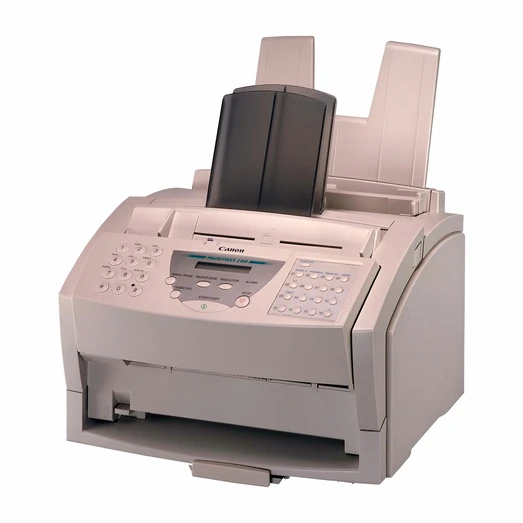
The name 'Fax L60' in compatibility lists sits alongside the MultiPass L60 — most likely the same unit wearing two badges. Like its twin, the Canon L60 is based on the Windows Printing System: it needs a dedicated bi-directional parallel port and a Windows-only driver, and it prints at 6 pages per minute. Its toner is the Canon FX-3 cartridge, good for 2,700 pages.
Host-based printing defines life with an L60. The computer does the rendering work, so the machine is tied to a Windows PC with the right port and driver — most surviving examples sit in a corner doing quiet fax and light print duty for one workstation rather than serving a whole office. That context matters when something goes wrong: a stalled or garbled job on this model is a connection or driver question far more often than it is a toner question.
Toner Cartridges for L60
| Cartridge | Color | Page Yield |
|---|---|---|
| Canon FX-3 Toner Cartridges Black 3 Pack | Black | 2,700 pages per cartridge |
| Canon FX-3 Toner Cartridge Black | Black | 2,700 pages |
| Canon FX-3 Premium Quality Toner Cartridges Black 5 Pack | Black | 2,700 pages per cartridge |
| Canon FX-3 Toner Cartridges Black 2 Pack | Black | 2,700 pages per cartridge |
| Canon FX-3 Toner Cartridges Black 5 Pack | Black | 2,700 pages per cartridge |
Which cartridge should you buy?
Only one cartridge type fits this machine, so buying comes down to how much stock a legacy setup justifies. A single FX-3, rated at 2,700 pages, lasts a long time behind a 6 ppm engine on light duty, and it is the prudent first purchase if you have just inherited the unit and want to confirm it still prints cleanly. Owners who know the machine and rely on it daily can move to the 2, 3 or 5 packs, including the premium-quality 5 pack, to keep a fax corner supplied without frequent reorders. Every Clever Supplies cartridge here includes a 1-year warranty and 1-year returns.
Chip, toner and everyday use
Because the L60 renders through its host PC, treat print problems in the right order: check the parallel cable is seated at both ends and the Windows driver is responding before suspecting the cartridge. When you do swap the FX-3, rock it gently end to end to level the toner, pull the sealing tape straight out in one motion, and slide the cartridge home until it clicks. Store the spare flat and sealed; toner kept for a slow machine may sit for a year, and a cool, dark drawer protects it far better than a shelf above a warm PC. Ratings assume 5% page coverage.
Frequently Asked Questions
Is the Canon L60 the same machine as the MultiPass L60?
Most likely yes — the two names appear side by side in Canon's compatibility lists and point to the same Windows Printing System hardware. Either badge takes the FX-3 cartridge listed here.
What does Windows Printing System mean when I order toner?
Nothing changes on the supply side: the cartridge is still the FX-3. The term describes how the machine prints — rendering happens in the Windows driver — not a different kind of toner.
What connection does the L60 need?
A dedicated bi-directional parallel port and the Windows-only driver. If the machine will not print, check that link and the driver first; they are this model's usual failure points.
How many pages will one FX-3 cartridge give an L60?
The rating is 2,700 pages at 5% coverage, which stretches a long way at this machine's 6 ppm pace and typical light fax-and-print duty.
More printers that use the same cartridges
That same FX-3 cartridge keeps a long list of Canon machines running: FaxPhone L75, FaxPhone L80, ImageClass 1100P, ImageClass 1100, L4000, L4500, L4500IF, L75, L80, L200, L250, L260, L260I, L280, L300, L350, L3500, LaserClass 3500, LaserClass 4000, LaserClass 4500, LaserClass 6000L, LaserClass L4000, LaserClass L4500, LaserClass 1050, LaserClass 1060, LaserClass 1060P, LaserClass 1100, LaserClass 1300, LaserClass 2050, LaserClass 2050P, LaserClass 2060, LaserClass 2060P, MultiPass L6000, MultiPass L90, MultiPass L60, MultiPass L600, C100, CFX-L4000IF, CFX-L4500, CFX-L4500IF, CFX-LC2050, CFX-2060, CFX-L3500, CFX-L3500IF, CFX-L4000