




LaserClass 1100
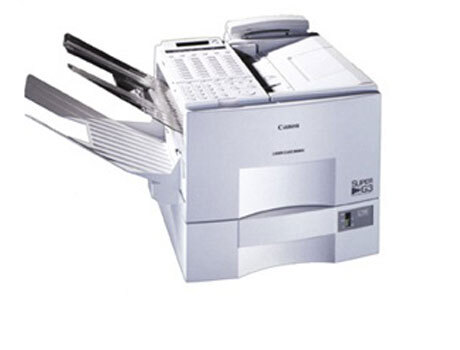
Documentation on the Canon LaserClass 1100 was never generous, but the compatibility charts settle its identity unambiguously: this is a 6-ppm-class laser fax that prints plain-paper faxes with the Canon FX-3 cartridge, good for about 2,700 pages. Beyond its family membership there is little surviving spec material — and for keeping one running, the cartridge is the fact that matters.
Machines like the 1100 survive in service because the job never changed. Insurance offices, clinics, freight desks and municipal counters still send and receive signed paper daily, and a dedicated laser fax does it without a computer in the loop. The 1100 belongs to a large generation of Canon faxes built around the same engine and the same supply, which is exactly why toner for it remains easy to stock.
Toner Cartridges for LaserClass 1100
| Cartridge | Color | Page Yield |
|---|---|---|
| Canon FX-3 Toner Cartridge — Single | Black | 2,700 pages |
| Canon FX-3 Toner Cartridges — 2 Pack | Black | 2,700 pages per cartridge |
| Canon FX-3 Toner Cartridges — 3 Pack | Black | 2,700 pages per cartridge |
| Canon FX-3 Premium Quality Toner Cartridges — 5 Pack | Black | 2,700 pages per cartridge |
| Canon FX-3 Toner Cartridges — 5 Pack | Black | 2,700 pages per cartridge |
Which cartridge should you buy?
Canon offered the FX-3 in a single size, so there is no standard-versus-high-yield debate on this page: every cartridge prints the same roughly 2,700 pages. Buy the single if the 1100 handles an occasional contract or referral. Step up to the 2 pack or 3 pack when faxing is a daily habit, and take a 5 pack — regular or premium quality — if the machine supports a busy desk and a dead cartridge would mean a dead fax line. All of the compatible FX-3 cartridges listed here come with a 1-year warranty and 1-year returns.
Chip, toner and everyday use
Installation follows the pattern of every FX-series fax: open the front, withdraw the old cartridge by its handle, and prepare the new one by rocking it gently so the toner distributes evenly. Pull the seal, slide the cartridge in until it stops, and close up. Yield figures rest on the usual 5% coverage assumption, so a 1100 that mostly receives long, dense documents will finish cartridges sooner than the rating suggests. A spare kept sealed, flat and away from sunlight or radiators will be ready the day the installed one fades.
Frequently Asked Questions
Which cartridge fits the LaserClass 1100?
The Canon FX-3 — the same cartridge used across the whole family listed at the bottom of this page. It is rated for approximately 2,700 pages at 5% coverage.
Can I use an FX-3 bought for a different Canon fax in the 1100?
Yes. The FX-3 is one shared cartridge across dozens of Canon fax models, so a cartridge stocked for a sibling machine on the family list below will drop straight into the 1100.
How do I change the cartridge on a LaserClass 1100?
Open the front cover, pull the old FX-3 out, rock the replacement side to side, remove its sealing tape, slide it fully home and close the cover. The whole swap takes about a minute and needs no tools.
More printers that use the same cartridges
One cartridge covers the entire FX-3 generation. The 1100 shares its supply with every model below, listed here in reverse order: MultiPass L90, MultiPass L6000, MultiPass L600, MultiPass L60, LaserClass L4500, LaserClass L4000, LaserClass 6000L, LaserClass 4500, LaserClass 4000, LaserClass 3500, LaserClass 2060P, LaserClass 2060, LaserClass 2050P, LaserClass 2050, LaserClass 1300, LaserClass 1060P, LaserClass 1060, LaserClass 1050, L80, L75, L60, L4500IF, L4500, L4000, L3500, L350, L300, L280, L260I, L260, L250, L200, ImageClass 1100P, ImageClass 1100, FaxPhone L80, FaxPhone L75, CFX-LC2050, CFX-L4500IF, CFX-L4500, CFX-L4000IF, CFX-L4000, CFX-L3500IF, CFX-L3500, CFX-2060, C100.