




L4000
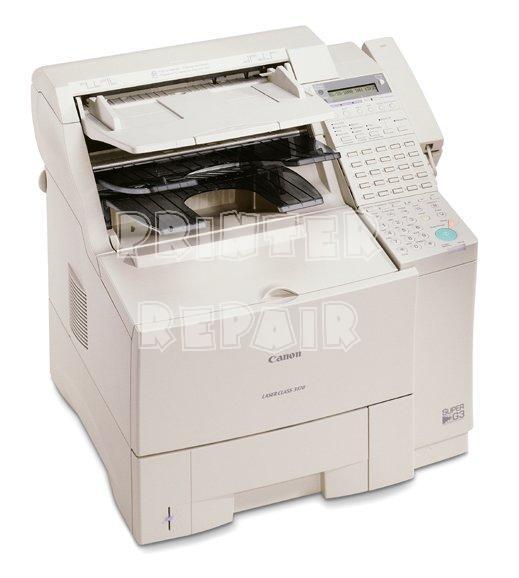
Under its short name, the L4000 is the CFX-L4000 / LaserClass 4000 platform in a compact small-office fax: 6 ppm printing, a 14.4 kbps modem, 42 pages of fax memory and a battery that holds stored faxes for about an hour — figures that reach us through a third-party review rather than a Canon sheet. The toner question is simpler than the spec sheet: one black cartridge, the Canon FX-3, rated for 2,700 pages.
The battery is this model's distinguishing trait. A compact fax with a modest 42-page memory would normally lose whatever it was holding when the power blinks; the L4000 instead keeps its stored faxes alive for roughly an hour, long enough to ride out most outages in a small office. Everything else about it is deliberately compact — a desk-corner machine for businesses whose fax traffic is real but not relentless.
Toner Cartridges for L4000
| Cartridge | Color | Page Yield |
|---|---|---|
| FX-3 Toner Cartridges, 3 Pack | Black | Rated at 2,700 pages per cartridge |
| FX-3 Toner Cartridges, 5 Pack | Black | Rated at 2,700 pages per cartridge |
| FX-3 Toner Cartridge, Single | Black | Rated at 2,700 pages |
| FX-3 Premium Toner Cartridges, 5 Pack | Black | Rated at 2,700 pages per cartridge |
| FX-3 Toner Cartridges, 2 Pack | Black | Rated at 2,700 pages per cartridge |
Which cartridge should you buy?
A compact fax with 42 pages of memory prints what it receives fairly promptly, so its toner use is a steady trickle rather than the surges of a big-memory machine. For most L4000 owners the single FX-3 — 2,700 rated pages — is proportionate, replaced when output fades. The case for a pack is the machine's role: if the L4000 is the office's only fax and its line carries orders or signed documents, an empty cartridge is a business interruption, and a 2 pack on the shelf ends it. The larger packs make sense mainly where several FX-3 machines share one supply shelf.
Chip, toner and everyday use
After any power event, let the L4000 print out whatever its battery preserved before you judge its output — the first pages after an outage are stored faxes, not a test of the cartridge. For the cartridge itself the routine is the family's usual one: rock a fresh unit gently to level the toner, seat it fully, and judge the 2,700-page rating against 5% coverage, knowing that dense received pages spend toner faster than the rating assumes.
Frequently Asked Questions
What happens to the L4000's stored faxes in a power cut?
Its battery backup holds received faxes in memory for about an hour, so a short outage does not erase the queue.
Is the L4000 the same machine as the LaserClass 4000?
It is the same platform: L4000, CFX-L4000 and LaserClass 4000 are name variants, and all take the FX-3 cartridge.
How fast is the L4000's fax modem?
14.4 kbps, per the third-party review that documents this model — adequate for the short faxes a compact office machine typically handles.
What toner does the Canon L4000 use?
The Canon FX-3 black cartridge, rated for 2,700 pages.
More printers that use the same cartridges
The L4000's FX-3 is the standard cartridge of its fax generation, shared with every model below: ImageClass 1100, ImageClass 1100P, L200, L250, L260, L260I, L280, L300, L350, L3500, L4500, L4500IF, L60, L75, L80. Fellow FX-3 models: LaserClass 1050, LaserClass 1060, LaserClass 1060P, LaserClass 1100, LaserClass 1300, LaserClass 2050, LaserClass 2050P, LaserClass 2060, LaserClass 2060P, LaserClass 3500, LaserClass 4000, LaserClass 4500, LaserClass 6000L, LaserClass L4000, LaserClass L4500. The family list ends with: MultiPass L60, MultiPass L600, MultiPass L6000, MultiPass L90, C100, CFX-2060, CFX-L3500, CFX-L3500IF, CFX-L4000, CFX-L4000IF, CFX-L4500, CFX-L4500IF, CFX-LC2050, FaxPhone L75, FaxPhone L80.