




SL-M2870FW
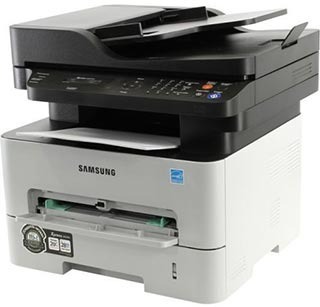
The SL-M2870FW is Samsung's fully loaded workgroup multifunction: print, scan, copy, fax, and wireless in one robust mono unit — a small office could run its entire paper workflow through this one machine. Cartridge needs stay simple despite the long feature list: the standard MLT-D115S or the high-yield MLT-D115L, with the high-yield version listed here in single and multipack form.
One wrinkle separates this machine from its print-only cousins: it consumes toner even when nobody prints. Incoming faxes land on paper automatically, so the cartridge budget has to cover the fax line's quiet overnight traffic as well as the documents the team sends. Owners who size their cartridge buys for print volume alone find this model running dry sooner than expected; size for everything the machine outputs.
Toner Cartridges for SL-M2870FW
| Cartridge | Color | Page Yield |
|---|---|---|
| MLT-D115L high-yield cartridge — single unit | Black | See product page |
| MLT-D115L high-yield cartridges — 3 pack | Black | See product page |
| MLT-D115L Premium high-yield cartridges — 5 pack | Black | See product page |
| SL-M2870FW high-yield cartridge — model-named single | Black | See product page |
| SL-M2870FW high-yield cartridges — model-named 5 pack | Black | See product page |
Which cartridge should you buy?
For the office hub, buy capacity. The MLT-D115L outlasts the standard MLT-D115S by a wide margin, and on a machine that also receives faxes, longer intervals between swaps are worth real money. The 5 pack is the natural stock for a machine this central — one less errand, and a spare is always in the building. Model-named listings are the identical high-yield cartridge; pick whichever naming your records already use.
Chip, toner and everyday use
A low cartridge usually still holds usable toner that has settled away from the feed mechanism, which is why the oldest trick works: hold the cartridge level and rock it gently side to side — never up and down or vigorously — then reinstall and print a test page. Treat the extra pages as borrowed time and get the replacement ordered. For the swap itself, work slowly and keep the old cartridge level; most spills happen from tilting a used cartridge, not from the machine. Yields are rated at 5% coverage, and faxes count against them just as prints do.
Frequently Asked Questions
How should I handle the old cartridge when replacing toner — should I shake the new one first?
Lay newspaper under the machine first, then remove the old cartridge slowly and keep it level. Strip any shipping seals or pull-tabs from the new cartridge before inserting it, following the diagram on the box. Slow and level is the whole secret to a spill-free change; the new cartridge needs no shaking before its first use.
How do I squeeze the last pages out of a cartridge without making a mess?
Use the gentle rock described above: level, side to side, never vigorous. It redistributes the toner that remains so the printer can reach it. The pages it buys are a bridge to the replacement, not a second life — when output fades again, the cartridge is genuinely done.
My SL-M2870FW prints text fine but the whole page looks dirty gray. Will a new cartridge fix it?
Maybe — try one if the current cartridge is very old, since degraded toner can contribute. But when the whole sheet picks up a faint gray veil, the imaging drum is typically no longer wiping itself clean between pages, and if the haze survives a cartridge swap, the drum is the answer. Fixing it at the drum level restores the crisp output this machine is capable of.
More printers that use the same cartridges
This cartridge family is shared well beyond the multifunction line — the full list of Samsung models running on it: ML2830DW, SL-2830DW, SL-M2620, SL-M2670, SL-M2670N, SL-M2820DW, SL-M2830, SL-M2870, SL-M2880, SL-ML2830DW, Xpress M2620, Xpress M2820, Xpress M2870, Xpress SL-M2620, SL-2820DW, SL-M2620, SL-M2620D, SL-M2670FN, SL-M2820, SL-M2820ND, SL-M2830DW, SL-M2870FD, SL-M2880FW, Samsung-MLTD115L, Xpress M2670, Xpress M2830 DW, Xpress M2880FW.