




Xpress M2830 DW
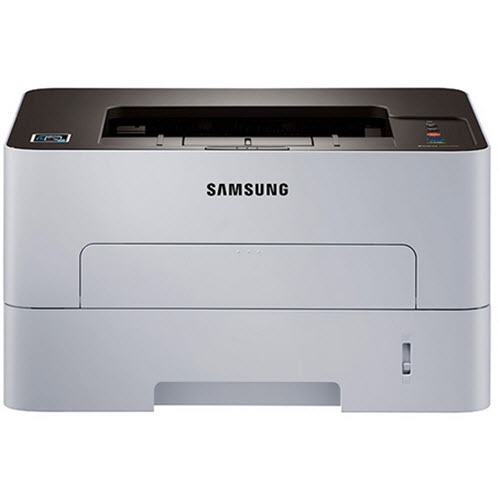
Samsung's Xpress M2830 DW is the wireless, duplexing configuration of the M2830 workgroup mono laser, sold under the Xpress badge with spacing in the model name. Wi-Fi sharing plus two-sided printing for the whole office.
It runs on the MLT-D115S standard or MLT-D115L high-yield cartridge. Compatible or genuine OEM, both ship fast from Clever Supplies.
Toner Cartridges for Xpress M2830 DW
This printer works with the following toner cartridges:
- Samsung MLT-D115S
- Samsung MLT-D115L
More Samsung Printers
- SL-M2620
- SL-M2670
- SL-M2670FN
- SL-M2820
- SL-M2820DW
- SL-M2820ND
- SL-M2830
- SL-M2830DW
- SL-M2870
- SL-M2870FW
- SL-M2880
- SL-M2880FW
- SL-M2620D
- SL-M2670N
- SL-M2870FD
- Xpress M2620
- Xpress M2670
- Xpress M2820
- Xpress M2870
- Xpress M2880FW
- Xpress SL-M2620
Frequently Asked Questions
Dust seems to affect output on my Xpress M2830 DW, and what should I never touch without damaging anything?
The Xpress M2830 DW benefits from a light interior cleaning every few MLT-D115S changes — nothing aggressive, just dust removal. A soft brush works well for dislodging dust from corners and feed guides before you wipe them down. Make wiping the path part of every MLT-D115S swap on the Xpress M2830 DW and you will never think about it again.
My Xpress M2830 DW is producing prints that seem weak and low-contrast even though it was fine last week?
Light prints are the classic sign that toner is running low, yet a worn drum on the Xpress M2830 DW produces an almost identical look. Try the cartridge rock trick first; if darkness returns even briefly, you know the cartridge is spent rather than the drum. That simple sequence usually pinpoints the culprit in a minute or two.
Can I see the remaining toner on the Xpress M2830 DW without printing anything, and how accurate is the reading?
The Xpress M2830 DW reports toner through its control panel supplies menu and through Samsung's printer software on your computer. If no warning shows, open the software gauge manually; warnings can be muted in driver settings without you realizing. Two seconds of checking beats a stalled print run.