




Xpress M2820
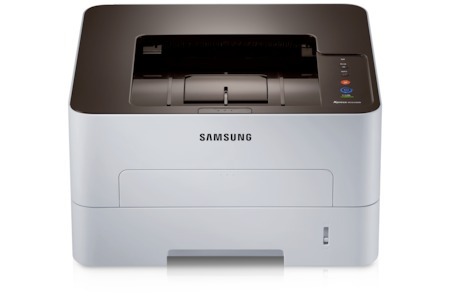
The Xpress M2820 is Samsung's faster workgroup mono laser under the Xpress name, built for offices where printing happens all day. Single-function focus means every dollar went into print performance.
The MLT-D115S standard or MLT-D115L high-yield cartridge fits. Our compatible cartridges keep running costs down; genuine OEM cartridges keep it factory-original. Fast shipping from Clever Supplies.
Toner Cartridges for Xpress M2820
This printer works with the following toner cartridges:
- Samsung MLT-D115S
- Samsung MLT-D115L
More Samsung Printers
- SL-M2620
- SL-M2670
- SL-M2670FN
- SL-M2820
- SL-M2820DW
- SL-M2820ND
- SL-M2830
- SL-M2830DW
- SL-M2870
- SL-M2870FW
- SL-M2880
- SL-M2880FW
- SL-M2620D
- SL-M2670N
- SL-M2870FD
- Xpress M2620
- Xpress M2670
- Xpress M2870
- Xpress M2880FW
- Xpress M2830 DW
- Xpress SL-M2620
Frequently Asked Questions
Where does the Xpress M2820 show its toner level — does the panel show a percentage?
The Xpress M2820 reports toner through its control panel supplies menu and through Samsung's printer software on your computer. Estimated levels are approximate by design, so keep a spare MLT-D115S once the gauge drops into the low zone. Make it routine and you will always print with toner to spare.
My Xpress M2820 leaves a faint gray film on every page, and which part of the printer causes it that used to print clean white?
That all-over gray film is the classic signature of a tired drum or a failing cleaning blade inside the Xpress M2820. Look at the drum surface under good light — a visibly worn or uneven coating confirms what the pages are telling you. Fixing it at the drum level restores the crisp output the Xpress M2820 is capable of.
I am buying toner for the Xpress M2820 — which code should I look for, and what do the S and L suffixes mean so I do not make a mistake?
Only the MLT-D115S or MLT-D115L codes are made for the Xpress M2820; cartridges for other Samsung families will not seat correctly. Keep the empty box until the new cartridge is installed and printing, in case the code needs double-checking. Buying by exact code is the single best way to avoid a return.