




SL-M2820
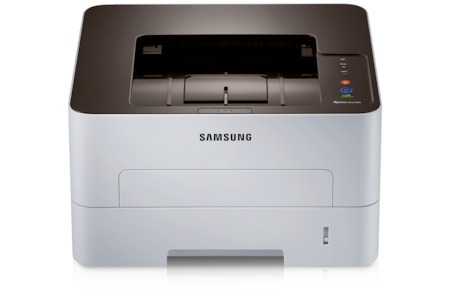
The Samsung SL-M2820 moves up the Xpress mono ladder with a faster, more workgroup-oriented single-function engine. Offices printing through the day get a machine built to keep pace.
The MLT-D115S standard cartridge covers normal use, while the MLT-D115L high-yield stretches further between changes. We stock both in compatible and genuine Samsung OEM form, shipping fast from Clever Supplies.
Toner Cartridges for SL-M2820
This printer works with the following toner cartridges:
- Samsung MLT-D115S
- Samsung MLT-D115L
More Samsung Printers
- SL-M2620
- SL-M2670
- SL-M2670FN
- SL-M2820DW
- SL-M2820ND
- SL-M2830
- SL-M2830DW
- SL-M2870
- SL-M2870FW
- SL-M2880
- SL-M2880FW
- SL-M2620D
- SL-M2670N
- SL-M2870FD
- Xpress M2620
- Xpress M2670
- Xpress M2820
- Xpress M2870
- Xpress M2880FW
- Xpress M2830 DW
- Xpress SL-M2620
Frequently Asked Questions
Text from my SL-M2820 smudges when I rub it — what should I check first?
When toner smudges instead of fusing into the fibers, the prime suspect is the fuser — the hot roller at the SL-M2820's output. If plain paper smudges with a fresh MLT-D115S installed, the fuser is probably failing and needs service or replacement. Rule out the simple causes first and the real culprit will stand out clearly.
When should I replace the imaging unit in my SL-M2820 instead of just the toner — how many cartridges does one drum usually survive on this printer?
Yes, the drum in the SL-M2820 is designed to outlast several toner cartridges, so most of your purchases will just be the MLT-D115S or MLT-D115L. You can keep printing on a tired drum for a while, but quality degrades steadily and eventually every page shows it. Let the pages tell you when the drum is done — they always do.
My SL-M2820 prints text fine but the whole page looks dirty gray — is it a drum issue or a toner issue on text documents?
When the whole sheet picks up a faint gray veil, the drum in the SL-M2820 is typically no longer wiping itself clean between pages. Try a new MLT-D115S if the current one is very old, since degraded toner can contribute — but if the haze survives a cartridge swap, the drum is the answer. That one replacement brings the page background back to clean paper white.