




SL-M2830
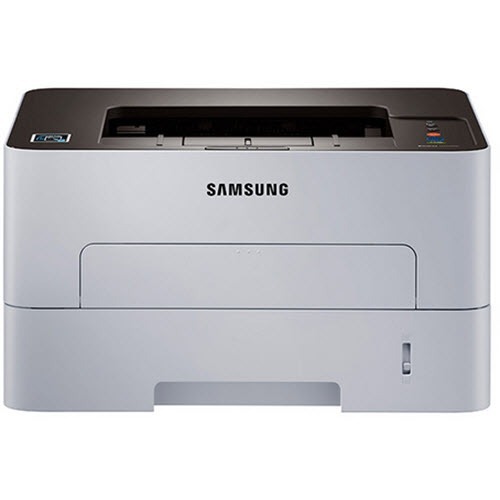
The Samsung SL-M2830 is a workgroup-grade single-function mono laser in the Xpress family, built for offices with steady daily volume: solid, quick, and economical to run. It runs on the standard MLT-D115S cartridge, with the high-yield MLT-D115L for busier stretches. The listings on this page are the high-yield line, sold under the cartridge code and under the printer's own model name alike.
Steady volume is this machine's home turf — not bursts, not occasional memos, but a dependable daily flow of documents. Printers like this are judged on running cost over years, and that is where cartridge choice compounds: the high-yield fill, bought in multipacks, quietly lowers the cost of every one of those daily pages while cutting the number of supply interruptions the office has to absorb.
Toner Cartridges for SL-M2830
| Cartridge | Color | Page Yield |
|---|---|---|
| High-yield MLT-D115L, single cartridge | Black | See product page |
| High-yield MLT-D115L, pack of 3 | Black | See product page |
| Premium high-yield MLT-D115L, pack of 5 | Black | See product page |
| SL-M2830 high-yield cartridge (model-named), single | Black | See product page |
| SL-M2830 high-yield cartridges (model-named), pack of 5 | Black | See product page |
Which cartridge should you buy?
For steady daily volume, the MLT-D115L is the natural default: more pages per cartridge than the standard MLT-D115S, fewer swaps, and a lower cost per page — the printer takes both sizes, so nothing about the machine changes. Between the code-named and model-named listings there is no difference in what arrives; both are the same high-yield cartridge. The 3 pack suits a single busy machine; the Premium 5 pack suits an office that would rather think about toner quarterly than monthly.
Chip, toner and everyday use
Before blaming a cartridge for quality complaints, rule out the paper. Moisture changes how every sheet behaves, and on humid days the stack in the tray — not the toner — is often the culprit. Keep the working stack dry; in very humid spaces, storing it in a resealable bag makes a noticeable difference to output. It is a boring fix that resolves a remarkable number of complaints. Also remember that rated yields assume about 5% coverage, so a document-heavy office should budget cartridges by its own page counts, not the box.
Frequently Asked Questions
How should I store paper for the SL-M2830, and how do I rule paper out before blaming the cartridge?
Keep paper in its wrapper until loading, off the floor and away from exterior walls where humidity collects. If output degrades on a muggy day, load a fresh, dry stack and reprint the same page: if the defect vanishes, the paper was the cause. Only then suspect the MLT-D115S or the drum.
My SL-M2830 prints text fine but the whole page looks dirty gray. Could the cartridge be at fault?
More likely the imaging drum: when the whole sheet picks up a faint gray veil, the drum is typically no longer wiping itself clean between pages. First rule out the easy causes — fresh, dry paper, and a paper-type setting that matches what is loaded. If the veil persists, plan the drum replacement; backgrounding does not heal itself.
It still prints light after a new cartridge. What does a worn drum look like on the page?
The drum in this printer is designed to outlast several toner cartridges, so most purchases are just toner. A worn drum shows itself through pattern defects — marks or bands that repeat in step with the drum's rotation. Measure the repeat distance on the page to confirm, and trust the new-cartridge test: fresh toner plus the same defect means the drum, rarely the other way around.
More printers that use the same cartridges
The MLT-D115 family stretches across Samsung's Xpress workgroup range, which keeps fleet stocking to one code: SL-M2820, SL-M2820DW, SL-M2820ND, SL-M2830DW, SL-M2870, SL-M2870FD, SL-M2870FW, SL-M2880, SL-M2880FW, SL-ML2830DW, Samsung-MLTD115L, Xpress M2620, Xpress M2670, Xpress M2820, Xpress M2830 DW, Xpress M2870, Xpress M2880FW, Xpress SL-M2620, ML2830DW, SL-2820DW, SL-2830DW, SL-M2620, SL-M2620, SL-M2620D, SL-M2670, SL-M2670FN, SL-M2670N.