




SL-M2870
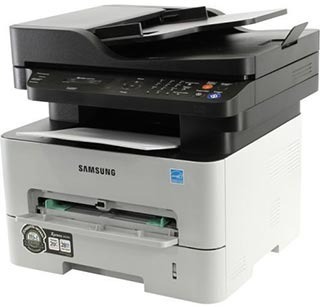
Samsung's SL-M2870 brings multifunction capability to the workgroup mono tier: print, scan, and copy with the sturdiness a shared office machine demands. It is built for teams, not desks.
It takes the MLT-D115S standard cartridge or the MLT-D115L high-yield. Compatible or genuine OEM, both are available with fast shipping from Clever Supplies.
Toner Cartridges for SL-M2870
This printer works with the following toner cartridges:
- Samsung MLT-D115S
- Samsung MLT-D115L
More Samsung Printers
- SL-M2620
- SL-M2670
- SL-M2670FN
- SL-M2820
- SL-M2820DW
- SL-M2820ND
- SL-M2830
- SL-M2830DW
- SL-M2870FW
- SL-M2880
- SL-M2880FW
- SL-M2620D
- SL-M2670N
- SL-M2870FD
- Xpress M2620
- Xpress M2670
- Xpress M2820
- Xpress M2870
- Xpress M2880FW
- Xpress M2830 DW
- Xpress SL-M2620
Frequently Asked Questions
Does the SL-M2870 use a separate imaging drum, or is it built into the cartridge — do they get replaced together when pages start looking bad?
Your SL-M2870 treats them as two independent consumables: the MLT-D115S runs out of powder, while the drum slowly loses its coating. When a fresh MLT-D115S does not fix streaks, spots, or gray backgrounds, the drum has usually reached the end of its life. It is a small detail that saves real money over the life of the printer.
Which replacement cartridge is compatible with the SL-M2870 — do color cartridges exist for it so I do not make a mistake?
Your printer is designed for the MLT-D115S / MLT-D115L family, so any cartridge labeled MLT-D115S and MLT-D115L will fit. If a listing does not show the exact MLT-D115S or MLT-D115L code, do not buy it for the SL-M2870 — close-looking codes are not interchangeable. A thirty-second code check beats a week-long exchange.
Why does my SL-M2870 say the cartridge is incompatible, and what steps reset the error on this model?
The SL-M2870 reads a small chip on the MLT-D115S, so anything blocking that contact — toner dust, a missed pull-tab — triggers an error. After reinstalling, print a supplies status page to confirm the SL-M2870 now sees the cartridge correctly. Work through the seating and seal checks first — they resolve most errors in minutes.