




SL-M2870FD
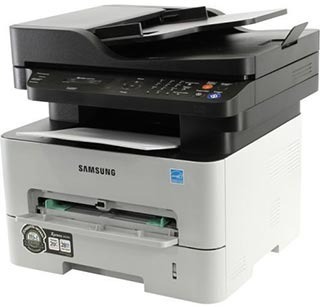
Fax and duplexing meet in Samsung's SL-M2870FD, a workgroup multifunction that prints two-sided while handling fax alongside print, scan, and copy. Offices juggling signed documents get a lot from this one box.
It feeds on the MLT-D115S or the longer-lasting MLT-D115L. Compatible and genuine Samsung OEM cartridges are stocked, shipping fast from Clever Supplies.
Toner Cartridges for SL-M2870FD
This printer works with the following toner cartridges:
- Samsung MLT-D115S
- Samsung MLT-D115L
More Samsung Printers
- SL-M2620
- SL-M2670
- SL-M2670FN
- SL-M2820
- SL-M2820DW
- SL-M2820ND
- SL-M2830
- SL-M2830DW
- SL-M2870
- SL-M2870FW
- SL-M2880
- SL-M2880FW
- SL-M2620D
- SL-M2670N
- Xpress M2620
- Xpress M2670
- Xpress M2820
- Xpress M2870
- Xpress M2880FW
- Xpress M2830 DW
- Xpress SL-M2620
Frequently Asked Questions
Should I buy the standard or high-yield cartridge for my SL-M2870FD — what actually differs inside the cartridge for a home office?
The MLT-D115S is the standard-yield cartridge and the MLT-D115L is the high-yield version; both fit the SL-M2870FD and print identically. For light, occasional printing, the standard MLT-D115S is the sensible pick — toner can degrade if a cartridge sits installed for many months. Your printing volume makes this decision for you.
How do I know the drum in my SL-M2870FD is finished — is there a drum-life indicator on this model before buying another cartridge?
Replace the imaging unit when print defects survive a fresh MLT-D115S: repeating marks, persistent streaks, or gray backgrounds all point at the drum. Visually, a worn drum often looks shiny or unevenly coated compared with a fresh one — inspect it under good light. Time the SL-M2870FD's drum replacement to the symptoms, not the calendar, and you will never replace it early.
Text from my SL-M2870FD smudges when I rub it — what should I check first even with a new MLT-D115S?
When toner sits on the surface instead of melting into the fibers, the fuser — the hot roller at the SL-M2870FD's output — is the prime suspect. Envelopes and labels are the usual victims of wrong media settings, so confirm the driver matches the tray contents. Correct media settings make the whole problem vanish in most cases.